Interactive retail display solutions for smarter shopping
Written and reviewed by the ETA Visual Engineering & Project Team. Guidance is updated when project, product or Singapore site-planning practices change.
Retail displays can do more than promote products. Interactive retail display solutions let shoppers browse product information, compare options and discover related items through touchscreens, kiosks or responsive digital signage. They can also support self-service and link the in-store experience with product availability and other store systems. This matters when customers need answers at the shelf or staff need a display to do more than attract attention. The right format depends on the products, the shopper journey and how the display will be managed day to day. This article explains how interactive displays support self-service, product discovery and promotions, with practical examples for different retail settings. It also covers system integration, content and maintenance, and how to choose a format that suits your store.
Key Takeaways
- Use touchscreens and kiosks to help shoppers find product details, compare options and browse beyond in-store stock.
- Plan promotional content around the shopper journey, so related products and offers appear where they can help with a decision.
- Connect displays with store systems only where the data and workflows support a clear customer or operational benefit.
- Choose a format based on the products, available space, interaction required and how the display will be maintained.
- Consider transparent LED displays when you want to present digital content while keeping the shopfront or products visible.
Table of Contents
- Self-service and shopper experience
- Digital signage for promotions and cross-selling
- Integration with POS systems, CRMs, and inventory databases
- Choosing an interactive display format and strategy
- Examples of interactive retail displays
- ETA Visual: Transparent LED Displays
Self-service and shopper experience
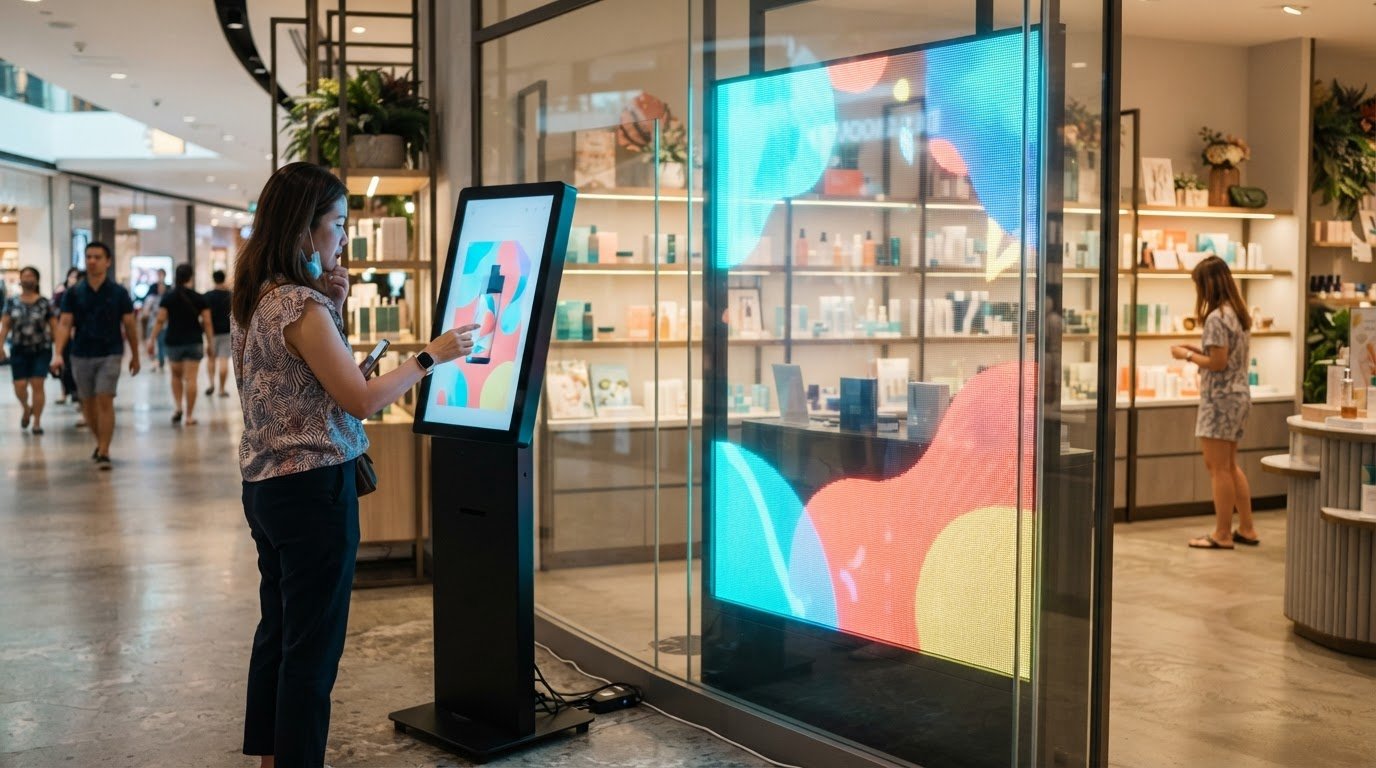
Self-service displays give shoppers a direct way to explore products without waiting for staff. A touchscreen beside a product range can show specifications, colour options, care instructions and demonstration videos. Shoppers can compare two models on the same screen, then scan a QR code to continue browsing on their phones. This makes the display useful at the point of decision, not just another promotional surface.
A kiosk can also help customers navigate a large shop or mall. For example, someone looking for a particular skincare product can search by brand, category or product name, then view its location. An endless-aisle screen can extend the experience to products beyond the store’s physical stock. Retailers can show catalogue items and direct customers to an online purchase or another fulfilment option.
Match the interaction to the product. In a technology shop, a touch display can compare device features and play a product tutorial. In a fashion store, an interactive tablet can show available colours or complementary accessories. A Lift, Place and Learn setup adds another interaction: picking up an item can trigger relevant videos, reviews or comparisons. Placing it in a designated zone can reveal matching accessories or related offers.
Interactive displays can support a seamless omnichannel experience when they connect naturally with digital channels. A QR code can take a shopper from a product page to a mobile catalogue, while an online checkout option can help complete a purchase. Keep information consistent across the screen, store and website. Otherwise, a displayed price or product detail may conflict with what shoppers see next.
Interactive displays also give brands room to explain more than product specifications. A screen beside a new product can present its design story, sustainability information or a step-by-step demonstration. For example, a beauty brand could let shoppers explore a routine by skin concern, then see how each product fits. This creates a personalised experience without making assumptions about individual shoppers.
Retailers can use interactions and feedback to build insights into what customers want to know. A screen can invite visitors to rate a product demonstration or choose which feature matters most. Useful measures include dwell time, content engagement, customer feedback and whether shoppers proceed to product information or checkout. These signals help teams refine content and placement. For more on interactive LED displays, consider how screen position, content and the shopper’s next action work together.
Digital signage for promotions and cross-selling
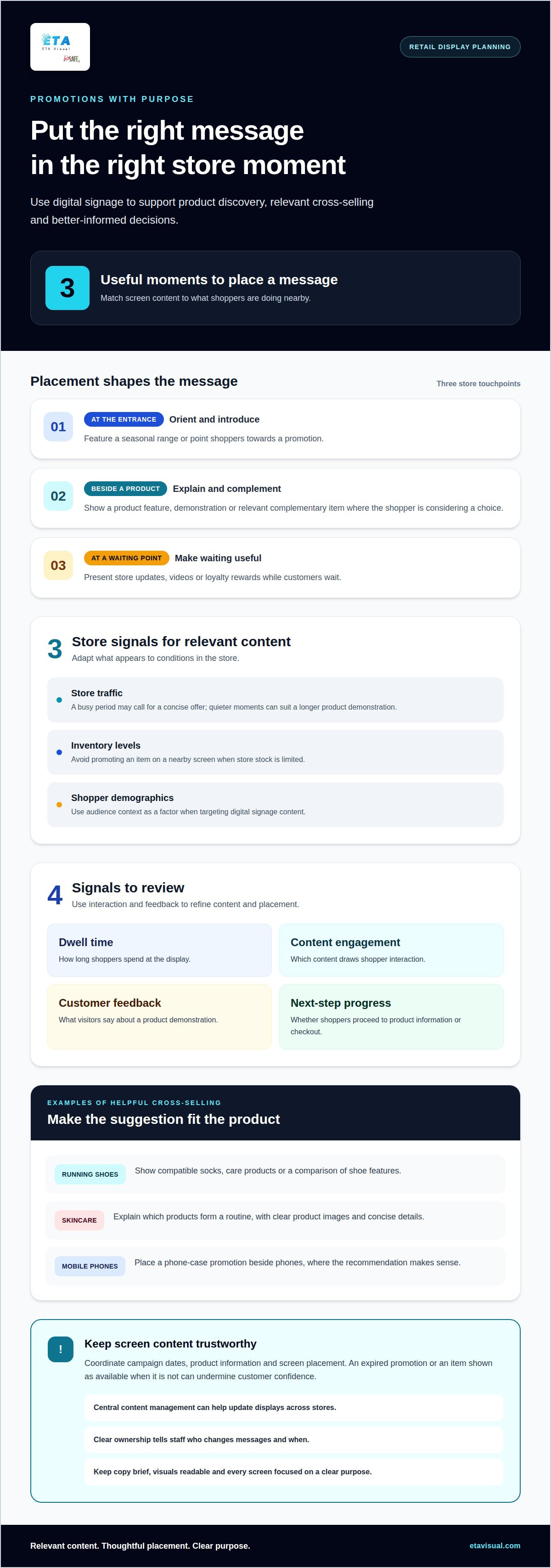
A digital promotion works best when it reaches shoppers at a useful point in the store. A screen near a product display can introduce a new range, while one near checkout can highlight a relevant add-on. Placement gives the message context: a phone-case promotion makes more sense beside phones than across the shop. Plan each screen around the products customers see nearby.
Cross-selling should help shoppers make a choice, not interrupt it. For example, a display beside running shoes could show compatible socks, care products or a comparison of shoe features. In a beauty shop, a screen near skincare could explain which products form a routine. Clear product images and concise details make suggestions easier to scan while shopping.
Promotional content can also respond to store conditions. Retailers can target digital signage using factors such as store traffic, inventory levels or shopper demographics. A store with limited stock of an item can avoid promoting it on a nearby screen. A busy period may call for a concise offer, while quieter moments can suit a longer product demonstration. These choices keep messages relevant to the physical retail setting.
- At the entrance: introduce a seasonal range or direct shoppers towards a promotion.
- Beside a product: show a feature, demonstration or complementary item.
- At a waiting point: present store updates, videos or loyalty rewards while customers wait.
Retail sales teams can use interactive displays to demonstrate accessories, promotions and loyalty rewards. A staff member might show a product comparison on screen, then guide the customer to a related offer. The same display can give shoppers who prefer to browse independently a self-service option. In either case, make the next step clear: explore a product, ask for help or view a promotion.
Content needs active management. An expired promotion or a product shown as available when it is not can undermine customer confidence. Coordinate campaign dates, product information and screen placement. A central content management system can help update displays across stores, while clear ownership tells staff who changes messages and when. Keep copy brief, use readable visuals and give each screen a clear purpose.
For Singapore retailers planning screens around product zones, the retail digital signage guide can help frame decisions about content, placement and system requirements.
Integration with POS systems, CRMs, and inventory databases
A screen is more useful when its information reflects what stores can actually sell. Connecting display software with a point-of-sale system, customer relationship management platform or inventory database can help keep information aligned. Each connection serves a different purpose: POS data relates to transactions, CRM records support customer interactions, and inventory data shows product availability. Agree on data fields and define how updates will work.
Inventory integration helps prevent a frustrating moment: a shopper finds an item on screen, then learns it is unavailable. A display could show available colours or direct customers to an alternative product. The screen needs reliable stock information, and its content should explain what the data means. For example, a product page could distinguish items available in the store from those available through another fulfilment route.
POS information can link promotions with purchase activity. A retailer might review transaction trends to identify product pairings worth promoting, then schedule relevant content. The screen alone cannot prove that a promotion caused a purchase. Teams need to compare display interactions with sales records and consider other influences, such as campaign timing or product placement. This keeps performance analysis grounded.
A CRM connection can support a more continuous shopping experience. For example, an optical shop could save a customer’s specifications and images of them trying products, helping with future purchases and sales follow-up. Displays can also connect shoppers to a digital journey through a QR code. Personalised content should have a clear purpose, and retailers should explain what customer data they collect and how they use it.
Before integrating systems, define which one owns each piece of information. A product name may come from the catalogue, while current stock comes from inventory. Decide how often each value updates and what the display shows if a connection fails. A safe fallback could retain general product information while hiding claims about unavailable stock. This helps prevent an outdated feed from misleading shoppers.
- Map the data: identify the product, price, stock or customer fields the display needs.
- Set permissions: limit customer data access to the functions that require it.
- Test the journey: check the screen, transaction or follow-up flow using realistic examples.
- Assign ownership: name the team responsible for content, data quality and issue handling.
For retailers in Singapore, integration planning should account for existing store networks and workflows. A single shop may use one data source, while a multi-outlet retailer may need location-specific stock and centrally managed content. Clear ownership and accurate feeds help screens provide useful information when customers need it.
Choosing an interactive display format and strategy
Choose a format by starting with the shopper’s task, not the screen. A customer comparing headphones needs clear product differences; someone locating a department needs wayfinding. Interactive retail display solutions work best when the display’s location, interface and content support one useful action in the shopping journey.
Plan, install and maintain displays by defining the shopper’s task, choosing a suitable format and coordinating site requirements with content. Before installation, assess sightlines, power, connectivity, mounting and maintenance access. After commissioning, test the interaction and assign responsibility for updates, cleaning and fault reporting.
A touchscreen kiosk suits browsing, product search or wayfinding in larger stores. A tablet beside a product keeps comparisons close at hand, while a sensor-triggered screen can respond to movement near a window display. Give each format a clear prompt: “compare models” is more useful than an unexplained invitation to tap.
- Kiosks: support product lookup, catalogue browsing or directions across a large retail floor.
- Countertop screens: present product details where a shopper is already speaking with staff.
- Window displays: introduce products to passers-by and connect a physical storefront with digital content.
- Interactive tablets: let shoppers explore options beside the relevant product or fitting area.
Content shapes the visual experience as much as hardware does. A product comparison needs readable labels and a simple layout; a campaign video needs imagery that remains clear from its intended viewing position. Map the screen’s dimensions, viewing angle and surrounding light before preparing content. In Singapore malls, placement planning should also consider pedestrian flow, installation access and building management requirements.
Installation planning brings the display, mounting, power and signal path together. For example, a kiosk in a narrow aisle may obstruct movement or make service access difficult. A window screen may need a different mounting approach from a freestanding unit. Coordinate the installation schedule, delivery route, access conditions and any building work-hour requirements.
Maintenance starts with a named owner and a workable routine. Staff should know how to report a frozen screen, failed touch response or outdated promotion. Content teams need a process for replacing campaigns, while technical teams need access to connections and components. Before launch, test the full journey, from the first prompt through product information and a QR code or checkout hand-off.
Interactive displays can let shoppers choose products, access information and complete purchases. Simpler solutions can also engage shoppers by helping them learn about, choose and purchase products. Retailers can use data gathered through interactive displays to understand customers’ motivations, expectations and needs, then strengthen sales and marketing strategies.
Sales can increase by up to 200 percent when products are displayed in strategic locations, and sales increases from displaying products in strategic locations can be as high as 375 percent.
Examples of interactive retail displays
Retail displays can use different interaction methods to suit their setting. A motion sensor near a shop window can trigger digital signage as someone passes. An NFC display offers another option: a shopper taps a compatible phone near the marked point to open product information. Both formats support discovery without requiring a staff member to start the interaction.
Some brands use interactive window displays to preview products before customers enter. Kaizer Leather used an outdoor display that let customers explore bags and accessories in chosen colour combinations. This shows how a storefront can support product selection as well as attract attention. For a Singapore retailer, the visual design and installation also need to suit the window, surrounding light and building requirements.
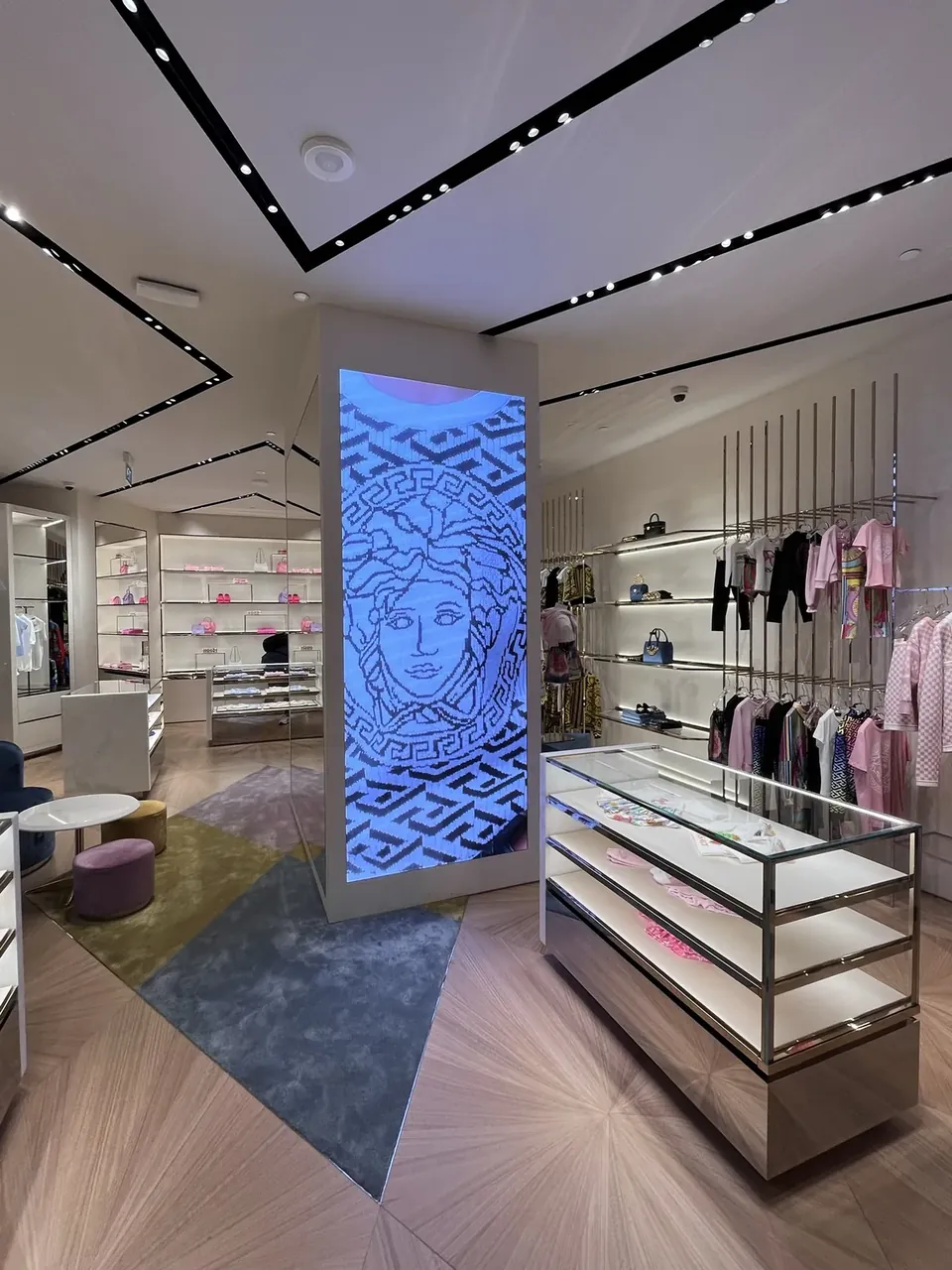
In-store examples include shop-in-shop screens, countertop displays and kiosks. A countertop display can present a product story at the point of sale, while a kiosk may serve as a catalogue terminal. Good American’s Century City store features a 98-inch vertical display. The example illustrates how screen scale can form part of a brand environment, rather than functioning only as a product lookup tool.
Immersive formats can support product education. Virtual reality can demonstrate product features in a simulated environment, while augmented reality combines digital images with real-time text, video, audio or graphics. For example, a retailer could use augmented reality to show how a product’s components fit together. The experience should explain something more clearly than a static display can.
Retailers in Singapore should consider applicable building, electrical, accessibility and personal-data requirements for each installation. Relevant considerations depend on the display’s location and operation. If an experience collects personal information, explain what is collected and how it will be used. Common operational challenges include outdated content, failed touch functions and difficult maintenance access in a busy shop.
To assess return on investment, compare the display’s attributable contribution with its full project and operating costs. Retailers can use a campaign code, QR destination or linked transaction record to connect a specific display interaction with sales. Include content production, system operation and maintenance in the cost assessment. Compare like-for-like campaign periods and account for stock changes or other promotions, so the result reflects the display’s role rather than every sale during the campaign.
ETA Visual: Transparent LED Displays
ETA Visual helps retailers plan and integrate transparent LED displays for shopfronts and in-store brand presentations. They can present digital content while allowing the space behind the screen to remain visible, making them relevant where a conventional opaque display would obscure a window or product area.
The right design depends on the storefront, viewing position, content and installation conditions. In Singapore malls, planning also needs to account for building requirements, access and maintenance. ETA Visual supports projects with display design, installation and commissioning, aligning the screen with its intended retail use.
For a different viewing requirement, Indoor P0.9~P5 LED Screens may suit indoor display applications. Discuss the site and shopper experience before choosing a format.
Shape the next step for your store
Start by defining what shoppers should be able to do at your display, then match that task to the space and system. A focused brief helps make interactive retail display solutions a practical part of the store journey, rather than a screen added without a clear role.
For a retail project, ETA Visual offers Transparent LED Displays, Indoor P0.9~P5 LED Screens and Outdoor LED Billboards. These formats support different settings, from shopfronts that need to retain visibility to indoor brand displays and outdoor advertising. The right choice depends on the intended viewing experience and site conditions.
Bring your store layout, display location and intended shopper interaction into the discussion. This gives the project a clear starting point for choosing a screen format and integrating it with the retail environment.
A carefully planned display can make the next shopping interaction clearer, more useful and more engaging.
Why Use Interactive Retail Store Displays?
Use displays when shoppers need product guidance that staff cannot always provide immediately. They can make explanations available during busy periods while employees focus on requests about fit, suitability or service. For example, a homeware retailer could provide care instructions alongside product details. Keep staff assistance visible as an option, so self-service complements personal support rather than replacing it.
What are interactive retail display solutions and how do they work?
Interactive retail display solutions combine a screen, a way for shoppers to respond and content designed for those interactions. Test every path from its starting prompt to its final screen. For example, a “select a category” button should lead to the relevant information, with a clear route back. This helps catch confusing navigation before customers encounter it.
What types of interactive retail displays are available for stores?
Formats include fixed kiosks, countertop units, window installations, tablets and displays that respond to touch, motion or product recognition. The practical difference is where and how people use them. A fixed unit suits a dedicated information point; a tablet can be repositioned for staff demonstrations. Include the mounting method, cable route and cleaning access when choosing a format.
What are the benefits of interactive displays for retail sales and customer engagement?
A well-designed interaction can make product explanations consistent, even when different staff members serve customers. It also lets shoppers choose the pace and depth of information. Retailers can review which questions customers explore, then use those observations to improve staff guidance or product education. Treat these insights as signals for better service, not proof that a screen alone caused a sale.
How do touchscreen kiosks, digital signage, and augmented reality displays compare for retail?
Compare formats by the effort they require from shoppers and the team maintaining the experience. A kiosk needs a clear interface and accessible placement; digital signage can run scheduled content with less shopper input. Augmented reality may require suitable devices, prepared digital assets and testing in the intended viewing environment. Choose the simplest format that effectively supports the customer’s task.
What software, payment, inventory, and analytics integrations do interactive displays support?
Integration depends on the retailer’s platforms, available data access and the task assigned to the display. A screen can direct a shopper to a payment flow, but payment processing should remain in the retailer’s chosen checkout system. Before commissioning, document which system supplies each field, who manages access and how teams handle incorrect or delayed information. This helps reduce uncertainty during operation.
Visual planning reference
| Planning factor | What to define | Why it matters |
|---|---|---|
| Viewing positions | Nearest viewing distance and audience locations | Supports an appropriate pixel-pitch and screen-size decision. |
| Content workflow | Input sources, resolutions and control workflow | Helps ensure information remains readable and simple to operate. |
| Installation conditions | Structure, access, power, ventilation and maintenance access | Aligns the display scope with the physical site before procurement. |
Want an accurate budget for your space?
We'll do a free site survey and prepare a clear, itemised quotation — no obligation.
Frequently asked questions
Use displays when shoppers need product guidance that staff cannot always provide immediately. They can make explanations available during busy periods while employees focus on requests about fit, suitability or service. For example, a homeware retailer could provide care instructions alongside product details. Keep staff assistance visible as an option, so self-service complements personal support rather than replacing it.
Interactive retail display solutions combine a screen, a way for shoppers to respond and content designed for those interactions. Test every path from its starting prompt to its final screen. For example, a “select a category” button should lead to the relevant information, with a clear route back. This helps catch confusing navigation before customers encounter it.
Formats include fixed kiosks, countertop units, window installations, tablets and displays that respond to touch, motion or product recognition. The practical difference is where and how people use them. A fixed unit suits a dedicated information point; a tablet can be repositioned for staff demonstrations. Include the mounting method, cable route and cleaning access when choosing a format.
A well-designed interaction can make product explanations consistent, even when different staff members serve customers. It also lets shoppers choose the pace and depth of information. Retailers can review which questions customers explore, then use those observations to improve staff guidance or product education. Treat these insights as signals for better service, not proof that a screen alone caused a sale.
Compare formats by the effort they require from shoppers and the team maintaining the experience. A kiosk needs a clear interface and accessible placement; digital signage can run scheduled content with less shopper input. Augmented reality may require suitable devices, prepared digital assets and testing in the intended viewing environment. Choose the simplest format that effectively supports the customer’s task.
Integration depends on the retailer’s platforms, available data access and the task assigned to the display. A screen can direct a shopper to a payment flow, but payment processing should remain in the retailer’s chosen checkout system. Before commissioning, document which system supplies each field, who manages access and how teams handle incorrect or delayed information. This helps reduce uncertainty during operation.
Plan the next step
Continue with a relevant solution and real Singapore project evidence.