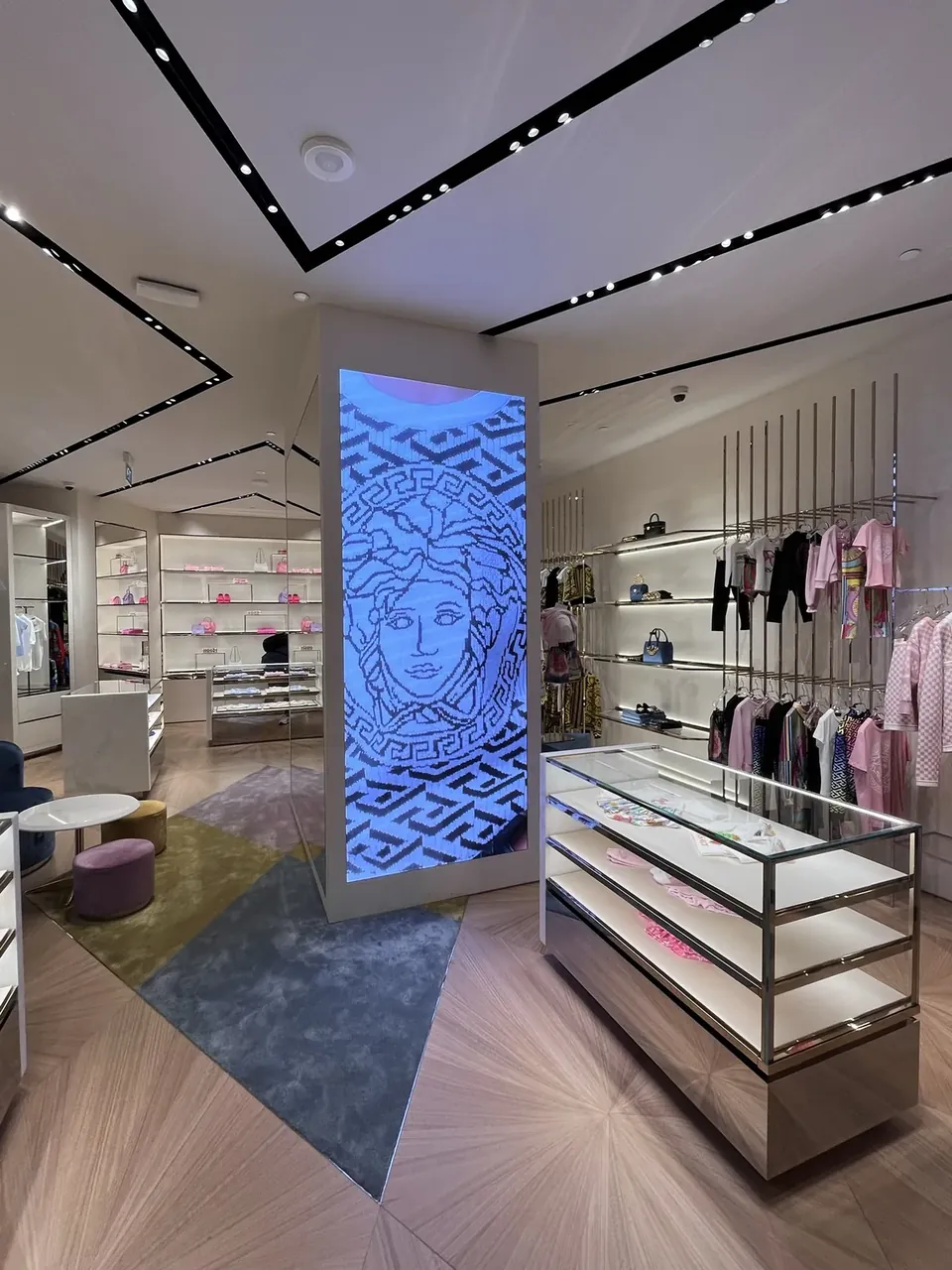
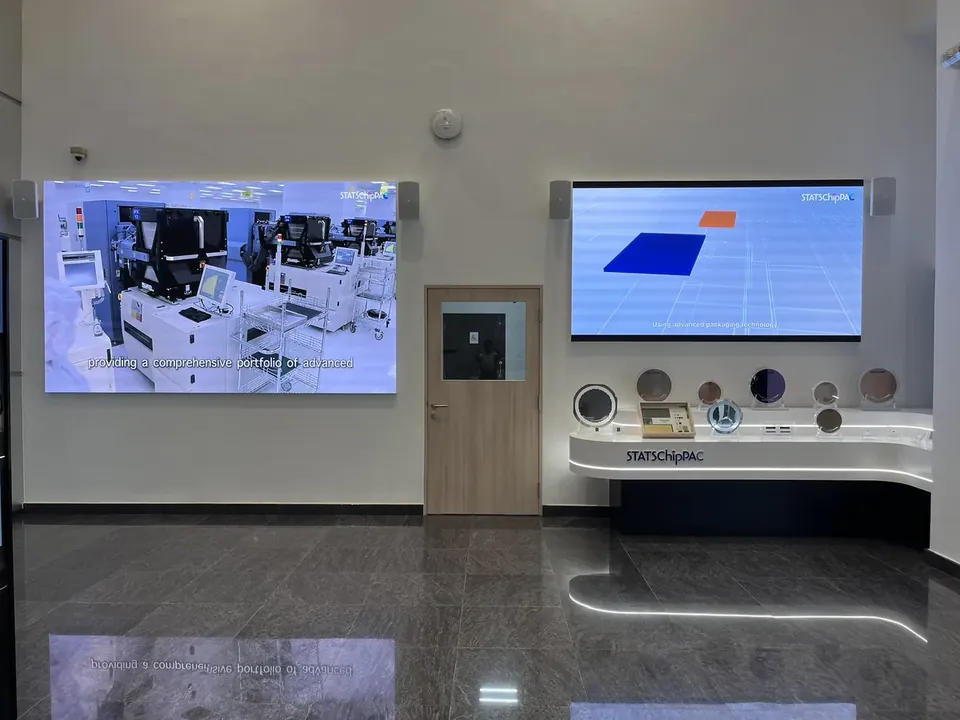
Creating a Wow Factor with Video Walls Through Smart Design
Written and reviewed by the ETA Visual Engineering & Project Team. Guidance is updated when project, product or Singapore site-planning practices change.
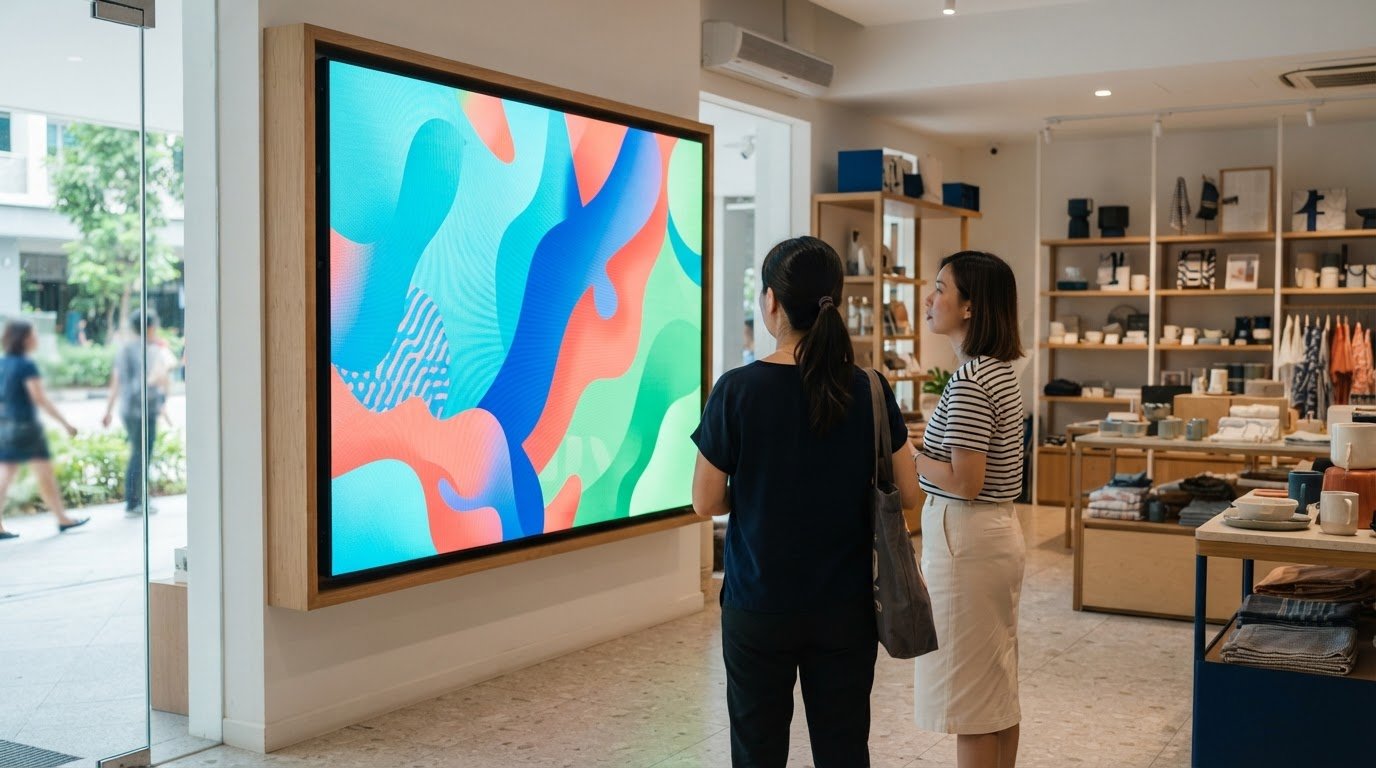
A bigger screen doesn’t automatically make a stronger impression. Creating a wow factor with video walls starts with choosing a size that suits the space, audience and message: LCD walls can use 2 × 2, 3 × 3 or 4 × 4 screen arrays, while Direct LED can be assembled into custom dimensions. Creating a wow factor with video walls takes more than choosing a large screen. The content needs to catch attention, remain clear from the audience’s viewing positions and communicate its message at a glance. Pixel pitch, resolution and viewing distance all shape that experience. This article explains how to size a video wall for its setting, select Direct LED pixel pitch and resolution, and plan for future expansion. It also looks at how content, positioning and visual communication help a display capture attention in Singapore’s commercial spaces, from retail environments to reception areas and event venues.
Key Takeaways
- Choose video wall dimensions around the space, audience positions and intended content, rather than size alone.
- Match Direct LED pixel pitch and resolution to viewing distance so images remain clear for the people who matter most.
- Consider modular design and content requirements early to make future changes more practical.
- Position the display as a focal point without blocking sightlines, and keep visual messages clear and easy to absorb.
- Coordinate graphics, motion and surrounding lighting to make the screen feel integrated with the space.
Table of Contents
- What is A Video Wall?
- Resolution, scalability and system expansion
- Using video walls to capture customer attention
- Video walls as a way to capture attention and communicate visually
- What makes a video wall visually impressive and memorable?
- ETA Visual
What is A Video Wall?
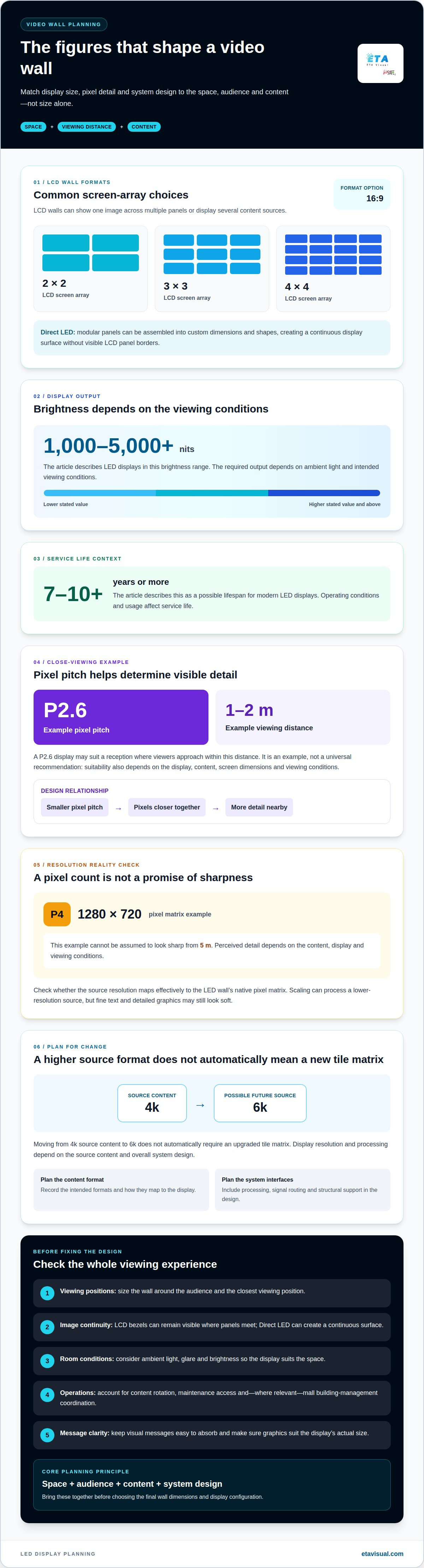
A video wall combines multiple displays into a coordinated viewing surface that can show one image or several content sources. Its format, brightness and image continuity affect how well it communicates in a retail, corporate or event space. Start with the message, viewing positions and available wall area, rather than simply choosing the largest screen.
Display Formats and Applications
A video wall may use one large display surface or a matrix of separate screens, depending on the space and content. In retail, digital signage can carry advertising across a wide area, while interactive displays can invite customers to explore product information or promotions.
LCD configurations commonly include 2 × 2, 3 × 3 or 4 × 4 arrays. They can show one image across the screens or present multiple sources, such as a corporate presentation beside supporting information. A 16:9 arrangement can suit content designed for that format, although the room and viewing positions still guide the layout.
Visual Qualities of Video Walls
Brightness, viewing angles, bezel width and image continuity shape how a wall looks from different positions. LED displays are described as producing 1,000-5,000+ nits, while a seamless Direct LED surface avoids visible borders between LCD panels. The required brightness depends on the ambient light and intended viewing conditions.
An uninterrupted image can help graphics read as one composition across a large surface. Modern LED displays are described as lasting 7-10 years or more, although operating conditions and usage affect service life. Longevity matters in a commercial space where the display supports daily communication.
Professional planning accounts for the viewing area, content sources, mounting surface and installation access. Prepare by noting the intended location, audience positions and content requirements. In a mall, building-management coordination and practical access for maintenance also inform the installation plan.
Common risks include visible gaps between LCD bezels, glare from nearby lighting, downtime caused by component or signal issues, and burn-in from static images. Careful layout, lighting, content rotation and planned maintenance help address these risks before they affect viewing.
Measure performance against the display’s purpose. For retail advertising, review campaign engagement; for corporate presentations, assess whether the audience can see and follow the content. To evaluate return on investment, compare those outcomes with project and operating costs over the same period.
LCD panels can form a 16:9 video wall, but their bezels remain visible where screens meet. Direct LED uses modular panels to create a more continuous surface. The differences between LED and LCD video walls matter when selecting a format for close viewing or large-scale visuals.
Resolution, scalability and system expansion
Resolution should suit the closest viewing position, content format and display dimensions. For a Singapore reception or corporate presentation space, those decisions affect how clearly graphics communicate and whether the wall can adapt as requirements change.
Resolution for Close-Range Viewing
For close-range viewing, resolution depends partly on pixel pitch, the distance between neighbouring LED pixels. A smaller pitch places pixels closer together, helping images appear more detailed from nearby positions.
A 2.6 mm pitch is one example used for close-viewing applications. A P2.6 display may suit a reception where viewers approach within 1-2 m, but this is not a universal recommendation. Likewise, 3 mm pitch is not limited to, or guaranteed to provide sharp images at, 3 m-40 m. Suitability depends on the display, content, screen dimensions and viewing conditions. The pixel pitch selection process also considers typical audience positions.
A useful design check is whether the source resolution maps effectively to the LED wall’s native pixel matrix. If the source contains fewer pixels than the display, processing may scale the image, but fine text and detailed graphics can still appear soft. A P4 display with a 1280 × 720 pixel matrix, for example, cannot be assumed to look sharp from 5 m; perceived detail depends on the content, display and viewing conditions.
Colour Accuracy and Resolution
Resolution describes image detail, while colour accuracy describes how faithfully the display reproduces intended colours. Both matter: a high-resolution image can still misrepresent brand colours, skin tones or product finishes.
For broadcast studios, colour accuracy and high resolution matter when choosing a display for visual content. A professional design considers the source format, processing and viewing conditions together. Brightness also affects perceived colour, so the screen’s output should suit the room rather than overpower it. Assess brand graphics at their intended display size, not only on a desktop monitor.
Scalability and System Expansion
Scalability means building a display from modules or tiles so its dimensions and shape suit the space. Direct LED panels can form custom sizes and shapes, while modular construction can support later expansion as the room or audience needs change.
Planning the tile matrix early helps align physical dimensions with source content and future formats. For example, moving from 4k source content to 6k content does not automatically require an upgraded tile matrix. The display resolution and processing needed depend on the source content and overall system design. Expansion can also affect signal routing, processing and structural support, so those interfaces belong in the original system design.
A practical expansion plan records the intended content format, wall dimensions, processing path and possible growth areas. In a Singapore office, a conference room system may need to accommodate new presentation sources without changing the display surface. Aligning resolution, pixel pitch and system architecture gives the screen a clearer visual purpose and a more adaptable role.
Using video walls to capture customer attention
A video wall earns attention when its position, message and scale suit the space. In a Singapore retail setting, a display near an entrance can introduce a campaign, while one deeper inside can support product discovery. The screen should act as a focal point without obstructing sightlines or interrupting customer movement.
Placement determines whether people notice the content or pass it by. Professional design considers approach routes, viewing angles and surrounding activity. In a mall, consider how shoppers enter an area, where they pause and whether shopfronts or architectural features compete visually. A custom layout can make the display part of the environment, not an obstacle.
Content must suit the audience’s viewing distance. For people viewing from 5-10 m, bold graphics, large text and a clear focal point help make the message easier to absorb. A promotion with one product image and a short call to action is more legible at that distance than a dense menu of small text.
Event organisers can use an LED video wall to carry brand identity, sponsor content or live camera feeds. For example, a conference screen can show a speaker close-up between presentation slides, helping attendees follow from different parts of the venue. Give each content change a clear purpose, such as introducing a session or highlighting a sponsor.
For Singapore installations, coordinate the proposal with building management and assess structural support, electrical supply, access and work controls. Applicable approvals and safety requirements are site- and scope-specific, so professionals account for the installation location and project conditions rather than assuming one rule applies everywhere.
Lighting and mounting decisions influence both visibility and comfort. Professionals assess glare from windows, spotlights and reflective surfaces, then position the display to keep its image readable. The mounting design also considers the wall structure, cable routes and service access. A site survey for a Singapore AV installation helps assess these practical conditions before installation.
Power, cooling and structural requirements are considered together. The design accounts for the display’s electrical demand, heat release and the support needed for its panels and mounting system. In a Singapore indoor venue, ventilation and access for maintenance matter alongside the available power supply. These checks help the system operate reliably without compromising the surrounding space.
Lighting can work with the display to strengthen an event’s visual focus. Coordinated stage lighting and screen content can create a more immersive presentation, while excessive brightness or competing effects can distract from the message. A clear content plan, suitable placement and deliberate lighting choices turn a large screen into a useful communication feature.
Video walls as a way to capture attention and communicate visually
A video wall communicates through scale, movement and visual sequence, not size alone. In a Singapore shopping mall, a campaign can move from a product image to a short offer, then to a clear brand message. That sequence gives passing customers a reason to look, while keeping each screen moment focused on one purpose.
Design content around the display’s role, audience and viewing conditions. Establish the main message first, then arrange supporting visuals so the key idea stays clear. For example, a retail promotion might lead with one hero product, use a brief animation to show its benefit, and finish with a store location or call to action.
Event organisers can use an LED wall to communicate sponsor identities, event branding and programme information. A conference might display the event name between sessions, then switch to sponsor content before a presentation begins. Giving each visual a defined place in the event flow keeps it from competing with the speaker or stage activity.
Live camera feeds add another communication layer. At a product launch, a close-up of a demonstration can help people seated farther away follow details that would otherwise be difficult to see. A video wall can also combine a speaker feed with presentation graphics, provided the layout gives each source enough space to remain legible.
Immersive content works best when movement supports the message. A hotel reception could use flowing architectural visuals to establish an atmosphere, while a retail display might use a short product animation to explain a feature. Fast transitions and unrelated images can weaken the story, so match content pacing to the setting and audience attention.
Consider how screen content relates to its physical surroundings. At a corporate event, stage lighting can coordinate with video transitions to create a unified visual change when a new speaker appears. Lighting should support the visuals, not wash out important content or draw attention away from the main message.
Content planning covers the source format, screen layout and playback method. A wide panoramic visual may suit a broad LED wall, while a presentation slide designed for a standard screen may leave unused space. Build content for the actual display canvas so graphics feel intentional and logos, text and key images stay in their planned positions.
For a commercial project, a coordinated LED video wall system can bring display, content sources and event visuals together. The central design principle is simple: give each visual a clear job, then make every transition support that message.
What makes a video wall visually impressive and memorable?
A memorable video wall gives the audience one clear visual idea to notice and understand. In a Singapore retail atrium, a launch campaign can connect a product image, brand colours and a concise message in one coherent composition, rather than presenting unrelated graphics at once.
Strong content starts with a clear hierarchy. Decide what viewers should notice first, what explains it and what action follows. For a hotel launch, the sequence might open with the property name, show a distinctive interior, then display event details. Each transition should advance the story, not add motion without purpose.
Scale changes how content should be composed. A graphic that looks balanced on a laptop may feel empty or crowded across a large-format wall. Build the composition for the actual canvas, giving key images and text intentional space. Large shapes, clear contrast and uncluttered layouts help preserve the message across the display.
Motion can guide attention when it has a defined role. A retail campaign could use a subtle animated reveal to introduce a new product, followed by a still image that gives shoppers time to take in its details. If every element moves at once, the visual hierarchy becomes harder to follow. Deliberate pacing gives each image room to communicate.
Interactivity can make a display more engaging when it serves a useful purpose. Touch or laser tracking can let visitors explore product information, select a presentation topic or interact with an exhibit. For example, a visitor at a corporate experience centre might choose a subject and see related visuals appear on the wall. Keep the interaction intuitive and relevant to the space.
Memorability also depends on how the screen relates to its surroundings. At a conference, stage lighting can complement a speaker introduction, while a quieter visual treatment supports the presentation itself. In a shopping centre, nearby signs, shopfronts and reflective surfaces affect how a campaign reads. Consider content and environment together.
A practical review checks the visual at its intended scale and from the audience’s actual positions. Designers can assess whether the main message remains clear, logos retain their proportions, and transitions support the content. A sponsor slide, product image and event title each need a distinct role, not merely a place on screen.
The central principle is purposeful composition: choose one message, support it with relevant imagery, then use movement or interaction only when it strengthens communication. This makes a large display feel designed for its audience, whether it is in a retail environment, corporate venue or event space.
Discuss your video wall design
ETA Visual
ETA Visual helps businesses turn video wall goals into designs suited to their space, audience and communication needs. Work with the team to align viewing distance, display size, content format and installation conditions before committing to a system.
Planning can consider indoor and outdoor applications, including Indoor P0.9~P5 LED Screens, Outdoor LED Billboards, Transparent LED Displays, and Flexible & Curved LED. The right configuration depends on the environment and the intended viewing experience. Design and integration also account for practical site conditions, such as mounting location, power, signal flow and maintenance access.
For a Singapore retail space, office, hotel or event venue, ETA Visual can help connect display decisions with the way people use the space. Contact ETA Visual to discuss your video wall project.
Make your next display decision with purpose
The next step is to turn the audience experience you want into a practical project brief. Define what the display should communicate, where viewers will see it and how the space will be used. These decisions give the design process direction and help align the display with its setting.
Creating a wow factor with video walls is not about choosing the largest screen. It is about connecting visual impact with a clear purpose, from an indoor commercial display to an outdoor billboard or a transparent screen. ETA Visual offers Indoor P0.9~P5 LED Screens, Outdoor LED Billboards and Transparent LED Displays as options for different commercial environments.
With the objective and site requirements in view, ETA Visual can shape the design and integration around your project. Share your intended location, audience and content goals to start a focused discussion.
A well-planned display gives your message a deliberate place in the space. Take the next step when you are ready to develop that vision with ETA Visual.
How big are video walls?
Video walls can be designed for the available space, so there’s no single standard size. A commercial reception might use a compact screen arrangement, while an event backdrop could span several metres. For example, a 6 m × 3 m LED wall has been used in a professional services firm’s reception. The right dimensions depend on viewing positions, architectural limits, content format and how much of the space the display should occupy.
How do LED video walls compare with LCD video walls for impact, brightness and cost?
LED walls create a continuous image surface, while LCD walls use separate panels with visible bezels at the joins. LED can suit large-format visuals, while LCD arrays can work well when a tiled screen format fits the room. Brightness needs depend on ambient light and viewing conditions. Cost depends on the technology, display size, pixel pitch, processing, mounting and installation access, so compare complete system requirements rather than panel prices alone.
What video wall size, resolution and pixel pitch suit different viewing distances?
Match pixel pitch to the nearest audience position, then size the wall around the viewing area and content. As a starting point, 4-5 mm pitch is associated with viewing distances of 5-50 m, while 6-8 mm is used for distances of 10-80 m or more. These ranges overlap because content detail and audience layout matter. Resolution should also suit the source material, especially where presentations include small text or detailed graphics.
How do you plan and install a video wall step by step?
Start by defining the message, audience positions, available wall area and content. Then choose the display format, dimensions, pixel pitch and resolution for the viewing distance. Survey placement, sightlines, lighting, mounting, cable routes and maintenance access; coordinate with building management and assess structural support, electrical supply, cooling and work controls before installation.
Visual planning reference
| Planning factor | What to define | Why it matters |
|---|---|---|
| Viewing positions | Nearest viewing distance and audience locations | Supports an appropriate pixel-pitch and screen-size decision. |
| Content workflow | Input sources, resolutions and control workflow | Helps ensure information remains readable and simple to operate. |
| Installation conditions | Structure, access, power, ventilation and maintenance access | Aligns the display scope with the physical site before procurement. |
Want an accurate budget for your space?
We'll do a free site survey and prepare a clear, itemised quotation — no obligation.
Frequently asked questions
Video walls can be designed for the available space, so there’s no single standard size. A commercial reception might use a compact screen arrangement, while an event backdrop could span several metres. For example, a 6 m × 3 m LED wall has been used in a professional services firm’s reception. The right dimensions depend on viewing positions, architectural limits, content format and how much of the space the display should occupy.
LED walls create a continuous image surface, while LCD walls use separate panels with visible bezels at the joins. LED can suit large-format visuals, while LCD arrays can work well when a tiled screen format fits the room. Brightness needs depend on ambient light and viewing conditions. Cost depends on the technology, display size, pixel pitch, processing, mounting and installation access, so compare complete system requirements rather than panel prices alone.
Match pixel pitch to the nearest audience position, then size the wall around the viewing area and content. As a starting point, 4–5 mm pitch is associated with viewing distances of 5–50 m, while 6–8 mm is used for distances of 10–80 m or more. These ranges overlap because content detail and audience layout matter. Resolution should also suit the source material, especially where presentations include small text or detailed graphics.
Start by defining the message, audience positions, available wall area and content. Then choose the display format, dimensions, pixel pitch and resolution for the viewing distance. Survey placement, sightlines, lighting, mounting, cable routes and maintenance access; coordinate with building management and assess structural support, electrical supply, cooling and work controls before installation.
Confirm the viewing distance, display size, content type, installation conditions and signal-source requirements before selecting a system.
Pixel pitch should be selected against the closest intended viewing distance, the information density of the content and the available budget.
Plan the next step
Continue with a relevant solution and real Singapore project evidence.