Business case for office AV upgrade: the productivity costs
Written and reviewed by the ETA Visual Engineering & Project Team. Guidance is updated when project, product or Singapore site-planning practices change.
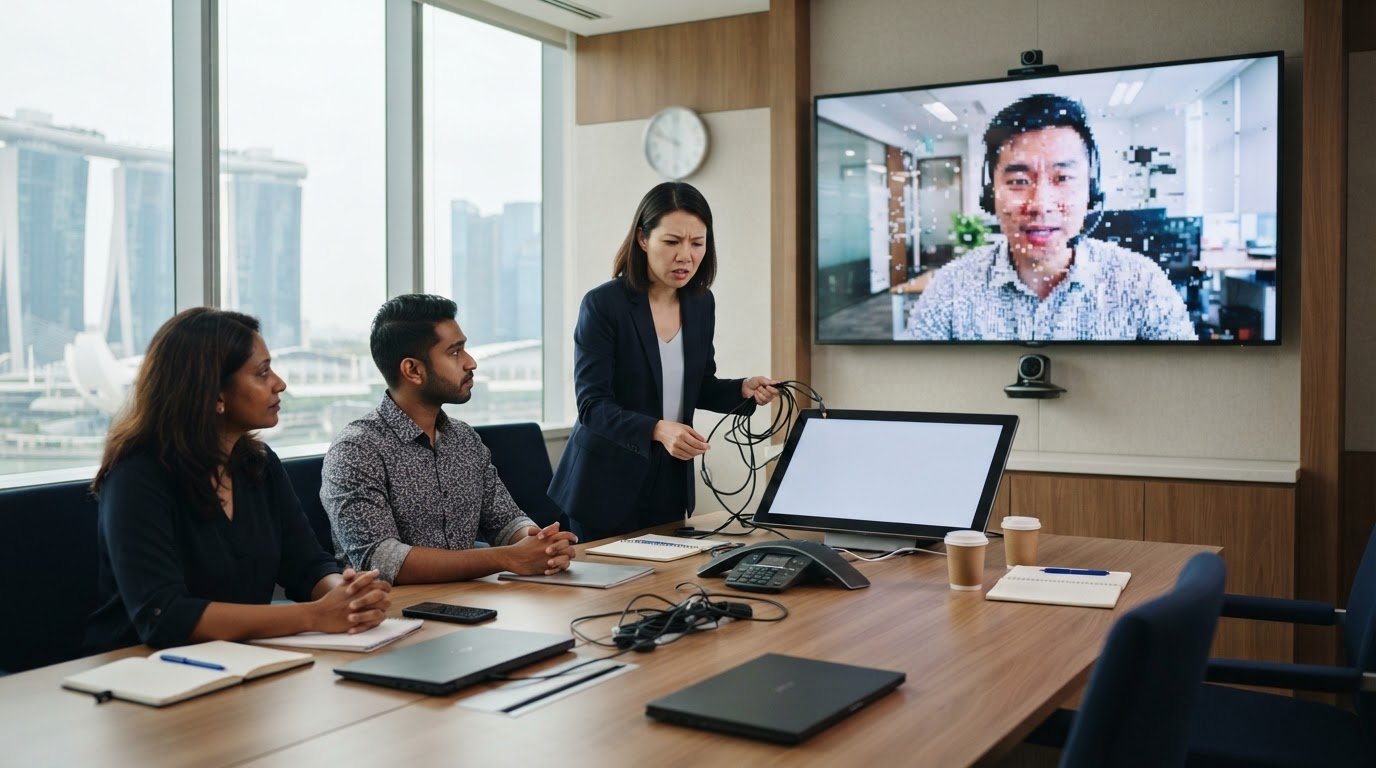
A business case for an office AV upgrade rests on the time and meeting quality lost when technology fails. If a 30-minute meeting loses ten minutes to troubleshooting, five senior managers can spend nearly an hour of collective leadership time resolving the issue instead of moving work forward. Reliable audio and video help in-room and remote participants hear, see and contribute clearly. It’s easy to dismiss dropped audio, compatibility problems or repeated setup delays as minor inconveniences. In practice, they interrupt discussions, pull employees away from other work and can make people less willing to collaborate in the office. This article explains how to assess those productivity costs and connect them to a practical upgrade decision. You’ll learn why clear audio and video matter for hybrid meetings, which performance gaps to look for in existing rooms, and how reliability, usability and future business needs shape the case for change.
Key Takeaways
- Track recurring setup failures, compatibility issues and employee workarounds to identify where existing meeting-room equipment is falling short.
- Include lost meeting time, troubleshooting effort and disrupted decisions when assessing the productivity costs of outdated AV.
- Plan hybrid rooms around clear audio and video for both in-room and remote participants, including colleagues joining across borders.
- Measure upgrade value against practical indicators such as meeting delays, successful connections and user-reported meeting quality.
- For projects where a shared visual display is part of the solution, consider how indoor LED screens can support clear, visible communication in the room.
Table of Contents
- Employee frustration with unreliable equipment
- Hidden productivity costs of outdated AV
- Hybrid and cross-border meeting reliability
- Clear audio and video for in-room and remote participants
- What metrics should be used to calculate the ROI of an office AV upgrade?
- ETA Visual: Indoor P0.9~P5 LED Screens
Employee frustration with unreliable equipment
Unreliable meeting-room equipment forces employees to handle small technical tasks instead of focusing on the discussion. A laptop that won’t connect, a microphone that cuts out or a display showing the wrong input can turn the meeting host into an informal AV troubleshooter. When failures keep recurring, staff may avoid certain rooms or choose less collaborative ways to work. That reluctance can affect morale and make in-office meetings feel less worthwhile.
Look for patterns instead of treating every incident as an isolated fault. If a room’s audio drops whenever someone joins by video call, for example, note the platform, connection method and equipment involved. If staff bring their own adapters to make presentations work, record that workaround too. These observations can help distinguish a faulty component from a broader compatibility or room-design problem.
Pay particular attention to audio design. Daisy-chained speakerphones can extend microphone and speaker coverage along a long table, but placement and configuration matter. A chain that picks up loudspeaker output or sound reflecting off a hard conference table can contribute to echo and uneven speech levels. In a room with glass walls, a speakerphone at one end may also make participants at the other end harder to hear. Test with people seated in their usual positions, not just from the doorway.
- Record which seats have difficulty hearing or being heard.
- Note whether problems occur with in-room speech, remote callers, or both.
- Check whether the issue follows a device, a connection, or a particular room.
Room acoustics also affect equipment selection. Carpet, curtains and upholstered chairs absorb sound differently from glass partitions, bare walls and hard tables. A microphone suited to a small huddle space may not capture speech evenly in a larger boardroom. Match microphones and loudspeakers to the room layout, seating plan and expected use, then test speech clarity from several positions.
For Singapore installations, identify whether the project includes mains electrical work, penetrations through fire-rated construction or building alterations. These elements may involve applicable requirements and building-management approvals. AV signal cabling alone should not be treated as a substitute for assessing the full project scope.
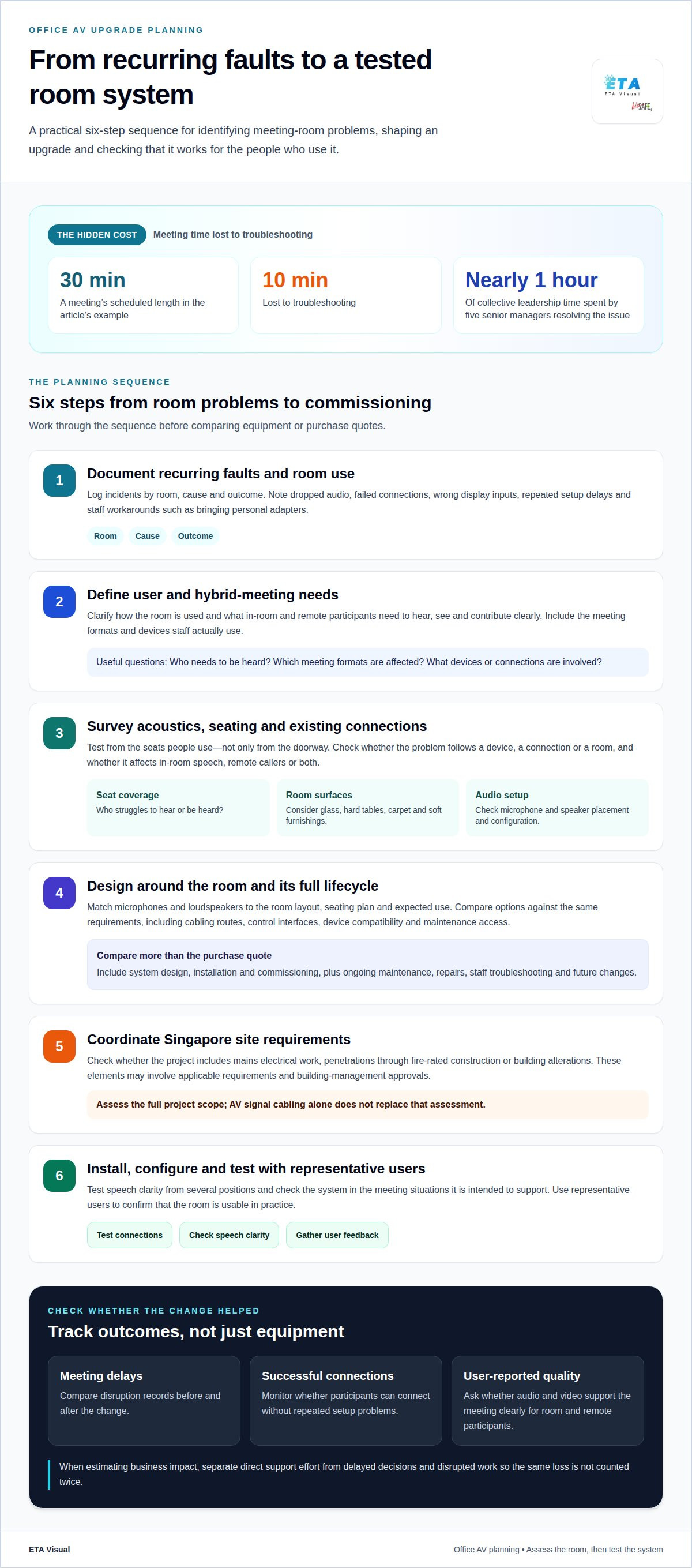
Planning follows a clear sequence: document recurring faults and room use, define user and hybrid-meeting needs, survey acoustics and existing connections, design the system, coordinate site requirements, then install, configure and test it with representative users. An office audio installation example can help illustrate how room use and speaker placement shape system design.
Hidden productivity costs of outdated AV
Outdated AV can cost more than the equipment replacement itself. Lost staff time, interrupted decisions and repeated support work all add to the burden. Assess these operational effects separately from the initial purchase and installation budget.
For Singapore businesses, grant or tax support depends on the relevant scheme’s eligibility criteria and qualifying expenditure. Treat any support as a separate funding consideration, not as an assumed part of the upgrade’s return.
Costs of Meeting Delays
Meeting delays have a business cost when setup problems use time employees could spend on planned work. A delayed presentation may push back a decision, shorten discussion or require attendees to meet again. The impact can extend beyond the room when teams have to reschedule calendars or repeat preparation.
Record each disruption by room, cause and outcome. Note, for example, whether a failed connection delayed a client presentation or an unclear recording led to repeated follow-up. These records reveal which rooms cause recurring disruption and help distinguish isolated faults from broader system issues. They also give you a practical baseline for assessing change.
Upfront and Long-Term AV Costs
Upfront AV costs include the equipment, system design, installation and commissioning needed for the room’s intended use. Longer-term costs include maintenance, repairs, staff troubleshooting and future changes when the system no longer supports meeting needs. Comparing purchase quotes alone can hide the operational burden of keeping an unsuitable setup running.
Compare options across the full system lifecycle. Include room-specific needs such as cabling routes, control interfaces, compatibility with staff devices and access for maintenance. A lower initial specification may mean extra adapters or repeated support, while a better-matched design may reduce those workarounds. Assess every option against the same room requirements and expected use.
To estimate the business impact, combine incident records with the time employees spend resolving problems. Separate direct support effort from delayed decisions and disrupted work, so you don’t count the same loss twice. Track whether recurring issues affect a particular room, meeting format or device type. This creates a clearer link between the AV problem and its operating cost.
Consider how often the organisation expects to update its meeting-room technology. Planning for a system that can last three to four years between updates may help avoid frequent replacement cycles. Set that planning horizon according to the organisation’s expected growth and how its meeting needs may change.
A practical review can compare current room performance with the cost of proposed changes, including installation requirements and ongoing upkeep. For an overview of Singapore workplace project considerations, corporate AV installation guidance can help frame the scope.
Hybrid and cross-border meeting reliability
Reliable hybrid meetings depend on every participant being able to follow and contribute, whether they are in Singapore or joining remotely. Meeting-room AV should support the whole conversation, not just display a remote caller.
Hybrid Work and Remote Participation
Hybrid work brings together people in the room and colleagues joining through a video platform, so the room needs to work for both groups. Remote participants can miss discussion if the camera shows only the presenter or a microphone fails to pick up questions from around the table.
Imagine a Singapore team reviewing a presentation with a colleague overseas. The remote attendee needs a clear view of the people speaking, audible questions and readable shared content. Test these functions from the remote participant’s perspective, not just from the seats around the table.
Hybrid and Remote Collaboration
Hybrid collaboration means people in the room and people joining remotely can exchange ideas and materials. It matters because an effective meeting requires remote attendees to respond, ask questions and contribute to decisions, not simply watch a presentation.
For example, when a project team annotates a design, check that remote participants can see the relevant content while following the discussion. A layout that turns everyone towards one screen may make it harder for the camera to capture faces and reactions. Equipment placement and content-sharing methods should support both tasks.
Cross-border meetings bring different working environments and routines. An overseas colleague may join from a private office, shared workspace or small meeting room. The Singapore room cannot control those conditions, but it can provide consistent local audio, a clear camera view and a predictable way to connect and share materials.
Assess the complete signal path, from participants’ devices to the room display, camera and microphones. Test the meeting platform staff use, the laptops they bring and the content they present. Confirm that the selected input appears correctly, remote voices can be heard in the room and in-room speakers are audible at the far end.
- Test a meeting with both in-room and remote attendees.
- Ask a remote participant to describe what they can hear and see.
- Share a presentation, then switch to discussion without changing rooms.
- Check how participants join and resume after a disconnection.
These checks reveal workflow gaps that an equipment demonstration can miss. A successful connection doesn’t show whether a remote participant can follow side conversations or see who is speaking. Include those situations in commissioning and user acceptance testing. Record recurring issues by room and meeting type, then prioritise changes that help the whole group participate.
Clear audio and video for in-room and remote participants
Meeting-room AV should help every participant follow the conversation and shared material. Clear audio, good video and easy-to-use controls support collaboration, especially when colleagues join remotely. The system works as a whole: microphones, loudspeakers, cameras, displays and connections must suit the room’s meeting tasks.
Start with the conversation. In a boardroom discussion, remote attendees need to hear questions from different seats, not just from the person nearest the microphone. Microphone coverage and loudspeaker placement affect how clearly speech carries. Test from usual seating positions, including the far end of the table, and check that remote voices are audible throughout the room.
Camera selection should reflect how people use the room. A fixed camera may suit a presentation focused on one speaker, while a pan-tilt-zoom (PTZ) camera can frame different speakers as discussion moves around the table. PTZ cameras can offer 2k QHD image quality. Assess the view from the remote participant’s screen, including whether faces remain visible during a presentation.
Shared content deserves the same attention. A finance team reviewing a spreadsheet needs readable figures, while a design team may need to discuss visual details. Check that the display shows the intended source and that online participants can see the shared material clearly. A camera view and a shared screen serve different purposes, so test both during a typical meeting.
Simple controls help employees start meetings without having to operate several unrelated devices. A single, clearly labelled process for joining, selecting a source and adjusting room audio can reduce uncertainty. Test the steps with employees who don’t manage AV equipment regularly. Their experience may reveal confusing controls that technical staff overlook.
- Check speech pickup from each part of the table.
- Review camera framing from a remote participant’s view.
- Share the content used in real meetings, such as slides or spreadsheets.
- Test the joining and control sequence with typical users.
Compatibility matters too. Connect the laptops and meeting platforms employees use, then test switching between a video call and an in-room presentation. Confirm that participants can hear remote speakers, share content and return to the discussion without disrupting the meeting. Record which steps cause difficulty and address the underlying issue instead of relying on staff to remember workarounds.
Finally, commission the system around how the room is actually used. Run a discussion, presentation and question-and-answer session with both in-room and remote attendees. Ask remote participants whether they can follow the speech and see who is speaking. These checks assess the complete meeting experience, not just whether each device powers on.
What metrics should be used to calculate the ROI of an office AV upgrade?
Measure return by comparing documented operational benefits with the complete upgrade cost. For an office AV investment, establish a baseline, then track the same indicators after commissioning to see what changed.
Start with meeting performance. Record how often sessions begin on schedule, how frequently users need technical help and how much meeting time AV issues consume. These measures show whether the upgraded system improves room availability and reduces disruption. Keep records by room, since a boardroom and a huddle space may have different usage patterns.
Next, estimate recovered staff time using the organisation’s own records. If employees spend less time resolving connection or control problems, calculate the value using the relevant internal labour cost. Don’t count the same minutes as both reduced support effort and recovered meeting time. Include only improvements that can reasonably be linked to the AV change.
- Meeting continuity: compare delays, failed starts and interrupted sessions.
- Support demand: track AV-related help requests and repeat faults.
- Room utilisation: assess whether reliable systems make equipped rooms easier to use.
- User experience: gather structured feedback on joining, sharing content and hearing participants.
Set a consistent measurement period and define each metric before installation. For example, count a meeting as disrupted when a technical issue delays its start or pauses the discussion. Use the same definition afterwards. This makes the comparison more useful than general impressions or a few memorable incidents.
Build the cost estimate from the project scope: equipment, design, installation, commissioning, training, maintenance and future changes. Use the actual project quotation and internal operating records rather than generic market estimates. Include costs beyond the equipment purchase, such as staff time spent learning a new room process.
Calculate net benefit by subtracting the total upgrade cost from the value of attributable savings and operational gains. Compare the result with the investment and document assumptions separately. Some benefits, such as clearer client discussions or better remote participation, may matter commercially without being easy to convert into a reliable monetary figure. Report these outcomes alongside the financial calculation, not as invented savings.
For a defensible decision, review the baseline, scope and measurement method together before approval. A commercial AV quotation can help align the proposed system scope with the costs included in the assessment.
Request a commercial AV quotation
ETA Visual: Indoor P0.9~P5 LED Screens
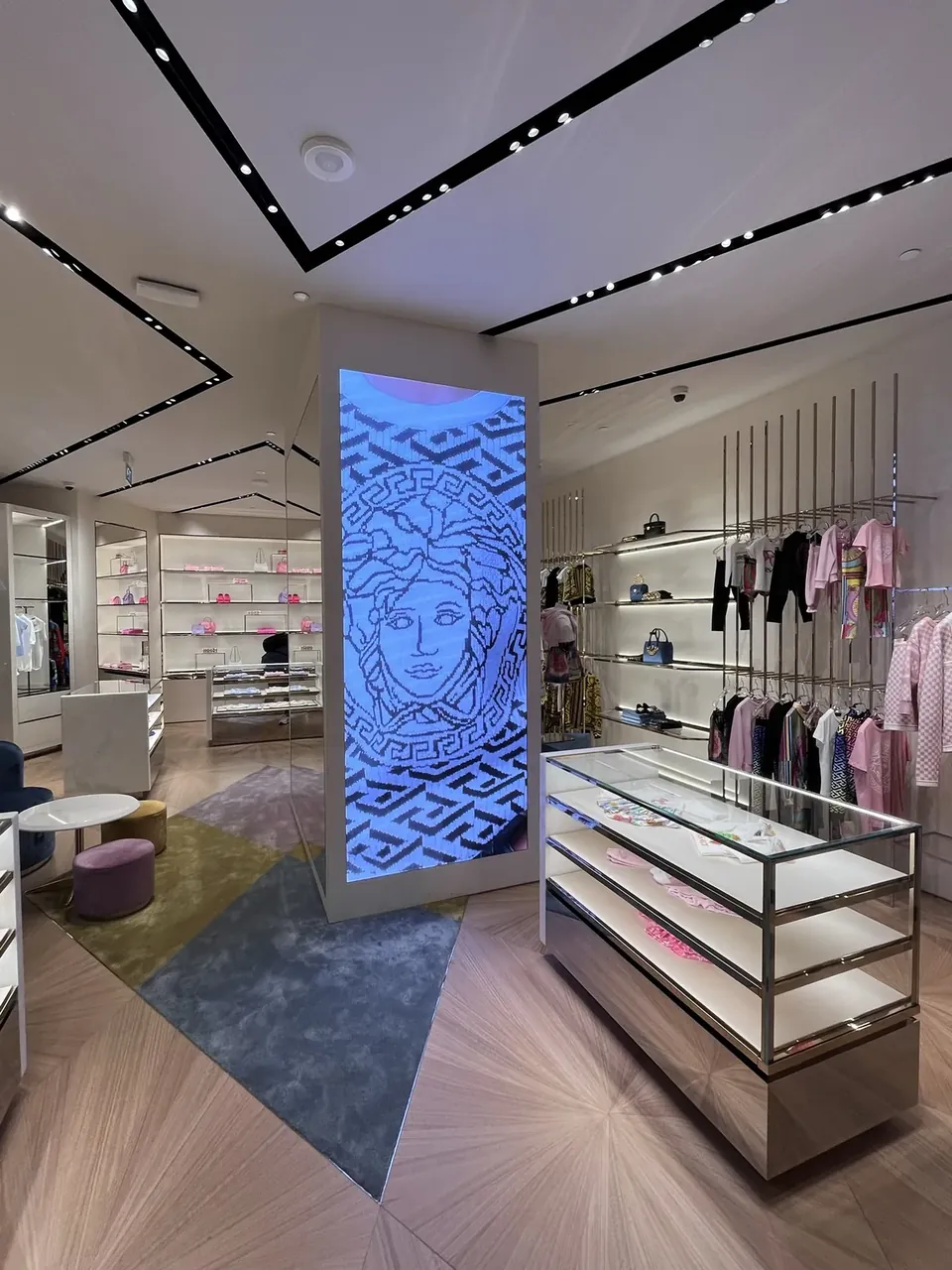
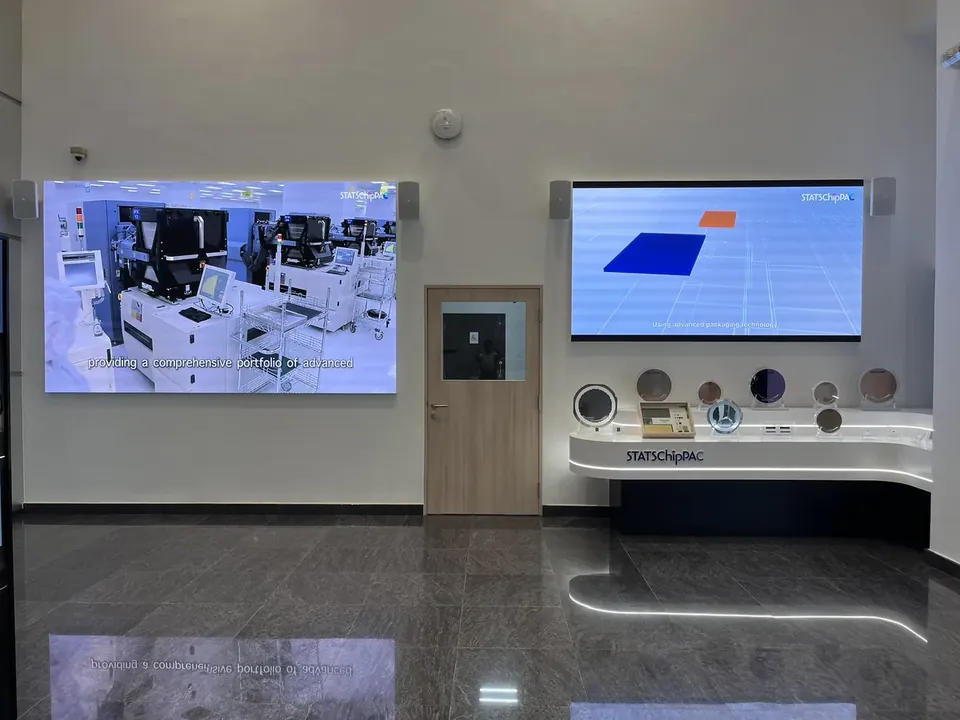
ETA Visual can help businesses assess whether an indoor LED screen suits a meeting or presentation space. A shared display can make visual material easier to see for people in the room, while cameras and audio equipment support remote participation and discussion.
Indoor P0.9~P5 LED Screens are available for business environments, with the appropriate display configuration depending on viewing distance, room layout and content. A site assessment can help establish how the screen fits the space and existing AV setup. Explore indoor LED displays for business spaces to consider potential applications.
Contact ETA Visual to discuss an indoor display for your workplace.
Make the next AV decision with purpose
A sound business case for an office AV upgrade should clarify which room or meeting need to address first. Align facilities, IT and regular room users on the priority, then define what a successful experience should look like for employees and remote participants. This keeps the next discussion focused on practical requirements, not equipment alone.
ETA Visual offers Indoor P0.9~P5 LED Screens for indoor visual communication, alongside Outdoor LED Billboards and Transparent LED Displays for other business settings. These options serve different environments, so match the display type to its intended location and use.
Discuss your workplace requirements and how AV can support your meetings.
A considered next step can help your team create a meeting environment that supports confident collaboration.
Why Upgrade Your Meeting Room AV System?
Upgrade when room requirements have changed enough that the existing setup no longer fits how the organisation works. A room once used for internal briefings, for example, may now host regular client demonstrations or staff training. Review its current purpose, booking patterns and presentation needs before deciding what to replace. This keeps the scope focused on business use instead of treating every device as due for replacement.
What are the business benefits of upgrading office AV systems?
An upgraded system can help businesses present information more effectively to clients, partners and staff. A suitable display, for instance, can make product visuals or presentation material easier to see during a briefing. The benefit depends on the room’s purpose and the content shown. Identify which meetings influence client relationships, staff development or project decisions, then assess how the room’s equipment supports those outcomes.
How can an office AV upgrade improve productivity and collaboration?
An upgrade can make meeting processes more consistent across rooms. Teams using several spaces, for example, may benefit from familiar controls and connection steps that reduce time spent learning each room’s setup. First define the common meeting types, such as training, reviews or client presentations, then test the proposed arrangement against each one. This helps show whether the design suits daily work.
How much does an office AV upgrade cost in Singapore?
The cost depends on the project scope, including the number of rooms and whether existing equipment can be retained. A phased plan may also affect how the project is scheduled and budgeted across the organisation. Set priorities by identifying the rooms with the clearest business need, then define what each must support. This gives decision-makers a practical basis for setting a budget before requesting a project quotation.
What are typical costs for meeting room AV equipment and installation in Singapore?
There is no single typical cost because meeting-room projects vary in scope. The price depends on the project and is provided after a quote request. Key factors include the number of rooms, equipment selection, installation work and whether existing components can be reused. A project quotation should itemise the proposed equipment and installation scope, so the business can assess what each option covers.
Should businesses upgrade office AV systems or use video conferencing software and personal devices?
Choose a setup based on how the room is used, rather than assuming every meeting needs dedicated equipment. Software and personal devices may suit informal calls, while scheduled sessions with larger groups may benefit from a shared room setup. Try the intended meeting process in a high-use room, gather feedback from regular users and compare it with the current arrangement before planning wider changes.
What risks and hidden costs should businesses consider when upgrading office AV?
Plan for the transition as well as the equipment. Staff may need time to learn new controls, and existing meeting routines may need to change during the transition. Identify who will manage room access, communicate temporary changes and help users adopt the new process. Including these responsibilities in the project plan can reduce confusion during implementation and clarify the internal support the upgrade will require.
Visual planning reference
| Planning factor | What to define | Why it matters |
|---|---|---|
| Viewing positions | Nearest viewing distance and audience locations | Supports an appropriate pixel-pitch and screen-size decision. |
| Content workflow | Input sources, resolutions and control workflow | Helps ensure information remains readable and simple to operate. |
| Installation conditions | Structure, access, power, ventilation and maintenance access | Aligns the display scope with the physical site before procurement. |
Want an accurate budget for your space?
We'll do a free site survey and prepare a clear, itemised quotation — no obligation.
Frequently asked questions
Upgrade when room requirements have changed enough that the existing setup no longer fits how the organisation works. A room once used for internal briefings, for example, may now host regular client demonstrations or staff training. Review its current purpose, booking patterns and presentation needs before deciding what to replace. This keeps the scope focused on business use instead of treating every device as due for replacement.
An upgraded system can help businesses present information more effectively to clients, partners and staff. A suitable display, for instance, can make product visuals or presentation material easier to see during a briefing. The benefit depends on the room’s purpose and the content shown. Identify which meetings influence client relationships, staff development or project decisions, then assess how the room’s equipment supports those outcomes.
An upgrade can make meeting processes more consistent across rooms. Teams using several spaces, for example, may benefit from familiar controls and connection steps that reduce time spent learning each room’s setup. First define the common meeting types, such as training, reviews or client presentations, then test the proposed arrangement against each one. This helps show whether the design suits daily work.
The cost depends on the project scope, including the number of rooms and whether existing equipment can be retained. A phased plan may also affect how the project is scheduled and budgeted across the organisation. Set priorities by identifying the rooms with the clearest business need, then define what each must support. This gives decision-makers a practical basis for setting a budget before requesting a project quotation.
There is no single typical cost because meeting-room projects vary in scope. The price depends on the project and is provided after a quote request. Key factors include the number of rooms, equipment selection, installation work and whether existing components can be reused. A project quotation should itemise the proposed equipment and installation scope, so the business can assess what each option covers.
Choose a setup based on how the room is used, rather than assuming every meeting needs dedicated equipment. Software and personal devices may suit informal calls, while scheduled sessions with larger groups may benefit from a shared room setup. Try the intended meeting process in a high-use room, gather feedback from regular users and compare it with the current arrangement before planning wider changes.
Plan the next step
Continue with a relevant solution and real Singapore project evidence.