Indoor LED Displays for Business Spaces
Written and reviewed by the ETA Visual Engineering & Project Team. Guidance is updated when project, product or Singapore site-planning practices change.
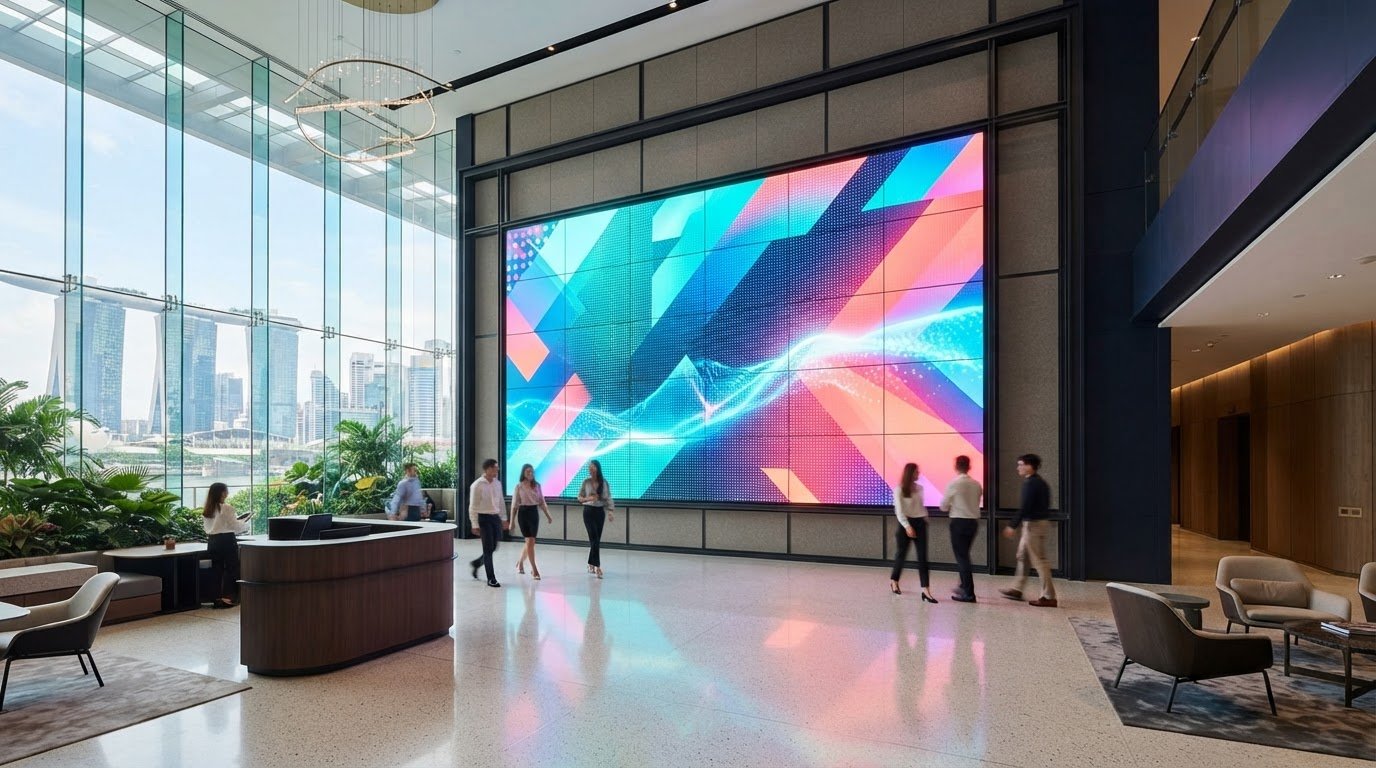
A fixed indoor LED display is more than a bright screen: it builds images from pixels, each commonly made up of three red, green and blue LEDs. Its control system usually updates pixels 60 times per second or more, while the right result depends on matching pixel pitch, viewing distance and installation to the space. Choosing an indoor LED display involves more than screen size and resolution. Those specifications only make sense in relation to where people will stand, what they need to see and how the display will be mounted. In Singapore, the installation plan also needs to account for the building and the practicalities of working in an occupied commercial space. This guide explains how indoor LED screens work, compares common types and shows how pixel pitch and viewing distance affect image clarity. It also covers installation, maintenance access and the decisions that support reliable performance over time, helping you assess what suits your business before planning a project.
Key Takeaways
- Match the screen’s purpose to its setting, from retail messaging to information displays in education and transport spaces.
- Compare all-in-one and modular formats by considering how the system will be used, installed and maintained.
- Choose pixel pitch in relation to the audience’s viewing distance and the level of image detail required.
- Plan fixed installation around the mounting structure, power and signal routes, and practical access for maintenance.
- Account for Singapore site conditions, including building management requirements, delivery access and permitted work arrangements.
Table of Contents
What is an Indoor LED Screen?
An indoor LED screen forms images from light-emitting diodes arranged as pixels. Each pixel commonly contains three LEDs, red, green and blue, which combine to create colour. The control system usually updates the pixels 60 times per second or more, supporting smooth motion and helping prevent visible flicker. An Indoor LED display is built from connected modules, so its overall shape can suit the wall or space.
In retail, screens can show promotions, campaign visuals or changing product information. A shop might use a fixed video wall behind a feature display, while a narrow window may call for a different format. In education, a lecture theatre can use a large display for presentations and video. Transport settings such as station concourses can show passenger information and advertising, with content planned around where people will view it.
LED technology also supports formats beyond a standard flat wall. Flexible LED panels can curve around architectural features, while poster-style screens provide a freestanding option for entrances or promotions. Interactive LED systems respond to user input, making them suitable for activities such as browsing products or exploring information. Choose a format based on the screen’s purpose, content and physical setting.
Transparent LED displays allow people to see through the display area while viewing content, making them useful for selected glass-fronted retail settings. Transparent LED film is a related approach applied to glass, rather than a conventional opaque video wall. Both formats require careful consideration of the glass, sightlines, ambient light and viewing angles. They are not interchangeable: their construction and installation methods affect how the space looks and functions.
How do indoor LED displays compare with LCD video walls and projectors? LED creates an image directly across the display surface, while an LCD wall combines separate panels and projectors cast an image onto a screen or surface. The right fit depends on viewing distance, desired image area, ambient light, room layout and installation constraints.
For fixed installations in Singapore, plan the supporting structure alongside the display. According to the Building and Construction Authority, an application for temporary buildings such as indoor LED screen supports must reach BCA 3 weeks before scheduled construction. Allow time to coordinate design, site access and installation sequencing. A fixed indoor example is the Tiger Den T4 indoor LED installation, which illustrates how a screen can be integrated into a business environment.
All-in-One LED display features and uses
An all-in-one LED system combines a display with key components needed to operate it. Depending on the model, these may include a control system, speakers, input connections and an integrated mounting structure. The aim is to reduce separate equipment and simplify setup. In a meeting room, for example, a self-contained screen may make it easier to start a presentation than a system assembled from several independent devices.
Check the manufacturer’s specifications for the exact configuration. Confirm how content enters the system, which sources it accepts and how users switch between them. Establish whether audio is built in or needs separate equipment. A retail presentation area may need straightforward playback, while a training room may require several input options and a clear way to manage content.
For Singapore installations, distinguish building approvals from the display’s electrical planning. According to the Building and Construction Authority, an application for temporary buildings such as indoor LED screen supports must reach BCA 3 weeks before scheduled construction. Electrical planning should account for the system’s stated load, supply arrangement, isolation and cable routing, alongside applicable site requirements.
Installation planning affects how easily a system can be serviced. Before mounting, map the display position, access route, connection points and maintenance clearance. A wall-mounted unit may need a different service approach from a freestanding structure. In a shared office, plan cable paths and equipment placement so access remains practical without obstructing the room.
Contrast and image appearance depend on the display and its operating conditions, so compare the stated specifications with the room. Review brightness settings, viewing angles and the content people will see. Small text in a presentation has different demands from a video loop in a reception area. Test representative content before finalising the display position.
LG MAGNIT is LG’s Micro LED display series. Features depend on the model and system configuration, so review the relevant product documentation rather than assuming every installation includes the same components. For a project comparison, record the intended screen size, resolution, inputs, mounting approach and maintenance access, then compare them with the selected configuration.
Maintenance planning should cover cleaning guidance, inspection access and how faults will be diagnosed. Keep equipment documentation and connection details available to the facilities or AV team. For example, a service plan can identify access panels and the components that need inspection. A maintenance plan for Singapore LED displays can help structure those practical checks around the installation.
Indoor LED product range
Commercial indoor LED screens come in formats for different viewing conditions and room layouts. Modular video walls create large, fixed surfaces for lobbies, retail feature areas and control rooms. Fine-pitch models suit closer viewing, while coarser pitches can suit audiences positioned further away. Available ranges can span P0.9~P5, but the right specification depends on content, screen dimensions and audience position.
Continuous-use applications need a different selection process from occasional presentations. A screen designed for 24/7 operation can be selected for environments such as transport information areas or control rooms, where content may remain active around the clock. Match the intended operating pattern to the display’s stated capabilities, ventilation and maintenance plan. In a shopping centre, also consider access routes and the time available for installation work.
Transparent LED displays suit selected glass installations where visibility through the surface matters. Flexible LED panels can form a curve or wrap around a feature instead of creating a standard flat wall. These formats address different design needs: a glass storefront may call for transparency, while a curved reception feature may need flexible modules. Check the design against sightlines, viewing angles and how the structure will be supported.
XR LED displays are used in virtual production, where a large LED environment provides a visual background for filming. The production camera captures performers against displayed scenery, allowing the background and scene content to be controlled together. An XR screen therefore needs to be planned as part of a wider system, not as a standalone image surface. Camera position, content workflow, lighting and playback control all affect the result.
Before comparing product types, define the intended use. A retailer presenting campaign visuals, a studio filming an XR scene and an office displaying presentations have different requirements. Use this sequence to narrow the options:
- Set the viewing conditions: identify audience positions and ambient lighting.
- Define the format: choose a flat, transparent, flexible or production-oriented screen.
- Plan operation: document daily use, content sources and maintenance access.
- Confirm integration: map structure, power, signal flow and control needs.
This comparison helps prevent choosing a specialised format for the wrong task. A transparent display, for example, serves a different purpose from an XR wall, even if both use LED modules. Evaluate each option against the room, content and operating plan before finalising the design.
Indoor display pixel pitch and viewing distance
Pixel pitch, resolution, brightness and viewing distance work together to shape perceived image quality. A finer pitch can show more detail at close range, while brightness needs to suit the room’s ambient light.
Pixel Pitch and Resolution
Pixel pitch is the distance between the centres of neighbouring pixels. A smaller pitch places pixels closer together. Resolution describes the total number of pixels that form an image. For a fixed screen size, a finer pitch generally provides more pixels and supports finer detail.
Compare the display’s physical dimensions and pixel resolution with the source content. For example, a retail screen showing product labels needs different detail from one showing large campaign visuals. Indoor ranges such as P0.9~P5 cover different viewing and installation needs. Check how the selected pitch and screen dimensions combine to form the full image resolution, then match that resolution to the media being played.
Content scaling matters, too. A source image with fewer pixels than the display’s native resolution must be scaled, which can soften fine text or graphics. Review actual presentation slides, signage layouts or video assets before deciding. A pixel pitch planning guide can help frame this comparison around the intended viewing conditions.
Fine-Pitch LED Signage
Fine-pitch LED signage is designed for settings where viewers may stand close enough to notice individual pixels. Examples include a corporate reception screen displaying text or a retail feature wall showing detailed product imagery. Finer spacing can create a more continuous-looking image at closer viewing positions, but it does not automatically make every type of content clearer.
Consider what viewers need to read and how long they will look at the screen. Small lettering, thin lines and detailed graphics reveal resolution limits sooner than bold headlines. Test these elements using the intended content, rather than relying only on a product specification. A close-viewing reception display and a large lobby wall may need different pixel pitches, even within the same building.
Fine-pitch selection also affects the balance between screen size, resolution and project requirements. Compare the display’s pixel count with the content source, then inspect text and graphics from the planned viewing position. This helps establish whether additional pixel density adds useful detail or exceeds what the content needs.
Viewing Distance and Image Quality
Viewing distance affects how clearly people can distinguish adjacent pixels. Up close, pixel structure may be more noticeable; from farther away, the same screen can appear more unified. Map the nearest and most common audience positions, such as a reception queue, meeting table or mall corridor, before choosing a pixel pitch.
Brightness also affects perceived quality. A screen that looks clear in a dim meeting room may appear different beside bright windows or under strong retail lighting. Assess the display in its actual environment, considering glare, viewing angles and content contrast. Review both the darkest and brightest expected scenes, as each can reveal different image-quality issues.
For a practical selection, record the content type, screen dimensions, nearest viewing position and ambient lighting. Then compare candidate pixel pitches using representative text, images and video. This connects resolution and brightness to real use, rather than treating any single specification as a complete measure of image quality.
Fixed Installation and Display Reliability
Fixed installations need coordinated structural support, power, signal routing and service access. An indoor LED display can develop reliability problems if airflow is blocked, connections are loose or maintenance access is difficult. Planning these details before mounting helps prevent avoidable faults.
Fixed Display Installation
Start with a site survey that records the wall surface, display dimensions and equipment locations. The support structure must suit the screen’s configuration and the building conditions. In a Singapore mall, coordinate delivery routes, loading bay access and permitted work arrangements with building management before scheduling installation.
Plan power and signal paths alongside the mounting design. Keep cable routes accessible, label connections and provide access to components that need servicing. For example, a screen mounted flush against a feature wall may look integrated but leave little room for repairs. Agree on the access method before fabrication and installation begin.
Commissioning should test the complete signal chain, from the source device through the processor and receiving cards to the display. Check image output across the full surface, then play representative content. Record configuration settings and connection details so the facilities or AV team has a useful reference for future troubleshooting.
Reliability Risks and Prevention
Heat can build up when ventilation is obstructed or equipment is enclosed without adequate airflow. Keep the manufacturer’s ventilation requirements in view when designing the cabinet and wall. In an office, avoid placing storage or decorative panels across ventilation paths. Regular inspections can also identify dust accumulation before it affects airflow.
Signal or power interruptions may result from loose connections, damaged cables or changes to connected equipment. Label both ends of signal and power cables, secure connections and document the system layout. If a source device is replaced, test the full signal route afterwards instead of assuming the existing configuration will behave identically.
Uneven colour or image output can follow inconsistent settings, module replacement or configuration changes. Keep configuration records and follow the correct service procedure when replacing components. A documented maintenance schedule can help teams spot changes early, rather than waiting for a visible fault during a presentation or retail campaign. This is especially useful for an indoor LED display used throughout the business day.
Use this installation handover checklist:
- Structure: record the mounting design and access points.
- Power: document supply arrangements and isolation points.
- Signal: label routes and record processor settings.
- Service: preserve access for inspection and component replacement.
For fixed screens, reliability is designed into the support, connections and service plan, not just the display surface. Plan LED display maintenance
ETA Visual: Indoor P0.9~P5 LED Screens
ETA Visual helps businesses plan an indoor LED display around the room, audience and content, then coordinates the system for the installation. Its Indoor P0.9~P5 LED Screens cover a range of pixel pitches for different viewing conditions. Selection should consider audience distance, screen size, source content, mounting and maintenance access, rather than pitch alone.
For a glass frontage or a curved architectural feature, Transparent LED Displays and Flexible & Curved LED offer alternative formats. A site assessment can help establish which display type fits the space and how it should integrate with the building and AV system. This is a practical next step for Singapore businesses moving from product comparison to project planning.
Contact ETA Visual to discuss your indoor display project.
Plan the Next Step for Your Space
The next step is to turn the display brief into a practical installation plan. Define the audience, content and operating environment, then consider how the screen will connect with the space and its daily use. This gives the project team a clear basis for decisions about layout, system integration and ongoing care.
An Indoor LED display should serve the way people use your business space, not just fill a wall. ETA Visual offers Indoor P0.9~P5 LED Screens, Transparent LED Displays for selected glass applications, and Outdoor LED Billboards for exterior settings. Matching the format to the location helps keep the design focused on its intended purpose.
Bring together the site details, intended content and preferred screen location before discussing the project. ETA Visual can translate these requirements into an indoor LED display solution and installation plan suited to your business environment.
A well-planned display gives your space a clear visual purpose and a considered path from concept to installation.
What is an indoor LED display and how does it work?
An LED screen forms images using light-emitting diodes arranged as pixels. A controller receives content from a source, then sends image data to the display modules. For example, a shop can use a media player for scheduled promotions, while a meeting room can receive content from a computer. Before installation, map the source devices and signal route to the screen location.
What types of indoor LED displays are available?
Options include modular video walls, all-in-one systems, transparent and flexible formats, poster-style screens and interactive displays. The right fit depends on the venue and how people use the content. A glass frontage may suit a transparent format, while a curved architectural feature could call for flexible panels. XR screens serve virtual production, where displayed scenery forms part of a filmed environment.
How do I choose the right screen size and pixel pitch for my venue?
Start with a floor plan and mark the closest viewer, typical audience positions and available wall area. Then compare pixel pitch and resolution against the content’s smallest essential detail. ETA Visual’s indoor range is P0.9P5, with P0.9P2.5 recommended for closer viewing distances. For a reception screen, test a typical slide from the visitor queue to judge whether text remains readable.
What power, mounting, ventilation, and control-system requirements should I consider?
Review the selected equipment’s electrical documentation and plan power connections with the project team. Confirm that the mounting surface and support suit the proposed installation, with access for servicing. Keep ventilation routes clear, especially inside an enclosure. Identify the content source, processor, cable routes and operator location. A connection diagram gives facilities staff a practical reference if equipment or signal paths later change.
What are the steps for installing and commissioning an indoor LED display?
The work generally proceeds through site assessment, system design, support preparation, mounting, connection and commissioning. At handover, test the actual sources and content, check the full image area, and confirm that staff can operate the system as intended. Record key settings and cable routes for future troubleshooting. In Singapore commercial buildings, coordinate delivery access and the work schedule with building management.
What maintenance is required, and what is the typical lifespan of an indoor LED display?
There is no single lifespan for every installation; usage, operating conditions and maintenance all influence service life. Follow the equipment maker’s cleaning guidance, keep ventilation clear and record recurring faults or changes in image quality. Planned inspections can help identify issues before they interrupt a presentation or retail campaign. For a heavily used screen, include maintenance in the facilities team’s operating plan.
Visual planning reference
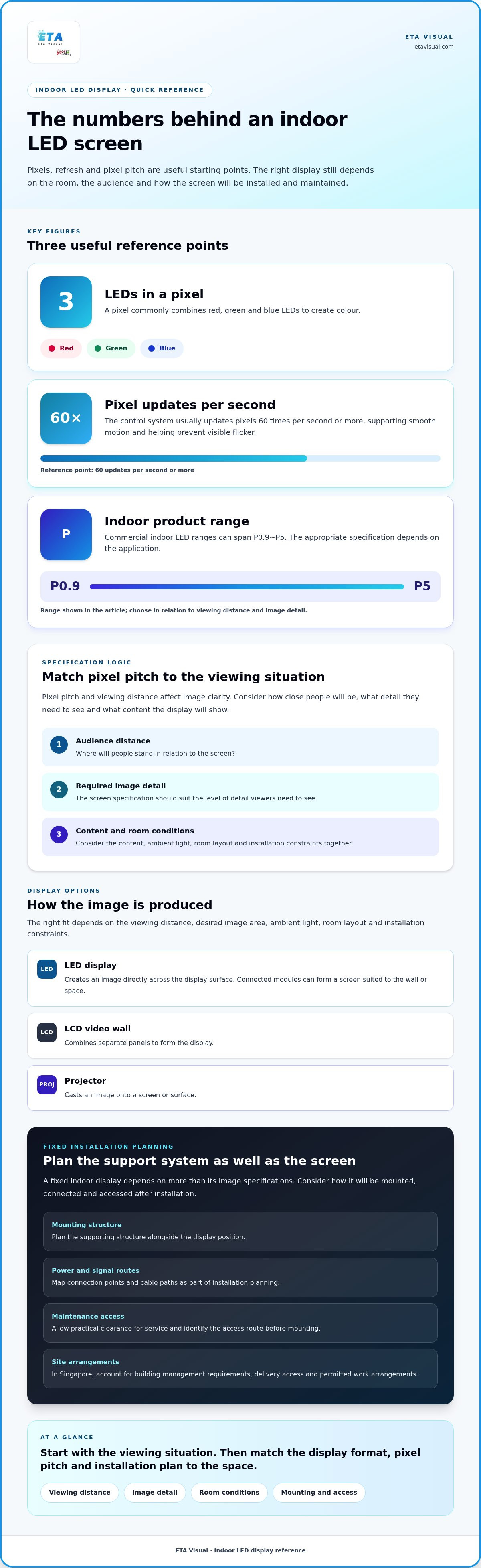
| Planning factor | What to define | Why it matters |
|---|---|---|
| Viewing positions | Nearest viewing distance and audience locations | Supports an appropriate pixel-pitch and screen-size decision. |
| Content workflow | Input sources, resolutions and control workflow | Helps ensure information remains readable and simple to operate. |
| Installation conditions | Structure, access, power, ventilation and maintenance access | Aligns the display scope with the physical site before procurement. |
Want an accurate budget for your space?
We'll do a free site survey and prepare a clear, itemised quotation — no obligation.
Frequently asked questions
An LED screen forms images using light-emitting diodes arranged as pixels. A controller receives content from a source, then sends image data to the display modules. For example, a shop can use a media player for scheduled promotions, while a meeting room can receive content from a computer. Before installation, map the source devices and signal route to the screen location.
Options include modular video walls, all-in-one systems, transparent and flexible formats, poster-style screens and interactive displays. The right fit depends on the venue and how people use the content. A glass frontage may suit a transparent format, while a curved architectural feature could call for flexible panels. XR screens serve virtual production, where displayed scenery forms part of a filmed environment.
Start with a floor plan and mark the closest viewer, typical audience positions and available wall area. Then compare pixel pitch and resolution against the content’s smallest essential detail. ETA Visual’s indoor range is P0.9~P5, with P0.9~P2.5 recommended for closer viewing distances. For a reception screen, test a typical slide from the visitor queue to judge whether text remains readable.
Review the selected equipment’s electrical documentation and plan power connections with the project team. Confirm that the mounting surface and support suit the proposed installation, with access for servicing. Keep ventilation routes clear, especially inside an enclosure. Identify the content source, processor, cable routes and operator location. A connection diagram gives facilities staff a practical reference if equipment or signal paths later change.
The work generally proceeds through site assessment, system design, support preparation, mounting, connection and commissioning. At handover, test the actual sources and content, check the full image area, and confirm that staff can operate the system as intended. Record key settings and cable routes for future troubleshooting. In Singapore commercial buildings, coordinate delivery access and the work schedule with building management.
There is no single lifespan for every installation; usage, operating conditions and maintenance all influence service life. Follow the equipment maker’s cleaning guidance, keep ventilation clear and record recurring faults or changes in image quality. Planned inspections can help identify issues before they interrupt a presentation or retail campaign. For a heavily used screen, include maintenance in the facilities team’s operating plan.
Plan the next step
Continue with a relevant solution and real Singapore project evidence.

