Audio Visual Solutions for Event Spaces: Setup and Timing
Written and reviewed by the ETA Visual Engineering & Project Team. Guidance is updated when project, product or Singapore site-planning practices change.
A well-planned event can still feel disjointed when sound, screens and controls work in isolation. Audio visual solutions for event spaces bring these elements together so audiences can hear clearly, follow presentations and stay engaged. The right setup depends on the event’s purpose, the venue layout and how people will use the space. Good AV is more than equipment in a room. Clear sound, well-positioned displays and dependable controls help presenters communicate and give attendees a smoother experience. For large events or events during peak seasons, planning rental requirements early matters: booking 8-12 weeks before the event is recommended. This guide explains the main AV components used at events, how venue conditions shape system design, and how integration and automation can simplify control. It also covers setup considerations such as room access, equipment placement, signal connections and testing. Whether you’re planning a conference, launch or hybrid event in Singapore, understanding these factors helps you brief an AV specialist and plan a system that fits the programme.
Key Takeaways
- Match sound, displays and controls to the event’s purpose so each element supports a clear audience experience.
- Use venue surveys to identify acoustic challenges, sightlines and practical access for installation and maintenance.
- Plan integrated controls around how presenters and operators will use displays, audio and conferencing systems.
- Choose equipment according to the event format: a conference, wedding, concert and hybrid event each place different demands on AV.
- For a permanent or recurring setup, work with an integrator on system design, installation and commissioning tailored to the space.
Table of Contents
- What are audio-visuals and how do they enhance events?
- Customised AV setups for different venues
- AV integration and automation controls
- What audio visual solutions are commonly used in event spaces?
- Comparing AV solutions for different event types
- ETA Visual: Audio Visual Solutions
What are audio-visuals and how do they enhance events?
Audio-visual systems combine sound and visual equipment so audiences can hear, see and follow an event. At a conference, for example, speakers, microphones and screens need to work together with the programme, room layout and audience size.
AV systems across event venues
Professional venue AV combines speakers, microphones, displays and control equipment in a design tailored to the room and event format. In an auditorium, distributed speakers help carry speech across audience areas, while a large hall may need several sound zones. Boardrooms and conference rooms have different priorities: clear speech, presentation screens and video conferencing. A custom design connects the equipment to the space and the way people use it.
Sound mixing and microphone options
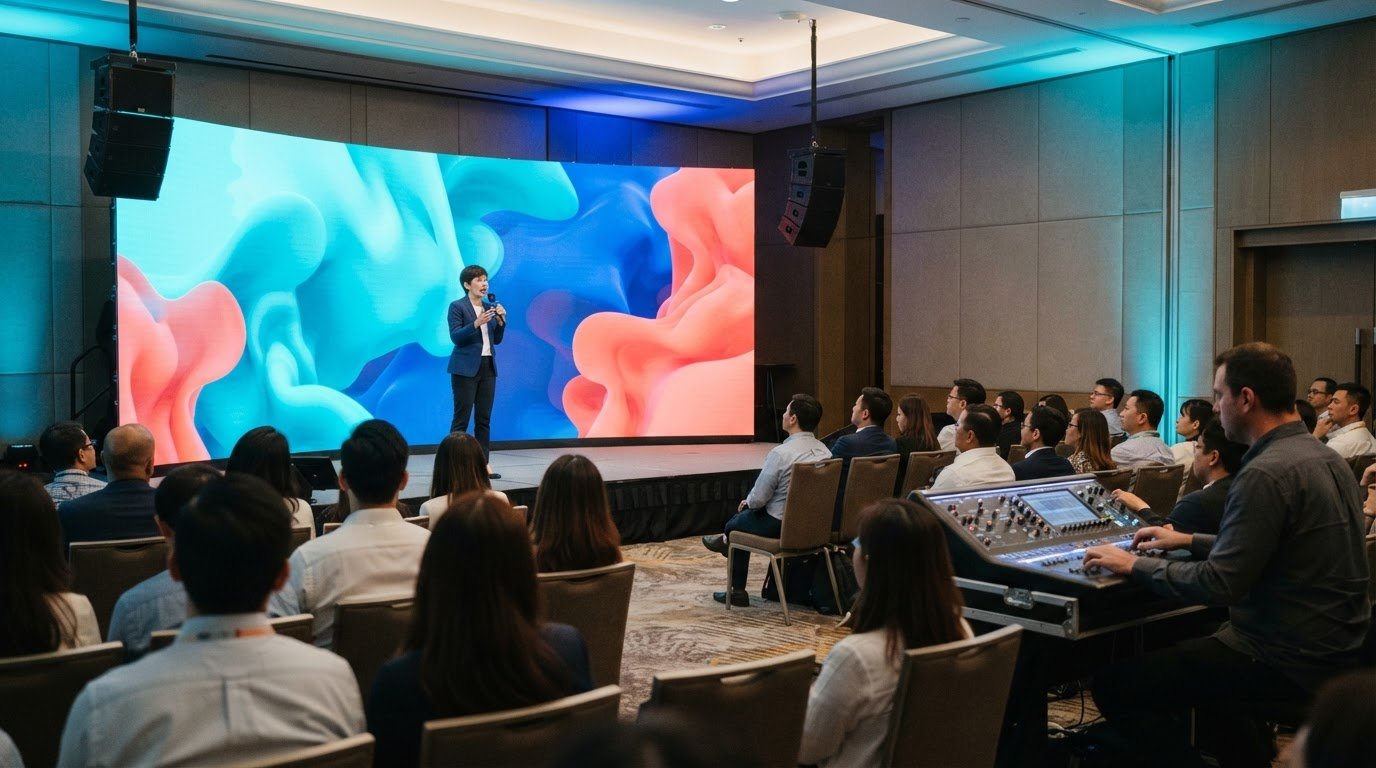
An event sound system routes microphone and playback signals through a mixer to speakers. The mixer lets an operator adjust each source independently, such as a host’s microphone, panel microphones and presentation audio. Handheld microphones suit audience questions, while lapel microphones leave presenters’ hands free. Directional microphones capture sound from a particular direction while reducing background noise, which can help when a stage or room has competing sound sources.
Venue display options
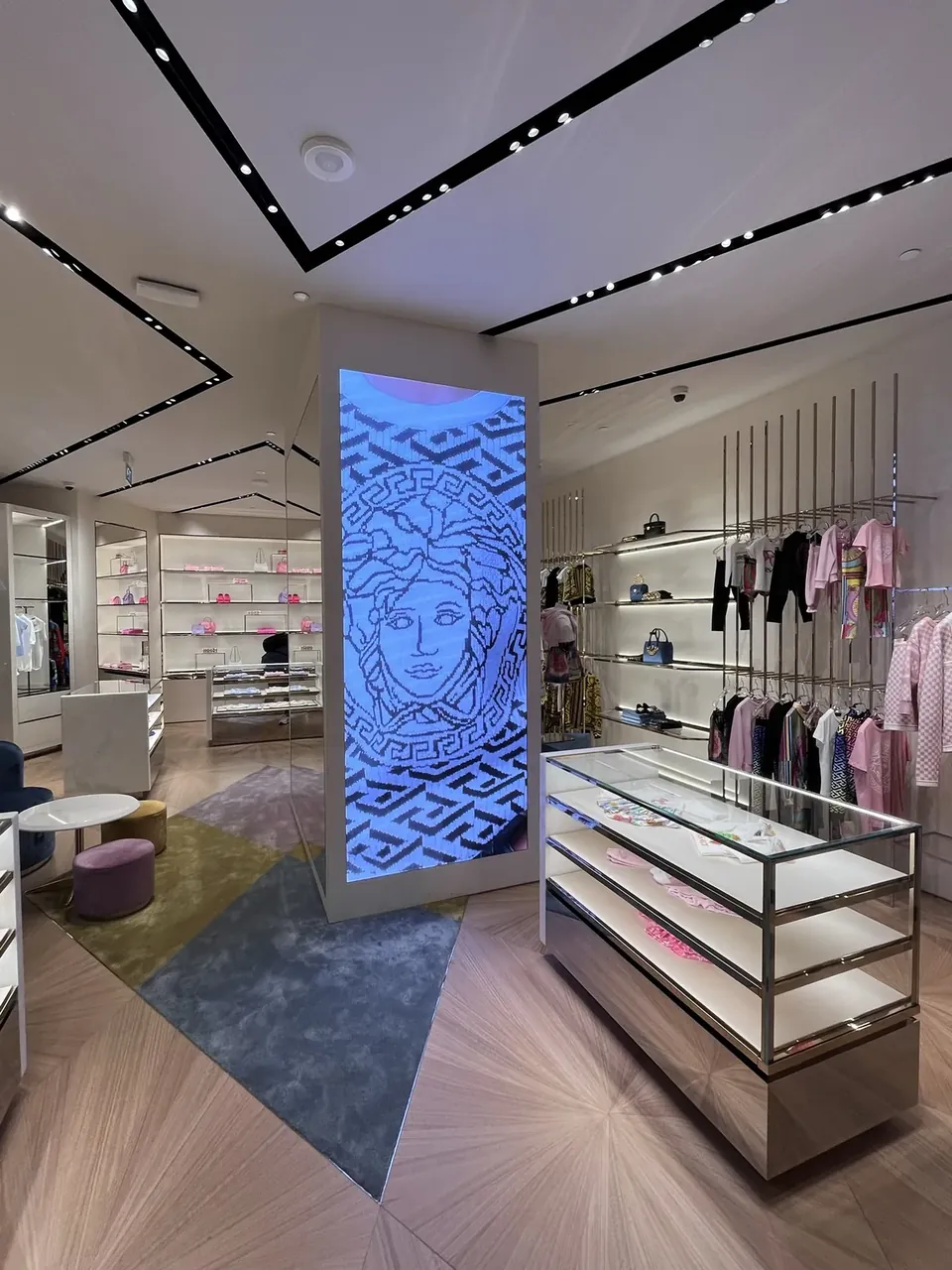
LED walls, projectors and screens show slides, videos or speaker information, with the choice shaped by viewing conditions and event content. LED walls can create a large, bright image; projectors display content on a separate screen; conventional screens suit presentations where projection equipment is available. For an event venue, the best option depends on room lighting, sightlines, available space and whether the content needs a large-format display. A curved LED video wall can suit a stage design that calls for a shaped visual surface.
No single display suits every venue. Choose an LED wall, projector or screen based on ambient light, viewing positions, content and installation constraints.
Custom AV system design and integration
Custom AV design maps each source to the right display, speakers and control point. For example, a conference system can route a presenter’s microphone and laptop to room speakers and screens, while sending video to remote participants. Integration matters because equipment needs compatible connections and signal paths. It also supports consistent operation across event production, presentations and streaming, rather than requiring separate controls for every device.
In Singapore, event AV planning should account for the venue’s electrical provisions, fire-safety arrangements and any applicable licensing for the event or its content. Requirements vary by venue and setup, so coordinate the system design with the venue’s operating conditions before installation.
Customised AV setups for different venues
A suitable setup depends on room shape, event format and audience positions. In Singapore, loading access, installation windows and future maintenance also affect the design.
Venue-specific AV planning
Venue-specific planning adapts sound, displays and equipment placement to the room’s layout and programme. A hotel ballroom hosting a conference needs clear speech across seating areas, while a glass-walled meeting room may need acoustic treatment. For an annual conference for 1,500 people, the design must account for stage sightlines, audience coverage and presenter movement. These details help technology enhance engagement without obstructing the event.
Room acoustics affect how clearly people can hear. High ceilings and extensive glass can create echoes, so acoustic panels, carpets or drapes may help absorb reflections. Equipment placement matters too: directing speakers towards audience areas can reduce unwanted sound reaching reflective surfaces. For remote attendees, the system should capture presenters and room contributions clearly, not just amplify sound for people in the venue.
Site surveys and venue visits
A site survey records the physical and technical conditions that shape installation and operation. During a visit, the AV team assesses room dimensions, sightlines, available power, signal routes and likely equipment positions. Testing microphones and speakers in different parts of the venue can reveal acoustic blind spots before event day. A commercial AV site survey also helps align the proposed setup with the event brief.
Singapore venues may have specific access arrangements. A ballroom installation, for example, can depend on loading-bay access, lift dimensions, building management approval and permitted work hours. The design should also leave practical routes to equipment for servicing, rather than placing components behind fixed furniture or inaccessible structures. These details shape setup sequencing and how efficiently technicians can respond during the event.
AV needs across event types
Each event format places different demands on sound, displays and production. A conference needs clear speech, visible presentations and reliable connections for presenters. A wedding may prioritise music playback, speeches and visuals suited to the room. A concert puts more emphasis on live sound coverage and stage production, while a hybrid event must serve both the in-room audience and remote participants.
For a hybrid conference, microphone and camera positions affect what remote attendees can hear and see. A wedding in a glass-sided venue may need careful speaker placement to manage reflections. A concert stage may need sightlines that keep screens visible without blocking performers. Matching the system to the programme helps create an immersive experience without adding equipment that serves no clear purpose.
AV integration and automation controls
AV integration connects displays, audio, video conferencing and control equipment into one coordinated system. At a conference, a presenter can share a laptop presentation on room displays while microphones carry speech to in-room speakers and remote participants. The audience experiences one joined-up programme instead of separate devices competing for attention.
Centralised control for event operations
An AV control system manages connected equipment through one interface. An operator can select a presentation source, adjust room audio and switch displays without using separate controls for every device. For example, a “presentation” setting might show a laptop feed on the main display and route its sound through the room speakers. A “discussion” setting can prioritise microphones. Clear controls help event teams manage transitions with less interruption.
Connecting conferencing and collaboration
Video conferencing integration links room cameras, microphones, speakers and displays so in-person and remote participants can collaborate. In a hybrid panel, a camera feed can appear on a screen while remote speakers’ audio plays through the venue system. The system design must route each source to its intended destination. A meeting room AV setup uses similar signal-flow planning, adapted to the event space and programme.
Automation and system compatibility
Automation applies preset actions to common event tasks. For example, a control interface can start a presentation by selecting the display input and activating the relevant audio channel. Wired and wireless networks can connect AV components, including equipment used for remote or hybrid events. Compatibility is essential: the display, conferencing platform and control system must exchange the required signals. Mapping these connections during design helps prevent last-minute changes to the event workflow.
Testing confirms that the integrated system works as intended. Commissioning can check source selection, microphone routing, display output and video conferencing audio in the room. A rehearsal then lets the operator practise transitions, such as moving from an opening video to a live presentation. In Singapore venues, the system plan should also account for network access, equipment locations and available installation routes. These checks help the production team deliver a consistent experience for the audience.
What audio visual solutions are commonly used in event spaces?
Event production commonly combines visual displays, sound reinforcement, lighting and, for hybrid programmes, streaming equipment. A product launch might use a stage display for branded content, microphones for presenters and controlled lighting for different programme segments. The right combination depends on what the audience needs to see and hear, as well as where the venue can accommodate equipment.
Projection and event displays
Projectors can show slides, video and speaker information on a large surface, while event screens provide a dedicated visual backdrop. A 16:9 widescreen format is commonly recommended for event presentations, matching the shape of much video content. LED video walls can display sponsor logos, speaker details or live camera feeds. For graphics-heavy events, 4K displays can provide detailed imagery when the content and system support that resolution.
Projection mapping is another option. It casts images or video onto objects, such as a product display or stage feature, instead of a conventional screen. It works best when the content is designed for the object’s shape and the audience has a clear view of the mapped surface.
Sound, lighting and live production
Sound equipment supports speech, music and playback. A panel discussion may use individual microphones for speakers, while a host uses a handheld microphone for audience questions. Mixers route and balance these sources. Event lighting can shift between programme moments, such as a bright stage for a presentation and more dynamic colours for a performance. Rehearsal testing helps align lighting with presenter visibility and screen content.
Live-streaming equipment captures and broadcasts an event as it happens. A stream may combine camera feeds, presentation visuals and microphone audio into one programme. A wired Ethernet connection often provides a more consistent link for critical streaming than Wi-Fi, depending on the network setup. Testing before the event can reveal connection stability issues. Bandwidth planning should account for the expected audience and changes in demand.
Collaboration and audience interaction
Video conferencing systems and interactive whiteboards support collaboration between people in the room and participants elsewhere. For example, a training session can show a remote speaker while attendees contribute through conferencing tools. Digital signage can guide guests to registration, breakout rooms or session changes. Together, these technologies help attendees follow the event from arrival information to the final presentation, without relying on a single display or communication channel.
Comparing AV solutions for different event types
Event format determines which AV elements need priority. A conference depends on clear speech and visible presentations; a wedding places more emphasis on music and atmosphere. Concerts focus on live performance, while hybrid events must serve both venue audiences and remote participants.
Conferences
A conference needs clear speech, visible presentation content and smooth transitions. For a panel discussion, each panellist needs a suitable microphone, with a separate handheld option for audience questions. Screens can show slides, speaker names and session details. For a multi-session programme, consistent source routing helps operators switch between presentations and video without interrupting the room. Video conferencing can be added when speakers join remotely.
Weddings
Wedding AV supports several distinct moments, including speeches, music and visual tributes. A venue may need microphones for the couple and speakers, plus playback for entrance music and dancing. Layout matters: a display positioned for the dinner area may not suit guests seated elsewhere. Lighting can shift from a bright setting during speeches to a warmer look for dinner, keeping the room in step with the programme.
Concerts
Concert production prioritises live sound coverage, stage monitoring and visual impact. A band’s microphones and instruments need to reach the audience through the sound system, while performers need monitoring on stage. Screens can show close-up camera feeds or event visuals for audience members with limited sightlines. The equipment plan should also account for stage dimensions, performer movement and the position of control equipment.
Hybrid events
A hybrid event combines in-room production with a live online feed. The design must capture presenter audio, audience contributions and relevant visuals for remote viewers. At a product launch, for example, cameras might show the speaker and demonstration while the stream receives presentation content. A wired Ethernet connection often provides a more consistent link for critical streaming than Wi-Fi, depending on the network setup. Testing the stream before the event can expose connection stability issues before guests arrive.
The best comparison starts with the programme, not an equipment list. A conference with remote speakers needs conferencing and presentation routing; a wedding needs reliable speech and music playback. A concert needs performance-focused sound, while a hybrid event adds capture and streaming. This distinction helps match production choices to the audience experience.
ETA Visual: Audio Visual Solutions
ETA Visual plans audio visual solutions for event spaces, from system design through installation and commissioning. This is a practical option when a venue needs coordinated displays and AV equipment, rather than separate devices selected without considering how they work together. The design can account for the event format, room layout, audience sightlines and signal flow.
For a conference or corporate event, an integrated setup can connect presentation sources, screens and sound equipment in a system suited to the programme. The design considers where content appears, how sound reaches attendees and how operators manage equipment during transitions. Site conditions matter too: installation access, available power, signal routes and future maintenance access all affect how the system fits the space.
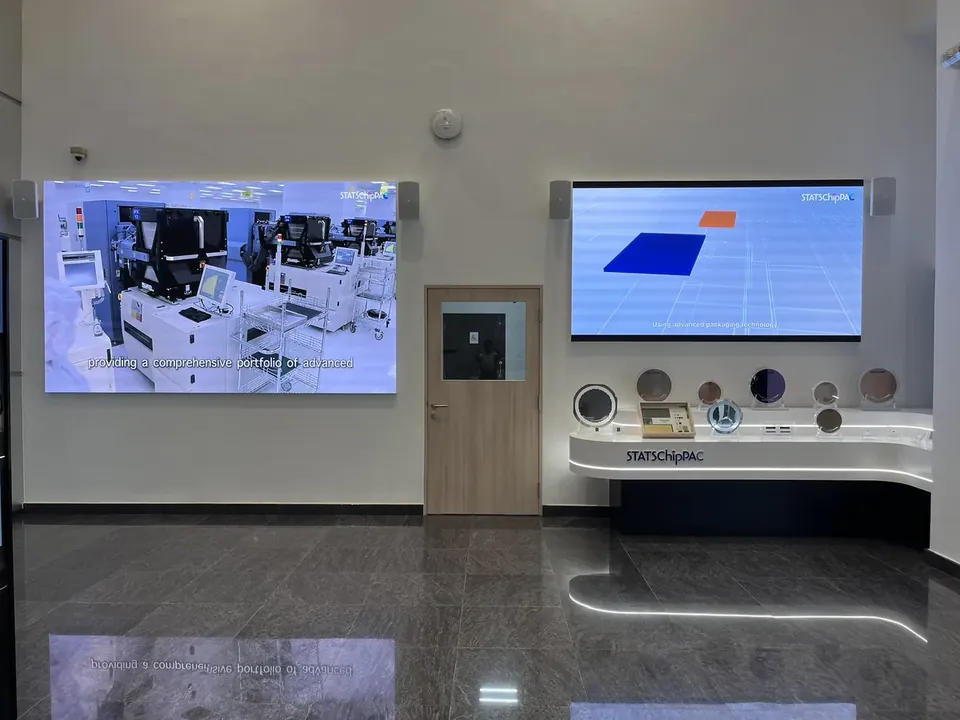
ETA Visual provides Audio Visual Solutions for commercial environments, alongside display options for different applications. Indoor P0.9~P5 LED Screens can be considered for indoor settings where the viewing environment and content shape display requirements. Outdoor LED Billboards address outdoor display applications, where the installation environment and exposure to weather form part of the design considerations. Transparent LED Displays provide another option when a display needs to maintain visibility through a glazed area.
These options are not interchangeable. The right system depends on whether the priority is event presentation, indoor visual communication, outdoor messaging or a display that works with a transparent surface. The project also needs coordinated installation and commissioning so the equipment, connections and controls suit the intended use. In Singapore, venue access and maintenance planning are particularly relevant for commercial spaces with managed loading areas or restricted work windows.
When preparing a project brief, include useful details such as the venue plan, event purpose, audience arrangement, content sources and expected operating workflow. These help shape the system around actual requirements, rather than adding equipment that does not support the event. ETA Visual can manage the project from assessment and design through installation, commissioning and ongoing maintenance, with the scope aligned to the space and application.
What Are Audio Visual Solutions and Why They Matter?
They are planned technical systems that help an event present its content in a usable format. Their value depends on the task: a shareholder briefing may need presentation playback and recording, while a product demonstration may need close-up visuals and supporting audio. A clear brief defines what the system must do, who will operate it and which outputs the event needs after the room clears.
Can they accommodate site visits and advance planning?
Yes. ETA Visual can plan a project around an advance brief and venue visit. Useful details include the event run sheet, presenter count, content formats, equipment supplied by speakers and changes between sessions. For a Singapore venue, include loading arrangements and permitted work windows in the schedule. This gives the project team time to coordinate installation with building management and the event organiser.
How do they handle technical issues?
ETA Visual offers Preventive Maintenance Contracts and Emergency On-site Repair for commercial AV systems. For recurring issues, maintenance records can help identify whether a fault affects one component or the wider system. The right response depends on the fault and the maintenance or repair arrangement in place.
How does a professional help you choose the right AV setup for your event space?
A professional starts with the event’s required functions and operating plan, then matches the system to those needs. Organisers should clarify, for example, whether sessions need recording, whether presenters bring their own devices and who controls content changes. These decisions shape the required connections and operating interface. The setup should support the programme without adding controls or equipment the event team does not need.
How does a professional choose AV equipment for an event venue based on room size and capacity?
Capacity is only one part of equipment planning. A professional also considers how the room is divided, where audience groups sit and whether the venue changes configuration between sessions. A ballroom used as one space may need different audio distribution from the same room divided into separate meeting areas. These conditions help determine whether the system needs independently managed zones or a simpler shared arrangement.
What microphones, speakers, and mixing equipment are suitable for different event spaces?
Selection depends on the number of simultaneous audio sources and how the space is used. A mixer needs enough inputs for the planned sources, such as presenter audio, playback and conferencing feeds. Speaker coverage should suit the room’s listening areas, while separate zones can help when different spaces need independent audio. The system design should also give the operator access to essential controls.
What steps does a professional take to plan and set up AV for an event?
Beyond system design, the project team coordinates content handover, equipment responsibilities and the event run sheet. Organisers can provide presentation files in advance and identify who approves last-minute revisions. The operator handover should explain the controls used during the programme and how to escalate faults. This keeps content decisions, venue coordination and technical responsibilities clear for everyone involved.
What common AV problems occur during events, and how can a professional prevent them?
Late content changes, incompatible presenter devices and missing connection adapters can disrupt a programme. A professional can reduce these risks by confirming content handover arrangements, checking presenter equipment connections and preparing suitable spare adapters and cables. For example, a revised slide deck should reach the operator before its session, not during a live transition. Clear ownership of content updates helps prevent avoidable delays.
Visual planning reference
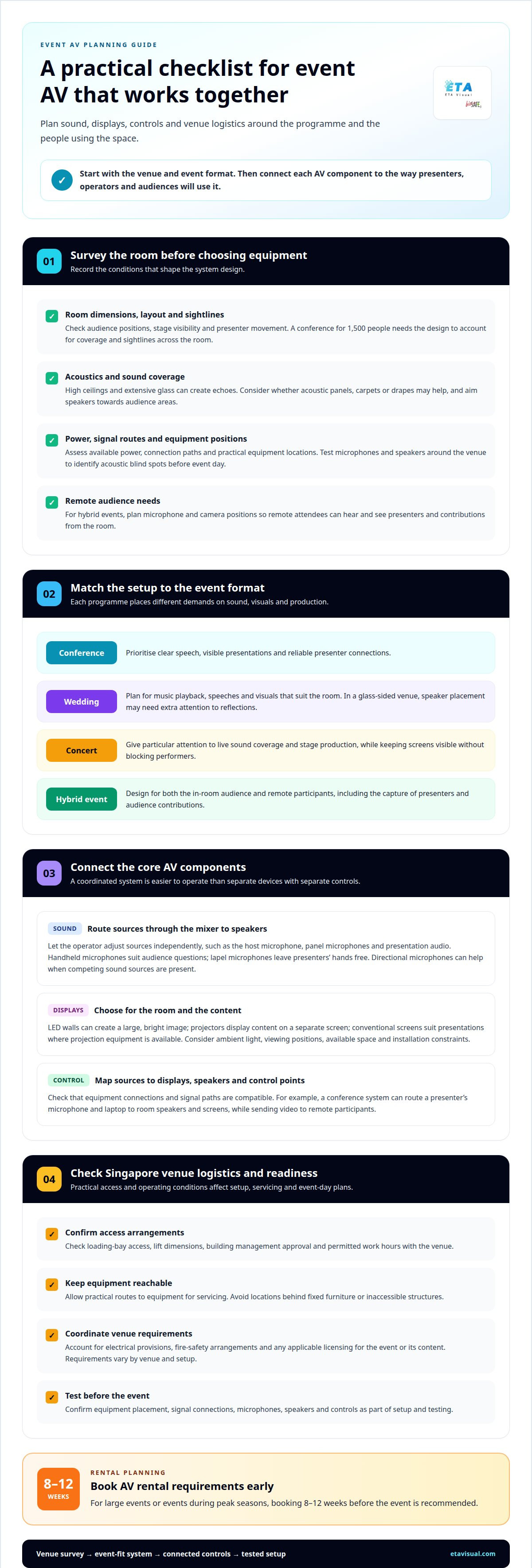
| Planning factor | What to define | Why it matters |
|---|---|---|
| Viewing positions | Nearest viewing distance and audience locations | Supports an appropriate pixel-pitch and screen-size decision. |
| Content workflow | Input sources, resolutions and control workflow | Helps ensure information remains readable and simple to operate. |
| Installation conditions | Structure, access, power, ventilation and maintenance access | Aligns the display scope with the physical site before procurement. |
Want an accurate budget for your space?
We'll do a free site survey and prepare a clear, itemised quotation — no obligation.
Frequently asked questions
They are planned technical systems that help an event present its content in a usable format. Their value depends on the task: a shareholder briefing may need presentation playback and recording, while a product demonstration may need close-up visuals and supporting audio. A clear brief defines what the system must do, who will operate it and which outputs the event needs after the room clears.
Yes. ETA Visual can plan a project around an advance brief and venue visit. Useful details include the event run sheet, presenter count, content formats, equipment supplied by speakers and changes between sessions. For a Singapore venue, include loading arrangements and permitted work windows in the schedule. This gives the project team time to coordinate installation with building management and the event organiser.
ETA Visual offers Preventive Maintenance Contracts and Emergency On-site Repair for commercial AV systems. For recurring issues, maintenance records can help identify whether a fault affects one component or the wider system. The right response depends on the fault and the maintenance or repair arrangement in place.
A professional starts with the event’s required functions and operating plan, then matches the system to those needs. Organisers should clarify, for example, whether sessions need recording, whether presenters bring their own devices and who controls content changes. These decisions shape the required connections and operating interface. The setup should support the programme without adding controls or equipment the event team does not need.
Capacity is only one part of equipment planning. A professional also considers how the room is divided, where audience groups sit and whether the venue changes configuration between sessions. A ballroom used as one space may need different audio distribution from the same room divided into separate meeting areas. These conditions help determine whether the system needs independently managed zones or a simpler shared arrangement.
Selection depends on the number of simultaneous audio sources and how the space is used. A mixer needs enough inputs for the planned sources, such as presenter audio, playback and conferencing feeds. Speaker coverage should suit the room’s listening areas, while separate zones can help when different spaces need independent audio. The system design should also give the operator access to essential controls.
Plan the next step
Continue with a relevant solution and real Singapore project evidence.