High Brightness Outdoor LED Screens for Fixed Outdoor Installations
Written and reviewed by the ETA Visual Engineering & Project Team. Guidance is updated when project, product or Singapore site-planning practices change.
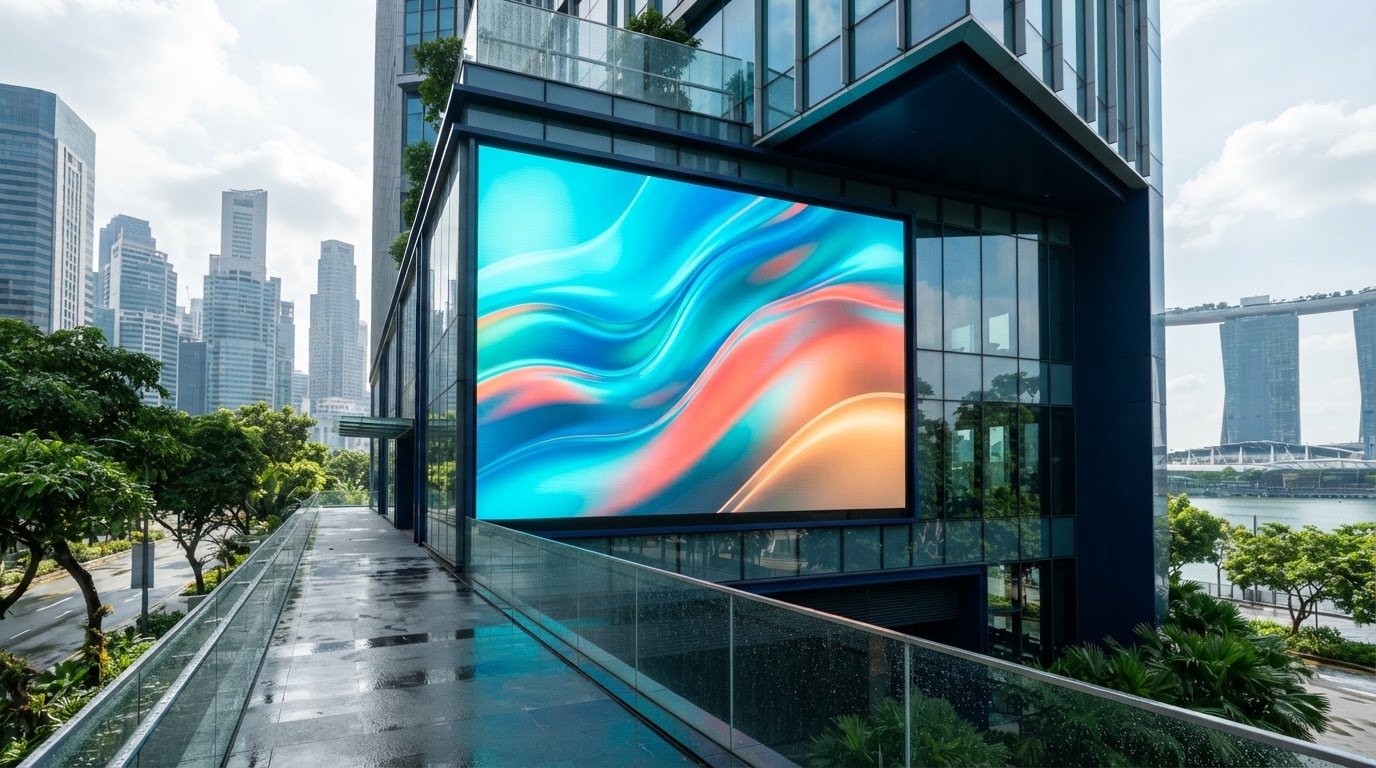
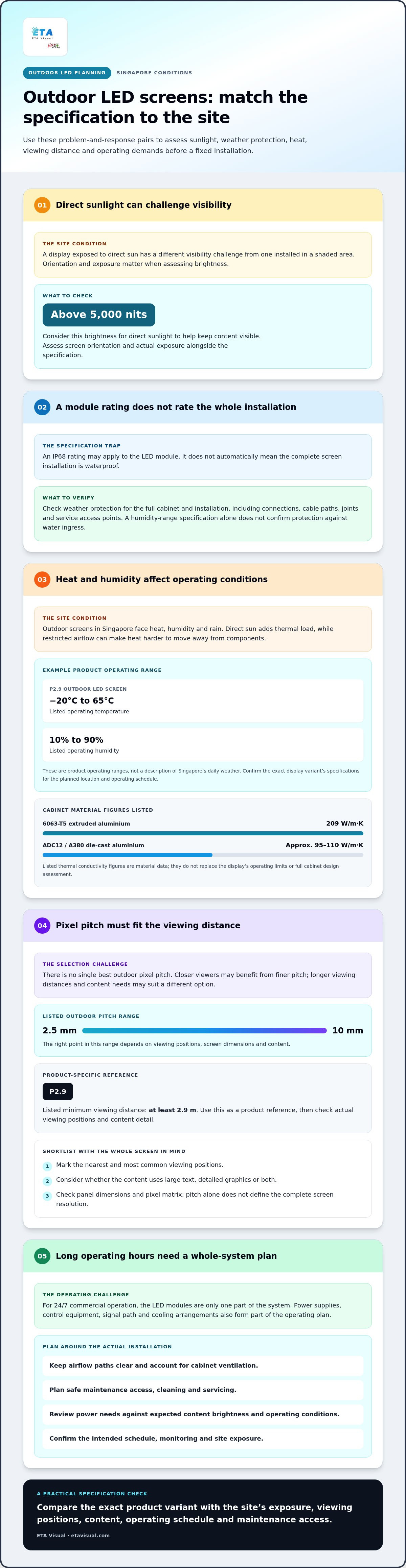
A high brightness outdoor LED screen needs more than strong output to perform reliably outside. Some outdoor LED screen specifications list an IP 68 module rating, but that rating applies to the module, not automatically to the complete installation. For direct sunlight, brightness above 5,000 nits is recommended to help keep content visible. In Singapore’s hot, humid and rainy conditions, weather protection is an important starting point when choosing a high brightness outdoor LED screen. Brightness, pixel pitch and the screen’s operating environment also affect whether the display suits its location and viewing distance. This guide explains how to assess weather protection and operating conditions, choose a suitable pixel pitch and compare product specifications. It also covers brightness in direct sunlight and shaded areas, helping you identify the factors to consider before planning a fixed outdoor installation.
Key Takeaways
- Match the screen’s operating temperature and humidity range to Singapore’s outdoor conditions, and consider how heat and moisture affect long-term operation.
- Choose pixel pitch according to viewing distance and content detail; a finer pitch is more useful when viewers are closer.
- Compare brightness, refresh rate, viewing angles and power requirements together, rather than selecting a display by one specification alone.
- For direct sunlight, consider brightness above 5,000 nits, while accounting for the screen’s orientation and exposure.
- Treat an IP rating for a module as one part of weather protection, not proof that the complete installation is waterproof.
Table of Contents
Operating temperature and humidity
Singapore’s outdoor displays face heat, humidity and rain, so operating limits matter alongside brightness. A P2.9 outdoor LED screen is listed for temperatures from −20°C to 65°C, with operating humidity of 10% to 90%. These are product operating ranges, not a description of Singapore’s daily weather. Compare the stated limits for the exact display variant with its planned location and operating schedule.
Humidity deserves particular attention in exposed or partly sheltered locations. Moisture can enter through joints, cable paths and service access points if the cabinet installation is poorly detailed. A stated humidity range alone does not confirm protection against water ingress. Check that the full cabinet, connections and mounting arrangement suit the site, rather than relying only on a module specification.
Heat dissipation also affects performance during long operating hours. LEDs and power supplies generate heat while the screen is running; direct sun can add further thermal load. Restricted airflow behind a display can make heat harder to move away from components. In a fixed installation, allow for the cabinet’s ventilation design, surrounding surfaces and access for cleaning or servicing. The material used for a cabinet can also affect heat transfer: 6063-T5 extruded aluminium is listed with thermal conductivity of 209 W/m·K, while ADC12 / A380 die-cast aluminium is listed at approximately 95~110 W/m·K. These material figures do not replace the product’s operating limits.
For 24/7 commercial operation, assess the complete system, not just the LED modules. Include the power supplies, control equipment, signal path and cooling arrangements in the operating plan. Confirm how the display will be scheduled, monitored and accessed for maintenance. A digital signage screen used continuously at a transport or retail site has different daily demands from a display switched off overnight. Power consumption also depends on content brightness and operating conditions, so include expected usage in system planning.
Use this practical sequence before installation:
- Match the display’s temperature and humidity specifications to the exposure at the site.
- Identify direct sun, sheltered areas and possible heat traps around the cabinet.
- Plan safe maintenance access and keep airflow paths clear.
- Review power and operating schedules for the intended application.
The PM Series street-light-pole display is specified for operating humidity of 10-90 % RH. That is a product-specific specification, not a universal rating for every outdoor screen. For any fixed installation, plan access, cable routing and operating schedules around the actual site conditions and maintenance requirements.
What Is A Good Pixel Pitch For An Outdoor LED Display?
There is no single best pixel pitch. Choose it according to viewing distance, content and screen dimensions. Pixel pitch alone does not determine installation approvals in Singapore: requirements depend on the site, structure and sign placement. Account for relevant approvals before finalising the design.
Pixel Pitch and Viewing Distance
Pixel pitch measures the distance between neighbouring pixels. A smaller pitch packs pixels more closely, helping preserve detail when viewers stand nearer. A P2.9 outdoor display is listed with a minimum viewing distance of at least 2.9 m. Use that figure as a product-specific reference, then assess actual viewing positions, screen size and the detail in each message.
For roadside advertising, viewers may see the content briefly from farther away, while nearby pedestrians may notice the pixel structure more readily. Map the intended viewing area and consider whether the screen will show large text, detailed graphics or both. This helps determine whether a finer pitch adds useful clarity or a coarser option better suits the content.
Pixel Pitch and Panel Specifications
Pixel pitch affects the number of pixels across a panel, but it does not define the complete display’s resolution on its own. Resolution also depends on the panel’s physical dimensions and how the panels combine to form the full screen. Compare the pitch with the specified panel dimensions and pixel matrix to assess how digital messages will appear.
Ask how the panel layout maps to the content’s native resolution. A screen designed for prominent advertising text has different image requirements from one showing fine product details. Panel weight and cabinet dimensions also affect mounting design, so review them alongside pixel pitch rather than treating image clarity as the only selection criterion.
Available Pixel Pitch Options
Listed outdoor LED specifications span pixel pitches from 2.5 mm to 10 mm. That range includes finer options for closer viewing and coarser options for longer viewing distances. The right point within the range depends on viewing positions, screen dimensions and content, not on a universal indoor-versus-outdoor rule.
Compare specific models at the intended viewing scale. Indoor displays may be viewed from closer positions, while outdoor displays often serve a more distant audience, but the installation determines the actual viewing pattern. Check each model’s pitch and resolution instead of assuming every option in a range suits the same application.
Pitch also shapes the overall pixel matrix. The listed example for a P8 screen gives around 15,600 pixels, while a P10 LED module has approximately 10,000 pixels. Treat these as product examples, not guaranteed resolution figures for every cabinet. Confirm the actual panel dimensions and matrix for the selected configuration.
Use this sequence to shortlist a model:
- Mark the nearest and most common viewing positions.
- Match pitch to the content detail and intended audience attention.
- Compare panel dimensions, pixel matrix and weight for the proposed layout.
- Check site and installation approvals separately from display specifications.
Outdoor display product series and specifications
Outdoor LED displays can reach 10,000 nits, but maximum brightness alone doesn’t determine visibility or suitability. Compared with high-brightness LCD displays, LED screens use self-emitting pixels and modular cabinets, while LCDs form images through liquid-crystal panels with a backlight.
Brightness for Sunlight Readability
For direct sunlight, outdoor LED displays are listed at 5,000-10,000 nits, with brightness above 5,000 nits recommended for visibility. Assess the screen’s orientation, shading and viewing conditions, not just its peak specification. A north-facing display beneath a roof has different exposure from a screen facing afternoon sun, so match brightness to the actual site.
Outdoor LED products have different ranges: the P2.9 variant is listed at 5,500-10,000 nits. Check whether the stated figure is a maximum or a usable operating level. The distinction matters when comparing a complete display’s specifications for sustained operation in Singapore’s outdoor environments.
Extreme-Brightness Display Options
A display specified at 10,000 nits suits applications requiring strong output in bright conditions, but maximum output isn’t automatically the best setting. Content, viewing distance and ambient light affect how the image appears. Review the full specification, including the brightness range and power requirements, rather than selecting a led display by its highest number alone.
The P2.9 screen is listed with average power consumption of 150 W/m² and maximum power consumption of 550 W/m². Include both figures in electrical planning. They describe different operating conditions, so don’t treat maximum consumption as the average load during normal content playback.
Nighttime Dimming
At night, lower the display’s brightness through its control settings to suit reduced ambient light. A suitable setting preserves legibility without running at daytime output unnecessarily. Automatic brightness adjustment can reduce outdoor LED display energy consumption by up to 40%, according to the listed product information.
Set the intended day and night brightness levels during commissioning. Test text, colour and video at both settings, then confirm that operators can adjust the schedule or settings as site conditions change.
Other specifications help complete the comparison. The P2.9, P3.91 and P4.8 variants are listed with refresh rates from 3,840 Hz to 7,680 Hz. Review refresh rate alongside brightness, power and viewing needs; one figure cannot establish the suitability of the entire system.
Use a consistent comparison process:
- Match the brightness range to direct sun, shade and orientation.
- Compare average and maximum power consumption for the intended operation.
- Review refresh rate and control settings alongside image requirements.
- Plan lower nighttime brightness rather than operating at maximum output continuously.
Are outdoor LED screens waterproof?
Outdoor screens are designed for exposed conditions, but “waterproof” depends on the rating and the component it covers. In Singapore, assess the whole cabinet installation, including connections, mounting and access for maintenance.
Weatherproofing and IP Ratings
An IP rating describes protection for the specific equipment or assembly identified by its manufacturer. One outdoor LED module specification lists IP 68, but a module rating alone doesn’t establish the rating of the complete cabinet or installed display. Confirm which parts the stated rating covers, including connections and enclosures, before assessing suitability for rain-exposed public environments.
Weather resistance also depends on installation details. Poorly sealed cable entries, cabinet joints and service panels can let moisture in. For a high brightness outdoor LED screen, compare the product documentation with the site’s actual exposure, including wind-driven rain, humidity and temperature changes. Do not assume a rating for one component applies to the entire system.
IP65 Protection and Housing
IP65 is a rating to assess where it applies to the specified housing or assembly. It should not be treated as a universal requirement or proof that every part of an outdoor display has identical protection. Review the manufacturer’s stated rating and its scope for the module, cabinet and connections separately.
Weatherproof housing must also allow practical operation and servicing. Check how access panels close, how cables enter the cabinet, and whether drainage and ventilation paths remain clear after installation. A sealed exterior cannot make up for poor cable routing or a cabinet installed where water collects. Match the design to the site’s weather conditions.
Installation and Ongoing Protection
Plan for adequate structural support, secure mounting, protected cable routes and safe maintenance access. Keep airflow paths clear to manage heat, and use the display’s specified operating temperature range when assessing site exposure. After installation, inspect seals, connectors and cabinet surfaces during scheduled maintenance. Avoid directing cleaning water into joints or service openings.
Power use depends on screen area, content brightness and operating hours. For a P2.9 example, listed average consumption is 150 W/m², with maximum consumption of 550 W/m². Estimate energy use from the expected load and running hours, then apply the site’s electricity tariff to calculate operating cost.
Common faults include moisture ingress, heat-related component issues, power interruptions and signal faults. Because these can have different causes, record symptoms and inspect the affected system areas. Warranty coverage depends on the product’s terms and installation conditions. Review which components and failure types are covered, and keep commissioning and maintenance records.
Outdoor screen brightness and direct-sunlight visibility
For installations in Singapore, specify brightness according to the screen’s actual exposure, not just its headline maximum. Direct sunlight, reflected light, orientation and viewing distance all affect visibility. A screen beneath a roof and one in unshaded afternoon sun face different conditions, even at the same site.
Published guidance gives different brightness examples for different settings: 500 nits for shaded locations, 2,500-4,000 nits for displays under a roof, and 4,000-5,500 nits for a north-facing location at sunset. These are useful comparison points, not universal design thresholds. Confirm how the screen faces the sun and when viewers need to read its content.
For direct sunlight, one listed range is 6,000-7,000 nits. A high brightness outdoor LED screen can help preserve visibility in bright conditions, but brightness cannot correct poor contrast, unsuitable content or glare from the screen surface. Test sample content at the intended viewing positions and consider whether small text remains legible during daylight.
Assess visibility using the actual message, not just a blank white test pattern. Large text and bold graphics may remain clear even when detailed imagery loses definition. Check the display from the audience’s approach, including oblique angles and changing sunlight. A retail frontage viewed by pedestrians needs readable promotional text, while a roadside screen may need simpler content for passing viewers.
Use this site-based review before fixing the brightness level:
- Record whether the display is shaded, roofed or exposed to direct sunlight.
- Note its orientation and the hours when sunlight reaches the screen.
- Review viewing positions, content detail and ambient reflections.
- Compare the proposed brightness range with the site’s exposure and operating schedule.
- Plan lower output when daylight fades, while retaining legibility for the audience.
Maximum output is only one specification. The P2.9 variant is listed at 5,500-10,000 nits, while outdoor display guidance also gives 7,000-10,000 nits for some very bright environments. Those ranges show why the model and operating conditions matter. Compare the specified range with actual sunlight exposure, then assess power requirements and content settings before selecting a system.
For a Singapore project, a site-specific brightness assessment can help translate exposure and viewing needs into a practical display specification.
ETA Visual: Indoor P0.9~P5 LED Screens
ETA Visual can help translate brightness, viewing distance and site exposure into a practical display decision. Indoor P0.9~P5 LED Screens suit indoor applications, while Outdoor LED Billboards are relevant for fixed installations exposed to outdoor conditions. The setting matters: an indoor screen specification shouldn’t be treated as a substitute for outdoor weather protection and sunlight visibility requirements.
Consider the display location, audience viewing positions, content and installation constraints together. These details help determine whether an indoor screen or outdoor billboard is suitable and clarify the wider system requirements. ETA Visual also offers Transparent LED Displays and Flexible & Curved LED for projects where the display format needs to suit the space.
Contact ETA Visual to discuss your display requirements and next steps.
Plan the Display Around Its Site
Turn your site conditions and viewing priorities into a practical display brief. Note the screen location, intended audience, content and maintenance access. This gives the project discussion a clear starting point and keeps the specification grounded in real operating needs.
Use the brief to identify decisions still to make, including the display’s purpose, installation constraints and how it will fit the space. Clear requirements help turn technical options into a considered plan for your site.
A clear brief can turn a complex specification into a practical project direction.
Can you use high-brightness screens inside?
Yes, but set the brightness to suit the indoor lighting and viewing distance. A screen running at outdoor brightness indoors can appear uncomfortable and make content harder to view. A display near windows, for example, may need a different setting from one in a dim corridor. Consider adjustable brightness, the screen’s position and changes in ambient light throughout the day.
Can outdoor LED video walls be customised in size and shape?
Outdoor LED video walls can be assembled in different dimensions, depending on the panel system and installation design. Curved or non-standard shapes require compatible display components and careful mounting-structure planning. Start with the available wall area, viewing positions and content layout. A rectangular advertising surface may suit a building façade, while a curved format may follow an architectural feature more naturally.
How do outdoor LED video walls compare to traditional billboards?
LED video walls display digital content, while traditional printed billboards present a fixed image. Digital playback lets you change messages without replacing printed artwork, but the installation requires power, control equipment and ongoing maintenance. A printed billboard may suit a single campaign that does not need changing content. Compare the content schedule and site infrastructure before choosing a format.
What is the lifespan of an outdoor LED video wall?
An outdoor LED video wall is commonly listed with a typical lifespan of 50,000 to 100,000 hours. This figure describes expected operating life, not a guarantee that every component will perform identically throughout that period. Heat, operating settings, exposure and maintenance influence real-world performance. Plan inspections and servicing around the installation’s operating demands, and review the product warranty separately from lifespan claims.
What brightness is recommended for an outdoor LED screen in direct sunlight?
For direct sunlight, a brightness level above 5,000 nits is recommended. The right specification also depends on screen orientation, shading and the hours of exposure. For example, a display partly sheltered by a canopy faces different light conditions from one in full sun. Assess readability using the actual content and viewing positions, rather than relying only on a maximum brightness figure.
What pixel pitch and viewing distance should I choose for an outdoor LED display?
Choose pitch according to how close viewers will stand and how much detail the content carries. A P2.9 screen has a listed minimum viewing distance of at least 2.9 m, which can serve as a product-specific reference. For a roadside display, consider the distance and time available to read the message. For pedestrian areas, assess nearer viewing positions and fine text carefully.
Which IP rating and weatherproofing features are needed for outdoor LED screens in Singapore?
There is no universal IP rating for every Singapore installation. Check which components the rating covers, including the LED module, complete cabinet and connections. A module rating alone does not establish the protection of the installed screen. Consider exposure to rain, humidity and heat, as well as cable entry points and service-panel seals. The housing and installation details must suit the site conditions.
How do I choose an outdoor LED screen size, resolution and aspect ratio?
Start with the available mounting area, audience viewing positions and content format. Then compare the proposed screen dimensions with its pixel matrix to confirm that the resolution supports the intended text and images. Match the aspect ratio to the content source where practical, or plan how to adapt the content. Account for cabinet layout and structural support before finalising the display dimensions.
Visual planning reference
| Planning factor | What to define | Why it matters |
|---|---|---|
| Viewing positions | Nearest viewing distance and audience locations | Supports an appropriate pixel-pitch and screen-size decision. |
| Content workflow | Input sources, resolutions and control workflow | Helps ensure information remains readable and simple to operate. |
| Installation conditions | Structure, access, power, ventilation and maintenance access | Aligns the display scope with the physical site before procurement. |
Want an accurate budget for your space?
We'll do a free site survey and prepare a clear, itemised quotation — no obligation.
Frequently asked questions
Yes, but set the brightness to suit the indoor lighting and viewing distance. A screen running at outdoor brightness indoors can appear uncomfortable and make content harder to view. A display near windows, for example, may need a different setting from one in a dim corridor. Consider adjustable brightness, the screen’s position and changes in ambient light throughout the day.
Outdoor LED video walls can be assembled in different dimensions, depending on the panel system and installation design. Curved or non-standard shapes require compatible display components and careful mounting-structure planning. Start with the available wall area, viewing positions and content layout. A rectangular advertising surface may suit a building façade, while a curved format may follow an architectural feature more naturally.
LED video walls display digital content, while traditional printed billboards present a fixed image. Digital playback lets you change messages without replacing printed artwork, but the installation requires power, control equipment and ongoing maintenance. A printed billboard may suit a single campaign that does not need changing content. Compare the content schedule and site infrastructure before choosing a format.
An outdoor LED video wall is commonly listed with a typical lifespan of 50,000 to 100,000 hours. This figure describes expected operating life, not a guarantee that every component will perform identically throughout that period. Heat, operating settings, exposure and maintenance influence real-world performance. Plan inspections and servicing around the installation’s operating demands, and review the product warranty separately from lifespan claims.
For direct sunlight, a brightness level above 5,000 nits is recommended. The right specification also depends on screen orientation, shading and the hours of exposure. For example, a display partly sheltered by a canopy faces different light conditions from one in full sun. Assess readability using the actual content and viewing positions, rather than relying only on a maximum brightness figure.
Choose pitch according to how close viewers will stand and how much detail the content carries. A P2.9 screen has a listed minimum viewing distance of at least 2.9 m, which can serve as a product-specific reference. For a roadside display, consider the distance and time available to read the message. For pedestrian areas, assess nearer viewing positions and fine text carefully.
Plan the next step
Continue with a relevant solution and real Singapore project evidence.

