Centralized Commercial AV: A Practical Singapore Guide
Written and reviewed by the ETA Visual Engineering & Project Team. Guidance is updated when project, product or Singapore site-planning practices change.
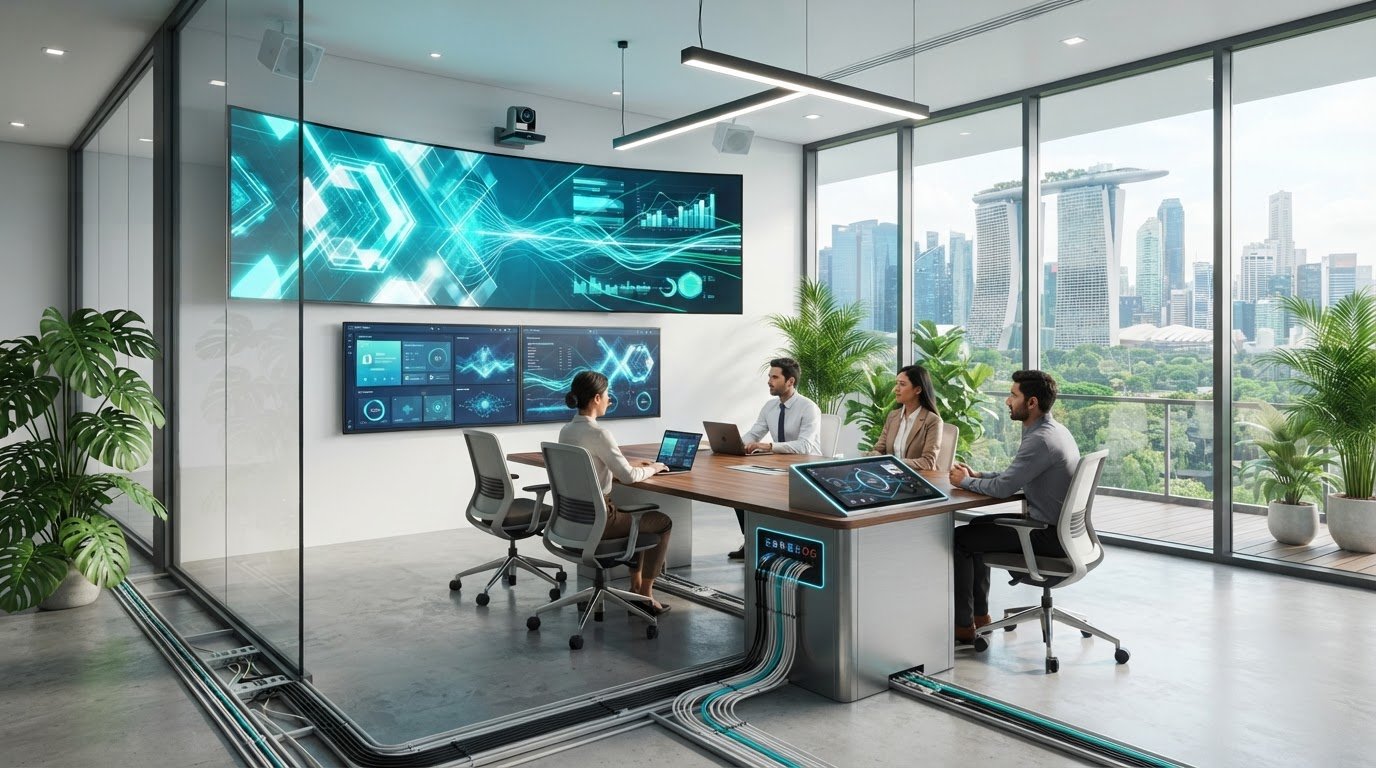
Centralized control for commercial AV can make displays, meeting rooms and shared spaces easier to operate by bringing selected functions into one interface. The aim is to replace a patchwork of remotes and device menus with clear, repeatable workflows, without making the system harder to support or leaving staff without a practical fallback if the interface is unavailable. Start with the tasks people need to complete, then assess the equipment, signal paths and network requirements needed to support them. A site survey and considered system design help match the control approach to the building, existing devices and users. They also identify practical details such as equipment locations, power and network connections, cable routes and maintenance access. This guide explains how centralized AV control works, what to assess before integrating existing equipment, and how to plan for commissioning and ongoing support. It also covers Singapore project logistics, so facilities and AV teams can make informed decisions about a system that is straightforward to use and practical to maintain.
Key Takeaways
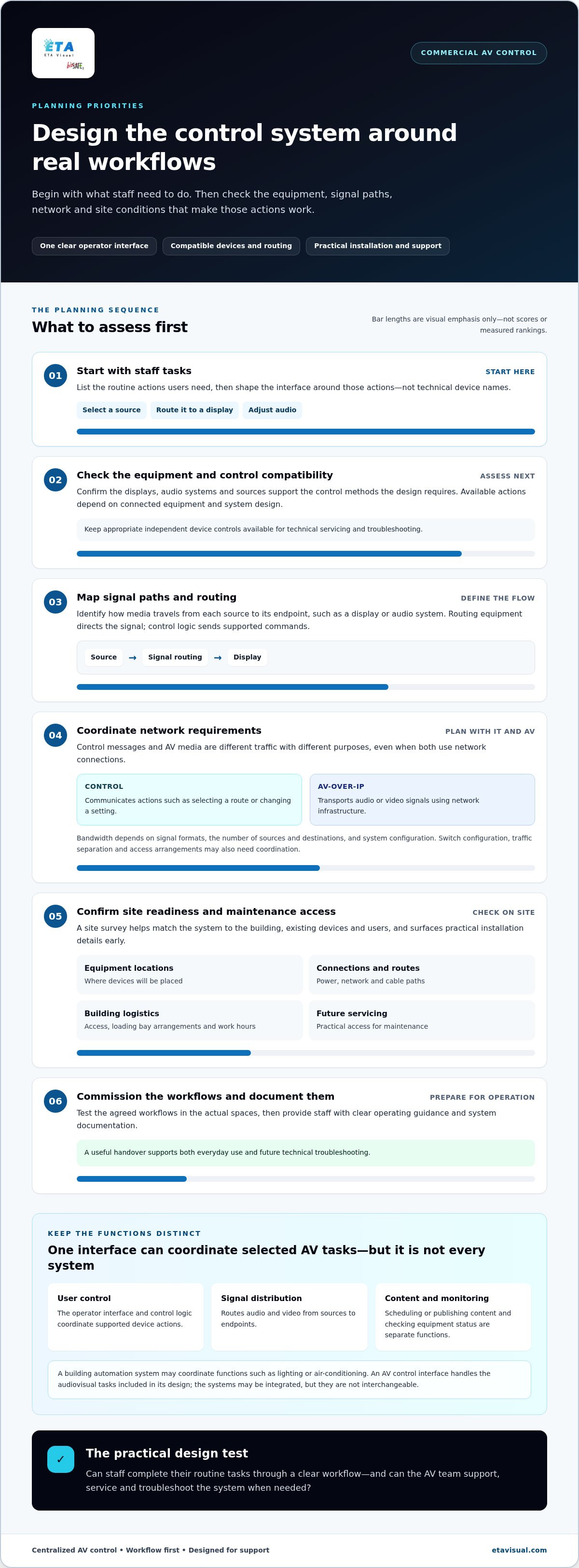
- Design the interface around the tasks staff perform, such as selecting a source, routing it to a display or adjusting audio.
- Define user control separately from signal distribution, content management and device monitoring. They are related functions, but they do different jobs.
- Choose room-based, multi-zone or site-wide control according to how spaces are used, who operates them and what needs to be controlled.
- Plan Singapore installation logistics early, including building access, loading bay arrangements, work hours and future maintenance access.
- Commission the agreed workflows in the actual spaces and give staff clear operating guidance and system documentation.
Table of Contents
What Centralized Control for Commercial AV Actually Means
Centralized control for commercial AV coordinates selected audiovisual functions through a shared interface. Rather than using separate controls for each device, an operator can follow one designed workflow to power on a display, choose an input and adjust audio, for example. The interface can simplify routine operation, while the system behind it connects each action to compatible equipment.
The interface is only one part of the system. Control logic translates user selections into commands for devices. Signal distribution determines how video and audio travel between sources and endpoints. Content management, such as scheduling or publishing material to digital signage, is a separate function. Device monitoring is separate too: it may show equipment status or alerts, but does not necessarily provide the controls staff use to run a room.
This distinction matters in Singapore buildings where AV may sit alongside wider building automation systems (BAS). A BAS can coordinate functions such as lighting or air-conditioning, while an AV control interface handles the audiovisual tasks included in its design. The systems may be integrated, but they are not interchangeable.
Which commercial AV tasks can one control interface coordinate?
In a meeting space, an operator might turn on a display, select a connected presentation source and set the room volume. In a multi-display venue, an operator might choose which source appears on a particular screen or select a preset for a defined operating mode. Presets group repeatable commands, so staff can complete routine tasks with fewer separate actions.
Available actions depend on the system design, connected equipment and the control methods each device supports. A useful design process starts by listing the tasks users need to perform, then maps each task to the relevant equipment and signal path. For practical advice on planning room equipment and workflows, see this meeting room AV setup guide.
Centralized control versus separate device remotes
With separate remotes or device interfaces, staff may need to remember which control operates the display, source or audio system. A coordinated interface brings selected actions into one workflow, with consistent labels and a sequence suited to the space. This can make routine operation easier to learn, but it does not remove the need for support or guarantee error-free use.
Independent device controls can still help with servicing and troubleshooting. A technician may need direct access to a display or another endpoint to isolate a problem, while everyday users rely on a simpler interface. Plan for both: an easy routine workflow for staff and appropriate access for technical work.
How a Centralized Commercial AV Control System Works
A centralized system brings several functions together, but each has a distinct role. The operator interface presents controls. Control logic interprets a selection and sends supported commands. The network may carry those commands or AV signals. Signal-routing equipment directs media from a source to an endpoint, such as a display or audio system. The exact arrangement depends on the equipment and system design.
Control interfaces, processors and connected devices
The interface is the staff-facing layer, organised around practical actions rather than technical device names. Behind it, a control processor or other control logic maps a selection to a command supported by the connected equipment. Displays, audio systems and source equipment each have their own role. Integration depends on device control methods and connections, so compatibility should be assessed during system design.
For example, when a staff member selects a presentation source for a room display, the sequence might be:
- The operator selects the source on the room interface.
- The control logic sends the relevant command to the equipment involved.
- The signal-routing equipment directs the selected source towards the display.
- The display receives the media signal and shows the presentation.
If the workflow includes audio, a related command may set the audio route or level. The control command tells equipment what to do; it is not the video or audio content itself.
Where AV-over-IP and the business network fit
AV-over-IP transports audio or video signals using network infrastructure. In a system using this approach, source and receiving equipment send and receive media across a network, while control messages separately communicate actions such as selecting a route or changing a setting. Both may use network connections, but they serve different purposes. A control interface does not, by itself, carry or distribute media.
This distinction helps IT and AV teams plan the architecture. Bandwidth needs depend on signal formats, the number of sources and destinations, and system configuration. Network coordination may also involve switch configuration, traffic separation and agreed access arrangements. These are project-specific design decisions, not assumptions to make simply because equipment has an Ethernet connection.
For an overview of how equipment, signal paths and installation planning fit together, explore ETA Visual’s commercial AV integration guide. It can help frame the questions to resolve when bringing control, routing and network requirements into one system design.
Comparing Centralized AV Control for Different Sites
The right control scope depends on how people use each space, not simply how many displays or rooms a building contains. A self-contained meeting room may need its own interface, while shared audio across a venue may call for controls organised by zone. Site-wide coordination can bring multiple spaces into a common operating approach, but it does not mean every device needs to appear on one screen.
Room-based, multi-zone or site-wide control?
Room-based control suits a space with a distinct workflow, such as a conference room used by different teams. Multi-zone control suits areas that share sources or audio infrastructure but need independent choices, such as separate playback or volume settings. Site-wide control coordinates selected functions across spaces, with access and actions shaped by the system design.
| Control scope | Suitable applications | Operational benefits | Design considerations |
|---|---|---|---|
| Room-based | Meeting rooms, training spaces | Controls match the tasks in one room | Room equipment and user workflow may vary between spaces |
| Multi-zone | Retail, hospitality or shared venues | Operators can manage defined areas independently | Source routing, zone boundaries and permissions need clear planning |
| Site-wide | Buildings with coordinated AV across multiple spaces | Supports a consistent approach to selected operations | Central oversight must account for local needs, network design and support responsibilities |
For example, a venue could let staff adjust background audio by area while restricting source or system-level settings to authorised users. A commercial audio system design can define how zones match the way the space is used. Zone-level control is useful when it supports real tasks; adding an option for every possible adjustment can make routine operation harder to follow.
How to compare control options against operational needs
Start by identifying who operates the system and what each group needs to do. Occasional users may need a short, guided workflow, while facilities or AV staff may require broader access for configuration and support. Consider how often spaces are used, whether rooms follow the same pattern and which actions should be available in each location.
Next, compare the proposed approach with existing equipment and likely system changes. Different rooms may have different displays, sources or audio components, so a uniform interface should not conceal important differences or assume every device is compatible. A maintainable design makes permissions, workflows and equipment relationships clear, while allowing future changes to be assessed deliberately.
Compare options by asking whether staff can find the right controls quickly, whether access suits each user group and whether technical teams can support the system without unnecessary complexity. A clear, maintainable workflow is a better basis for choosing centralized control for commercial AV than a long feature list.
Planning Centralized AV Control for Singapore Buildings
A practical plan connects how people use a space with its equipment, infrastructure and building constraints. Work through requirements, site assessment, design, installation, commissioning and handover in sequence. This gives the project team a shared basis for decisions and helps avoid workflows that seem simple on paper but do not fit the actual site.
Survey the site, users and operating requirements
Record who will use each room or zone, what they need to do, which sources they rely on and how the space operates during a typical day. A commercial AV site survey can document equipment positions, cable routes, power provision and access for installation and future maintenance. Coordinate the findings with building management and relevant project teams.
- Define the workflow. Identify user groups, routine actions and differences between rooms or operating periods. Agree which functions staff need and which should remain available to technical personnel.
- Survey the site. Record existing AV equipment, connection points, possible cable routes and locations for control and signal-routing equipment. Assess power, network and structural considerations against the proposed design rather than assuming existing provisions will suit new equipment.
- Coordinate building logistics. In Singapore, confirm site access arrangements, loading bay procedures, permitted work hours and any building management coordination needed for delivery or installation. Plan how technicians will reach equipment for maintenance, including displays or devices mounted in less accessible positions.
- Design and install the system. Use the survey findings to align control functions, equipment and signal paths. Coordinate installation with other project activities and record agreed changes that affect the design or operating workflow.
- Commission and hand over. Test the agreed control actions and connected equipment in the intended operating scenarios. Resolve issues, then give staff clear guidance and the project team relevant system documentation.
Commissioning, handover and ongoing support
Commissioning should verify more than whether a screen turns on. Test the user’s expected sequence, including source selection, routing to the intended display and any associated audio actions. Check each relevant room or zone and record exceptions, so the handover reflects how the installed system behaves.
Clear guidance helps staff use the interface consistently. System documentation gives facilities and AV teams a reference for future changes or troubleshooting. ETA Visual provides ongoing maintenance and responsive technical support to help address equipment or workflow issues. Agree how issues are reported and what information will help diagnose them as part of the handover.
Designing a Maintainable Centralized AV Solution with ETA Visual
A maintainable AV system starts with how a site operates, not with a control interface selected in isolation. ETA Visual conducts site surveys and designs, supplies, installs and maintains LED screens and AV systems. The survey connects room use and user needs with existing equipment, signal flow, installation requirements and maintenance access. This informs an integrated design in which control, displays and audio work as parts of one system.
From requirements to an integrated control design
Design begins by establishing what each space needs to support and who will operate it. The system plan sets out how users access controls, how sources connect to displays or audio, and how equipment is positioned for installation and future servicing. Where existing devices are retained, their connections and control methods determine how they can fit into the proposed system. Broader AV system design in Singapore considers how infrastructure and equipment decisions work together.
Installation follows the agreed plan, coordinated with site conditions and the building’s operating requirements. During commissioning, the team tests the control workflow against agreed scenarios. For example, it checks whether the intended source reaches the correct display and whether related audio actions behave as planned. This is the time to identify and resolve configuration or integration issues before staff handover.
Handover gives staff practical guidance for routine operation and provides facilities or AV teams with relevant system documentation. Clear records of equipment, connections and agreed workflows support future troubleshooting and planned maintenance. ETA Visual also provides ongoing maintenance and technical support to help organisations manage changes and address operational issues after installation.
What to prepare before discussing a project
A useful starting brief does not need to be a completed technical specification. Gather information that helps an integrator understand the site and its day-to-day needs:
- Spaces: List the rooms, zones or display areas included, and note how each is used.
- Equipment: Record known display, audio and source equipment, including what is existing and what may change.
- Users: Identify the staff groups who operate the system and the tasks they perform.
- Recurring challenges: Describe confusing controls, inconsistent room operation or support issues the design should address.
- Site information: Gather available plans and note access arrangements, work-hour constraints and locations that may be difficult to maintain.
These details help shape centralized control for commercial AV around operational requirements. They also give the site survey and system design a clear starting point, while leaving technical details to be assessed against actual site conditions.
Build an AV Control Approach That Can Grow with Your Site
AV needs change as spaces take on new uses, equipment is updated or different teams take responsibility for daily operation. Treat centralized control for commercial AV as an operating approach that can be reviewed as needs evolve, rather than a fixed interface that should never change. Clear documentation and deliberate decisions about future adjustments help keep those changes manageable.
Identify one or two recurring operating challenges and define what a better workflow would look like for the people using the space. This gives the project discussion a concrete starting point, whether you are planning a new system or improving an existing one. The design can then be shaped around your building, users and AV requirements.
A considered first step makes it easier to plan for simpler, more consistent operation. Start with the needs of the people who use the system every day.
Can centralized control work with existing commercial AV equipment?
It can, if the equipment’s control methods and connections suit the proposed design. An assessment should identify model information, available control interfaces and limitations, such as a device that accepts a media signal but offers limited external control. This helps determine what can be retained, what may need an interface or configuration change, and where replacement is more practical.
Does centralized AV control require AV-over-IP?
No. Control can coordinate equipment using direct connections, networked AV transport or a combination, depending on the design. AV-over-IP describes how media signals travel over network infrastructure; it is not a requirement for a shared control interface. A system might, for example, use a network connection for control while sending video through a separate signal path. The suitable arrangement depends on the equipment and project requirements.
Can different user groups have different AV control permissions?
Yes. Permissions can be designed around user roles and supported system functions. A presenter might have access to source selection and room volume, while an AV administrator has additional configuration controls. This can help in shared meeting facilities, where users need straightforward controls but should not routinely change system settings. The control platform and device capabilities determine how access is implemented and managed.
What happens to AV operation if the control interface is unavailable?
That depends on the system architecture and the device controls available. Some equipment may still accept commands through its own controls, while functions that rely on a control processor or interface may be unavailable until service is restored. Resilience planning can define practical fallback steps, such as an alternative authorised control method or a documented service procedure. Specify these arrangements rather than assuming every function will continue unaffected.
Can one control system operate both displays and commercial audio?
Yes, a coordinated system can operate displays and commercial audio when the equipment and control methods can be integrated. A venue might use an interface to select display content while staff adjust audio for the relevant area. The design should account for how these functions relate, including whether audio settings are shared or controlled independently. Available actions depend on the connected equipment and agreed workflow.
How can a business make centralized AV controls easier for staff to use?
Build the interface around tasks staff perform, using familiar room or zone names and clear action labels. Keep routine controls distinct from technical settings, and avoid presenting users with options they do not need. Before handover, test the interface with representative users performing realistic tasks, such as starting a presentation or changing a source. Their feedback can reveal confusing labels or unnecessary steps before everyday use.
What information should be ready before planning a centralized AV system?
Prepare a list of spaces, current equipment and the people who operate each system. Note recurring problems, such as rooms that behave differently or displays that are difficult to switch between sources. Available floor plans, equipment schedules and details about access or maintenance constraints can clarify site conditions. An incomplete inventory is still useful: mark unknown items for assessment rather than guessing at compatibility.
Planning a centralized AV control system? Request a site survey from ETA Visual to discuss your spaces, equipment and operating requirements.
Visual planning reference
| Control scope | Suitable applications | Operational benefits | Design considerations |
|---|---|---|---|
| Room-based | Meeting rooms, training spaces | Controls match the tasks in one room | Room equipment and user workflow may vary between spaces |
| Multi-zone | Retail, hospitality or shared venues | Operators can manage defined areas independently | Source routing, zone boundaries and permissions need clear planning |
| Site-wide | Buildings with coordinated AV across multiple spaces | Supports a consistent approach to selected operations | Central oversight must account for local needs, network design and support responsibilities |
Want an accurate budget for your space?
We'll do a free site survey and prepare a clear, itemised quotation — no obligation.
Frequently asked questions
In a meeting space, an operator might turn on a display, select a connected presentation source and set the room volume. In a multi-display venue, an operator might choose which source appears on a particular screen or select a preset for a defined operating mode. Presets group repeatable commands, so staff can complete routine tasks with fewer separate actions. Available actions depend on the system design, connected equipment and the control methods each device supports. A useful design process starts by listing the tasks users need to perform, then maps each task to the relevant equipment and signal path. For practical advice on planning room equipment and workflows, see this meeting room AV setup guide.
Room-based control suits a space with a distinct workflow, such as a conference room used by different teams. Multi-zone control suits areas that share sources or audio infrastructure but need independent choices, such as separate playback or volume settings. Site-wide control coordinates selected functions across spaces, with access and actions shaped by the system design. For example, a venue could let staff adjust background audio by area while restricting source or system-level settings to authorised users. A commercial audio system design can define how zones match the way the space is used. Zone-level control is useful when it supports real tasks; adding an option for every possible adjustment can make routine operation harder to follow.
It can, if the equipment’s control methods and connections suit the proposed design. An assessment should identify model information, available control interfaces and limitations, such as a device that accepts a media signal but offers limited external control. This helps determine what can be retained, what may need an interface or configuration change, and where replacement is more practical.
No. Control can coordinate equipment using direct connections, networked AV transport or a combination, depending on the design. AV-over-IP describes how media signals travel over network infrastructure; it is not a requirement for a shared control interface. A system might, for example, use a network connection for control while sending video through a separate signal path. The suitable arrangement depends on the equipment and project requirements.
Yes. Permissions can be designed around user roles and supported system functions. A presenter might have access to source selection and room volume, while an AV administrator has additional configuration controls. This can help in shared meeting facilities, where users need straightforward controls but should not routinely change system settings. The control platform and device capabilities determine how access is implemented and managed.
That depends on the system architecture and the device controls available. Some equipment may still accept commands through its own controls, while functions that rely on a control processor or interface may be unavailable until service is restored. Resilience planning can define practical fallback steps, such as an alternative authorised control method or a documented service procedure. Specify these arrangements rather than assuming every function will continue unaffected.
Plan the next step
Continue with a relevant solution and real Singapore project evidence.

