Premium Boardroom LED Presentation Sightlines Singapore 2026
Written and reviewed by the ETA Visual Engineering & Project Team. Guidance is updated when project, product or Singapore site-planning practices change.
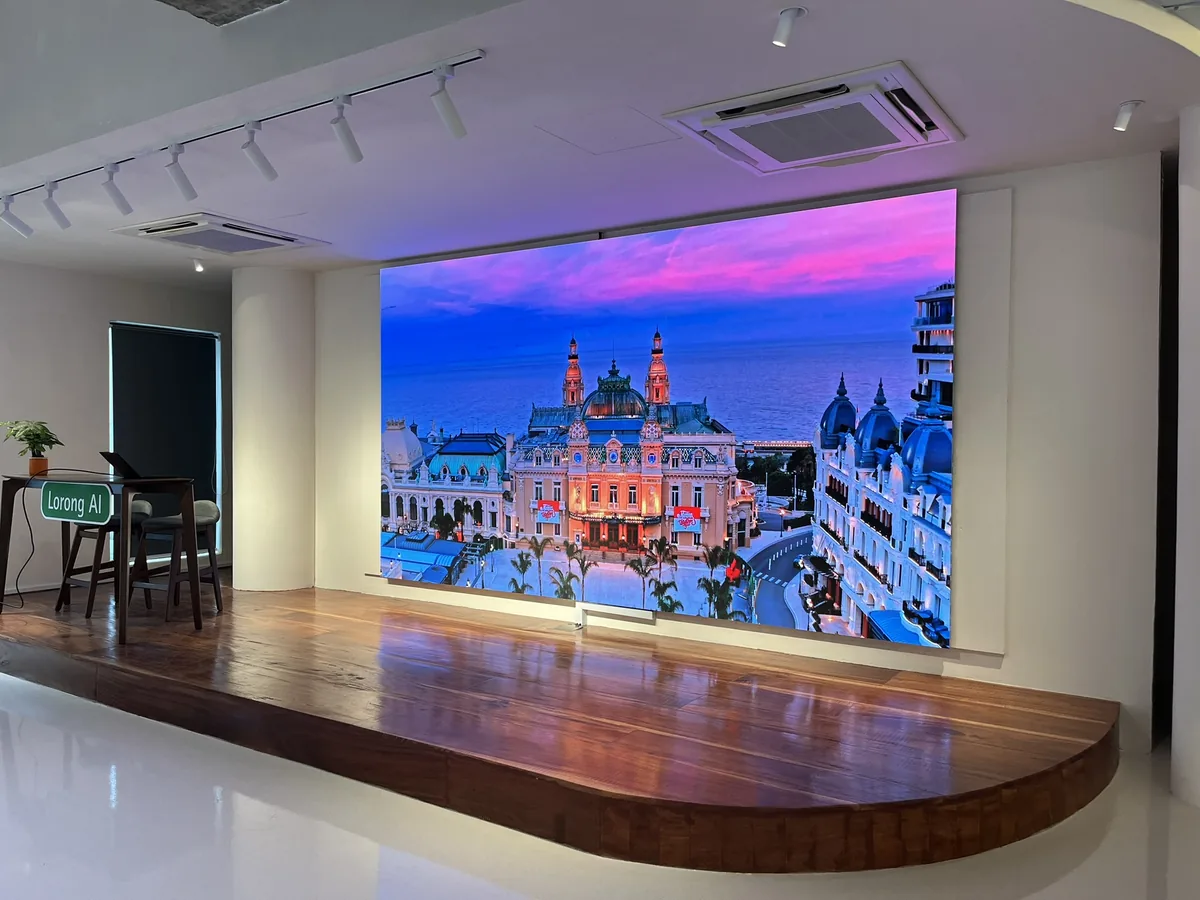
For Singapore teams planning premium boardroom LED presentation sightlines Singapore, a successful result begins with the room rather than a catalogue. The intended audience, where people stand or sit, the material that will be shown and the way the display fits the interior should be resolved before comparing product proposals. In these settings, an indoor LED wall must work with the customer or presentation journey.
A good brief describes viewing positions, physical wall limits, content sources, service access, power and data coordination, and the acceptance checks required before handover. It also separates decisions that affect the visible result from decisions that simply increase a specification list. This guide explains the questions to ask, a practical comparison framework and the information a supplier needs to plan an indoor LED installation with fewer late changes.
ETA Visual's Stage One case page states that it supplied, installed and commissioned a P1.95 indoor LED stage screen for a performance and events venue in Singapore. This factual example shows why the display, environment and project coordination need to be considered together. Use the following guidance to build an informed brief and compare proposals on criteria that match the intended use.
1. Room geometry, viewing distance and pixel pitch
Understanding sightlines begins with the room geometry. Measure the maximum and minimum distances from the screen to seated viewers, the table height, and typical presenter positions. For boardrooms, audiences are usually close; this often necessitates a finer pixel pitch than general meeting rooms so that text and detailed graphics render crisply at short viewing distances.
A practical rule of thumb: for predominantly text-based presentations, choose a pixel pitch that yields a recommended viewing distance of roughly 1.5 to 2.5 times the screen height for comfortable legibility. For rooms with mixed content (slides plus video), balance pixel pitch with resolution and budget to ensure both types of content display appropriately.
Factor in vertical placement. Keep the screen centre within a comfortable vertical angle relative to seated eye height; a common design target is to stay within ±30 degrees of eye level to avoid neck strain for seated attendees. For tall tables or higher-back chairs, that may require lowering the screen or using a shallower mounting angle.
2. Content strategy: resolution, aspect ratio and templates
Define the primary content types and their native resolutions before specifying hardware. Text-heavy presentations need higher perceived resolution and strong contrast, while full-motion video requires consistent refresh and colour handling. Prepare sample slide decks and a few representative video clips to test during supplier demonstrations or onsite mock-ups.
Establish font sizes and layout guidelines for presenters. For boardrooms, avoid dense slides: larger fonts and higher contrast increase legibility across seating positions. When briefing suppliers, include examples of 1–3 typical slides at native resolution so they can confirm how those slides will render on candidate displays.
Decide on aspect ratio early. Many LED walls are built from modular panels and can achieve custom aspect ratios. If you plan to use legacy 16:9 content, ensure the constructed wall aligns closely with that ratio or that the content route includes scaling strategies that preserve legibility.
3. Systems integration, signal routing and room controls
Integration with room control and video switching is critical. Decide whether the LED will receive a single dedicated source (e.g., a meeting PC) or multiple inputs (laptop podiums, conferencing codecs, local media players). Specify the preferred control protocol (e.g., IP, RS-232, or third-party room automation systems) and confirm the supplier’s ability to accept and test those control channels.
Consider signal management: many modern boardroom LED installations use an intermediate scaler or video processor to manage multiple resolutions, windowing and aspect-ratio conversion. Ask for sample routing scenarios in the supplier proposal, such as dual-source display, picture-in-picture for a presenter feed plus slide deck, and content-preview workflows for the meeting host.
Lighting control and ambient light management matter. Although indoor LEDs offer high brightness, uncontrolled glare or reflective surfaces in the room can reduce perceived contrast. Coordinate window treatments, ceiling lighting placement and dimming presets as part of the integration brief.
4. Mechanical installation, power and commissioning
Select a mounting strategy that supports sightline optimisation and future access. Wall-mounted cabinets must allow front or rear access depending on the venue’s maintenance and service pathways. For recessed or fitted installations, confirm clearance for ventilation and cabling. Where possible, include height-adjustable or tilting mounts to fine-tune viewing angles during commissioning.
Plan cable runs and power distribution early. LED walls require stable, appropriately rated power with provision for surge protection and local isolation. Discuss power redundancy and circuit sharing with your facilities or electrical contractor to ensure compliance with building services and safety codes.
Commissioning should include colour calibration, brightness ramping and uniformity adjustment in the installed environment. Allocate time and budget for a thorough onsite calibration after installation and before handover so the final result matches the intended presentation quality.
5. Procurement, acceptance testing and training
Procurement should establish acceptance criteria and testing protocols. Request supplier demonstrations using your content, and include on-site accept testing with preset criteria: text legibility at defined distances, uniformity tolerances, and correct integration with room control systems.
Clarify lead times for panels, controllers and cabling early in the procurement process. Modular LED panels can be subject to manufacturing lead times; confirm delivery windows and the supplier’s plan for inventory and staging. Include contingencies for site access windows and any building works that might affect the installation schedule.
Budget for post-install training. Ensure the supplier provides operational training for the AV administrator and at least one on-site user walkthrough. Cover basic daily operations, input selection, basic troubleshooting and how to request further technical assistance if needed.
6. Delivery planning, commissioning and handover
Plan the delivery and installation schedule to minimise disruption. Coordinate the installation during low-occupancy periods and confirm loading and crane or lift access if heavy cabinets or scaffolding are required. Ensure the supplier provides a delivery plan that identifies staging areas, expected truck sizes and site-crew numbers.
Allow for a commissioning window that includes system integration, colour calibration and final acceptance tests with stakeholders present. Include time for iterative adjustments — slight changes to mounting height or tilt often make a large difference to sightlines and comfort.
Document handover. Require the supplier to provide a basic operations manual, contact details for technical support and a list of spare parts recommended for the installed configuration.
7. Common pitfalls and practical mitigations
Common sightline mistakes to avoid: installing a screen too high for seated eye level; choosing a pixel pitch suited only to the nearest seats while ignoring the furthest; and not testing actual presentation slides before accepting the installation. These errors lead to discomfort, unreadable text, or excessive rework.
Mitigation steps: build a simple mock-up in the room (temporary screen or projector) to validate sightlines, demand supplier demonstrations with your content, and include precise acceptance criteria in the contract. Where possible, allow time for an adjustment phase after initial commissioning to fine-tune settings based on real-use feedback.
| Pixel pitch (mm) | Recommended max viewing distance | Best for | Considerations |
|---|---|---|---|
| a project-appropriate pixel pitch | Up to 3–4 m | Ultra-fine text and detailed graphics at close distances | Higher cost, requires higher-resolution source material |
| a project-appropriate pixel pitch | 3–6 m | Presentation slides and mixed content in premium boardrooms | Balanced cost and clarity for typical executive rooms |
| a project-appropriate pixel pitch | 6–10 m | Larger rooms with more distant seating | Lower cost but may reduce legibility for small text up close |
Want an accurate budget for your space?
We'll do a free site survey and prepare a clear, itemised quotation — no obligation.
Frequently asked questions
Aim for a minimum pixel density and viewing distance appropriate to the room size and typical content. For boardrooms showing text-based presentations, choose a pixel pitch that allows clear legibility at the furthest seat. Account for native content resolution, seating layout, and presenter sightlines. Include brightness range and color calibration requirements when briefing suppliers.
Select an indoor-rated LED module and certified electrical installation. Confirm the supplier’s compliance with local building codes, fire-safety zoning and Singapore power distribution standards. Ensure the LED system integrates with existing AV control systems and room automation. Ask suppliers for on-site assistance during final commissioning.
Plan content templates at target resolution and aspect ratio. Provide guidelines for font size, contrast, and logo placement. Test sample slides and video in the actual room or a suitable mock-up to confirm legibility and framing. Consider a dedicated encoding or scaler device to manage multiple input types and resolutions.
Budget for delivery windows, installation access, and time for calibration. Include a factory acceptance or pre-delivery review and a period for onsite commissioning and color calibration. Schedule installations outside core business hours if the boardroom is in active use. Verify lead times for panels and control electronics with suppliers.
Test multiple seating positions and standing presenter positions to confirm unobstructed sightlines and comfortable eye angles. Account for table height, chair back heights, and any AV furniture. Use the 30-degree rule for vertical viewing angles: keep the centre of the screen within approximately 30 degrees above or below typical eye height where possible.
Plan the next step
Continue with a relevant solution and real Singapore project evidence.