Executive Boardroom LED Camera Framing Singapore 2026
Written and reviewed by the ETA Visual Engineering & Project Team. Guidance is updated when project, product or Singapore site-planning practices change.
For Singapore teams planning executive boardroom LED camera framing Singapore, a successful result begins with the room rather than a catalogue. The intended audience, where people stand or sit, the material that will be shown and the way the display fits the interior should be resolved before comparing product proposals. In these settings, an indoor LED wall must work with the customer or presentation journey.
A good brief describes viewing positions, physical wall limits, content sources, service access, power and data coordination, and the acceptance checks required before handover. It also separates decisions that affect the visible result from decisions that simply increase a specification list. This guide explains the questions to ask, a practical comparison framework and the information a supplier needs to plan an indoor LED installation with fewer late changes.
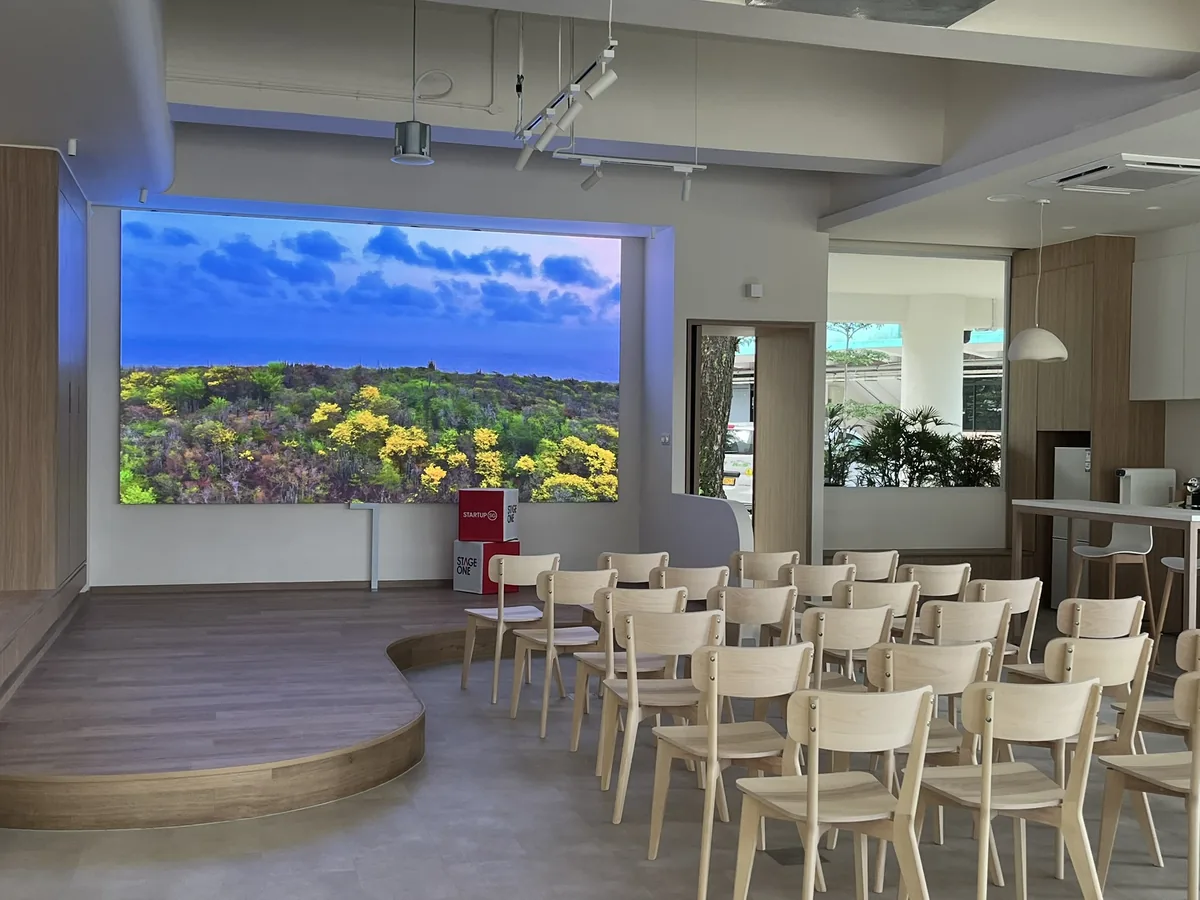
ETA Visual's Stage One case page states that it supplied, installed and commissioned a P1.95 indoor LED stage screen for a performance and events venue in Singapore. This factual example shows why the display, environment and project coordination need to be considered together. Use the following guidance to build an informed brief and compare proposals on criteria that match the intended use.
Viewing and camera distance fundamentals
- Viewing and camera distance fundamentals
Start by documenting typical camera positions, presenter locations and seating sightlines. For boardrooms, cameras are often placed 1.5–6 metres from the screen; this range determines the required pixel pitch for clean on-screen reproduction. As a general guide for camera-focused spaces: a project-appropriate pixel pitch suits very close camera work and fine text detail; a project-appropriate pixel pitch is common for mid-range camera framing while remaining cost-effective. Also model the screen’s physical size versus the room depth: a too-large screen may expose pixel structure on camera if pixel pitch is not sufficiently fine.
Define viewing cones for both in-room viewers and cameras. Cameras will integrate light differently than the human eye; plan for controlled ambient lighting to avoid contrast issues and spec the LED panel brightness to be appropriate for both live viewing and camera exposure.
Content strategy and aspect ratio management
- Content strategy and aspect ratio management
Determine the primary use cases: background branding during video calls, slide or data sharing, live camera inserts, or combinations. Content prepared for direct-screen display must be authored in the native pixel resolution and aspect ratio of the LED wall when possible. If the screen will be masked or cropped for camera framing (for example to create safe areas for presenters), include guides and templates for on-screen design.
Consider dynamic content handling: switcher or media server workflows should be specified for real-time composition, logo overlays and lower-thirds. For text legibility on camera, increase font sizes, use high-contrast palettes and avoid fine patterns that can moiré with camera sensors.
Technical specifications that matter for camera work
- Technical specifications that matter for camera work
Pixel pitch, refresh rate, color gamut and HDR capability are primary. For camera-facing walls, choose modules with high refresh rates and low PWM flicker to minimise banding and rolling shutter artifacts. Wide color gamut and accurate color processing reduce post-production grading and ensure skin tones reproduce naturally.
Other important factors: uniform brightness across modules, minimal module-to-module color variance, and the ability to perform camera-specific calibration (mapping display output to camera color space). Specify input formats and frame rates the video processor must support, and confirm any HDR-to-SDR handling if cameras or conferencing systems do not accept HDR feeds.
Integration with cameras and conferencing systems
- Integration with cameras and conferencing systems
Create a systems diagram showing camera feeds, codecs, the media server, and the LED wall processing chain. Decide whether cameras will see the native output of the wall or a camera-friendly mix produced by a switcher. If cameras are used for broadcast or recording, route a camera-calibrated feed from the media server to the production switcher.
Coordinate with the conferencing platform team on resolution and bandwidth constraints; many enterprise meeting services accept 720p–1080p feeds, so design fallback content and layouts that remain legible at those resolutions. Also specify timecode or frame-sync requirements if multiple cameras and playback devices will be used in professional production.
Physical installation and sightlines
- Physical installation and sightlines
Mounting, tolerances and masking influence how cleanly an LED wall can be integrated into a boardroom aesthetic and camera frame. Detail desired top and side reveal, trim, or black masking that helps cameras see a clean rectangle without visible module seams or edge reflections. Ensure the structural wall or support can carry the LED assembly weight and that access is planned for module servicing without removing large sections of the wall.
Also coordinate room lighting: specify key, fill and backlight positions so presenters are evenly lit and do not appear silhouetted against a bright wall. Use non-reflective surfaces around the screen to minimise stray reflections on camera.
Procurement and acceptance testing checklist
- Procurement and acceptance testing checklist
Procure a supplier scope that separates supply, installation, calibration and commissioning tasks with clear acceptance criteria. Key checklist items for acceptance testing should include: pixel pitch verification and visual uniformity checks, color and brightness calibration to a defined target, sample camera footage of standard test pages under typical lighting, and verification of all input formats and frame rates.
Include warranty and spare-module provisions in the contract and require a documented handover that contains calibration reports, control system passwords and a set of master content templates at the wall’s native resolution.
Operational best practices and content governance
- Operational best practices and content governance
Create a simple content governance policy: who may publish to the LED wall, approved content templates, and a schedule for testing camera-facing layouts ahead of major meetings. Train media operators on camera-specific considerations such as avoiding high-frequency patterns, respecting safe text areas and using color profiles validated for broadcast.
Maintain a short runbook for common issues (reboot media server, run calibration routine, verify input sources) so that day-to-day AV staff can resolve typical problems without vendor attendance.
| Consideration | Recommendation for camera-facing use | Notes |
|---|---|---|
| Pixel pitch | a project-appropriate pixel pitch (choose finer pitch for closer cameras) | Finer pitch increases cost but reduces visible pixel structure on camera. |
| Refresh rate / PWM | High refresh, low or no visible PWM | Reduces banding and rolling shutter artifacts with modern cameras. |
| Color calibration | Onsite calibration to camera profile | Improves skin tones and on-camera color fidelity. |
| Mounting and masking | Precision mounting with optional black trim | Clean frame reduces post-production masking and improves aesthetics. |
| Input formats | Support common broadcast frame rates and HDR handling | Ensure media server can down-convert to conferencing platform constraints. |
Want an accurate budget for your space?
We'll do a free site survey and prepare a clear, itemised quotation — no obligation.
Frequently asked questions
Choose an LED pixel pitch that balances clarity at your typical camera capture distance (commonly a project-appropriate pixel pitch for close camera framing), confirm HDR and color calibration workflows with the integrator, and specify mounting, masking and sightline requirements to ensure predictable camera framing.
Yes. For consistent on-camera results, require factory or onsite calibration to a camera profile, verify uniform brightness and color across modules and request test footage from the installed screen under typical conference lighting.
Pixel pitch, panel refresh rate, color gamut, HDR handling, and uniformity are primary. Also factor in physical bezel and panel seams, mounting tolerance and the ability to support masking or trim to match camera aspect ratios.
Plan for space behind the LED wall for cabling and access, ensure structural capacity for a fixed or lightweight rig, coordinate HVAC and lighting to limit camera exposure to reflective hotspots, and design a service plan for module access without disrupting boardroom use.
Suppliers can provide sample footage, onsite mock-ups or temporary test installations. Insist on a video framing and content checklist in the contract and schedule camera and content tests before final handover.
Plan the next step
Continue with a relevant solution and real Singapore project evidence.