Corporate Lobby Digital Signage Ideas for Clearer Wayfinding
Written and reviewed by the ETA Visual Engineering & Project Team. Guidance is updated when project, product or Singapore site-planning practices change.
A lobby screen should help people find their way and get the information they need, not just fill a wall. The best corporate lobby digital signage ideas bring together wayfinding, meeting details, timely updates and internal communications in a format visitors and staff can read at a glance. Clear information matters in reception areas, where visitors may not know the building and employees need timely updates. Choosing a display means considering viewing distance, placement, ambient light and how often the content changes. Available power and network points, window glare and installation access also shape the design. This guide explains how to match displays to a lobby, use directories and meeting information to support navigation, plan relevant communications and keep content current. It also covers the technical decisions that help signage work with the wider office environment, so each screen has a clear purpose and useful information is easy to find.
Key Takeaways
- Choose a lobby display based on viewing distance, ambient light, placement and the information it needs to show.
- Plan content before selecting screens, including meeting and training details, announcements and who will keep information updated.
- Use digital directories at lobby decision points to help visitors and staff find rooms, teams and destinations.
- Combine wayfinding with useful live updates and internal communications, such as event details and company announcements.
- Keep content current with a clear publishing process and scheduled updates, so screens remain useful to people passing through.
Table of Contents
- How Does a Professional Integrator Choose the Right Displays for a Lobby?
- 2. What Should Lobby Digital Signage Accomplish?
- 3. Digital directories and wayfinding
- 4. Real-time information and internal communications
- 5. Keeping lobby information current
- ETA Visual
How Does a Professional Integrator Choose the Right Displays for a Lobby?
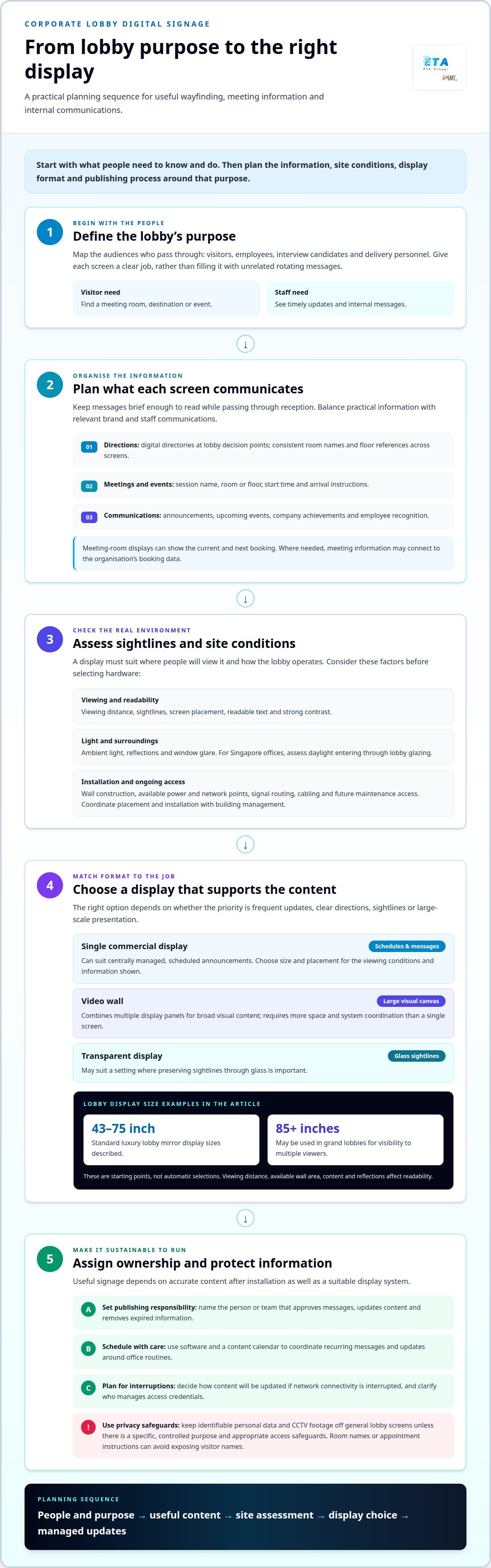
A professional integrator starts with the lobby’s purpose, sightlines and information flow, then matches the display to those needs. A reception screen showing meeting rooms, for example, needs text that is easy to read from a distance. A large video wall may suit a space designed for prominent visual communication. Site planning should also account for window glare, wall construction, power, network access and future maintenance access.
Unlike printed signs, digital displays can show changing schedules and messages without replacing panels whenever information changes. A video wall combines multiple display panels into one large canvas, making it suitable for broad visual content, but it requires more space and system coordination than a single screen. The right option depends on whether the priority is frequent updates, simple directions or large-scale presentation.
Meetings, training sessions and visitor appointments benefit from a consistent sequence of information. A lobby display can show the session name, room or floor, start time and arrival instructions. Meeting-room displays can show the current and next booking, helping staff check availability and reducing interruptions. Align the screen layout with the building’s room names and floor directory, so “Training Room A” is called the same thing on every display.
Commercial-grade mirror displays may suit a reception where a reflective surface is part of the interior design. The research describes standard luxury lobby mirror displays measuring 43-75 inch, while grand lobbies requiring visibility for multiple viewers may use displays of 85+ inches. These sizes are starting points, not automatic selections: viewing distance, available wall area, content and reflections affect readability. In Singapore, the site assessment should also consider daylight entering through lobby glazing.
For Singapore offices, suitable signage software lets an authorised team schedule content and update messages as information changes. Hardware selection depends on screen size, viewing conditions, operating hours, signal routing and available power and network points. A commercial display paired with centrally managed software can suit scheduled announcements; meeting information may need a connection to the organisation’s booking data. The system design should clarify who publishes updates and who handles access credentials.
Singapore organisations should keep identifiable personal data and CCTV footage off general lobby screens unless the display has a specific, controlled purpose and appropriate access safeguards. A practical approach is to show room names or appointment instructions rather than visitor names or security footage, which could expose people to unnecessary viewing.
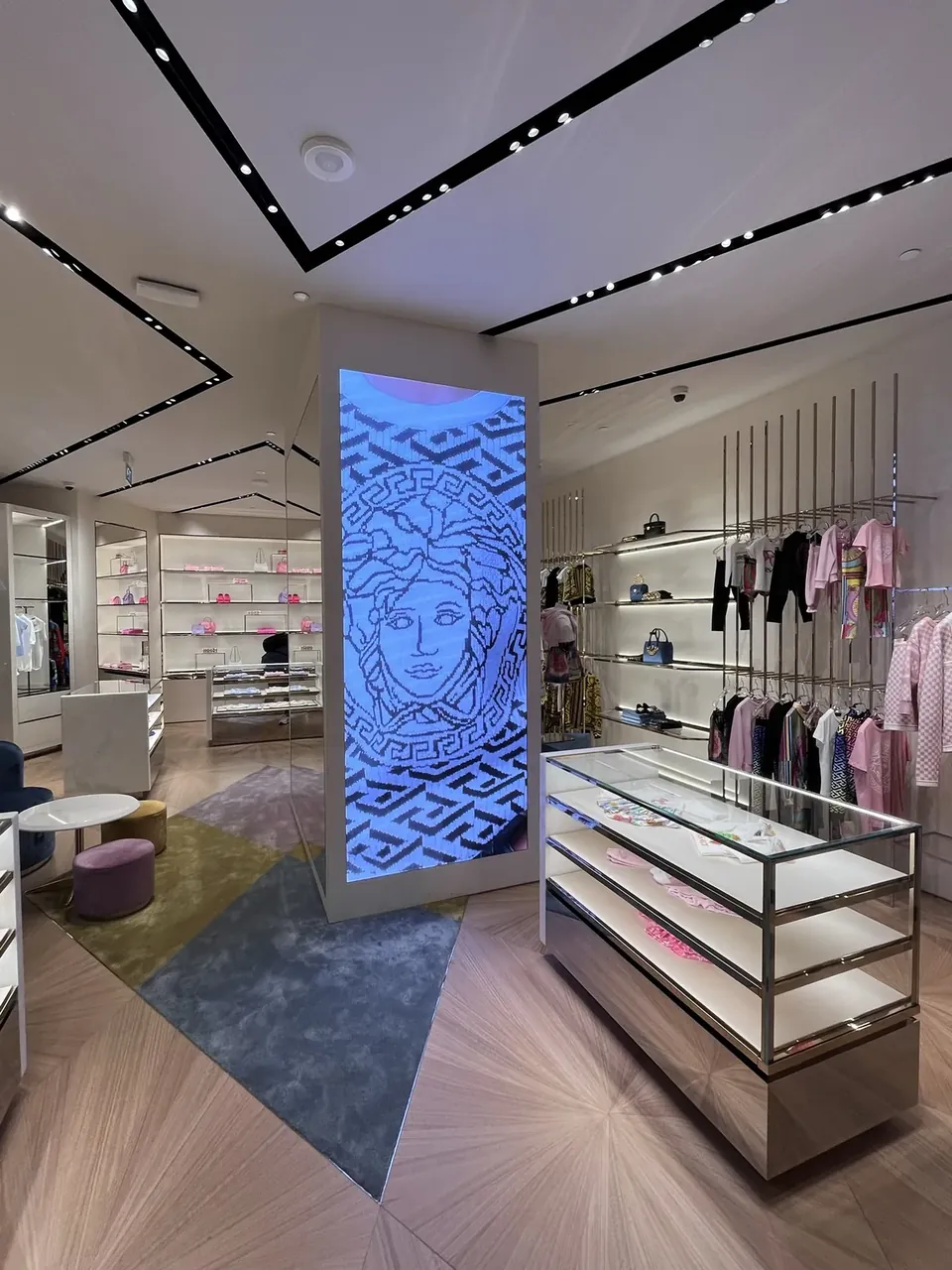
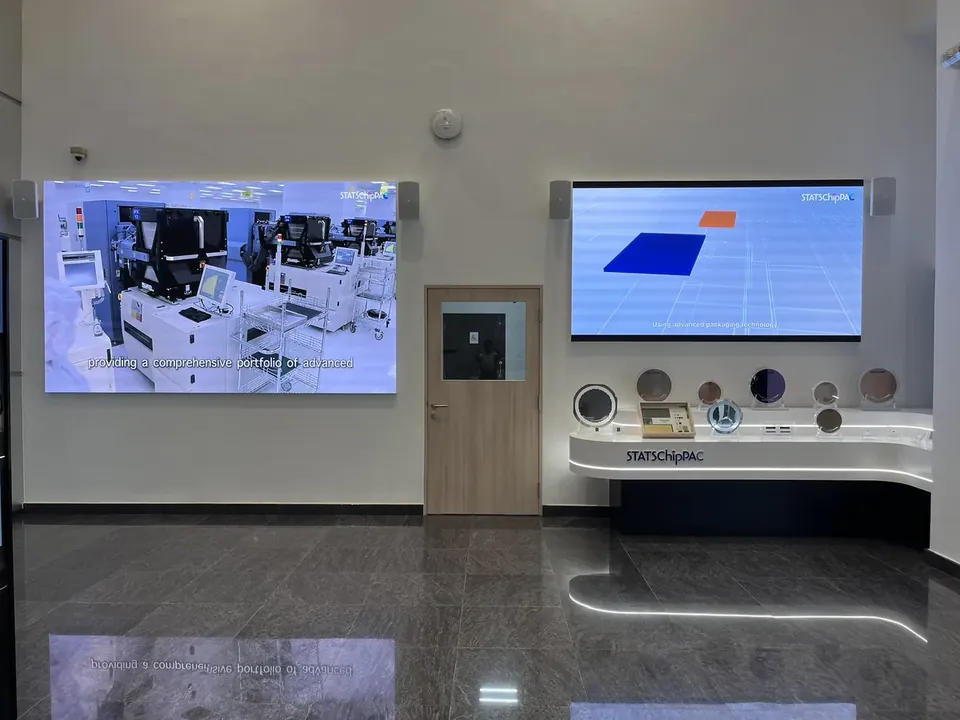
Industry needs shape content and hardware. A hotel reception may prioritise guest directions and event schedules, while an office may feature meeting locations, employee recognition and internal messages. A transparent display can preserve sightlines through glass, while an indoor LED screen can support larger, more visible content. A corporate lobby display project illustrates how the setting informs the display decision.
2\. What Should Lobby Digital Signage Accomplish?
Define each screen’s job before choosing its size or position. Start by mapping the lobby’s audiences, such as visitors, employees, interview candidates and delivery personnel. Then connect each audience to a useful action: finding a meeting room, understanding an event schedule or learning about the organisation. This purpose-led approach keeps content relevant instead of turning reception into a rotating collection of unrelated messages.
Content should balance practical information with brand communication. An office might combine floor directions, upcoming events, company achievements and employee recognition. Keep the logo, colours and writing style consistent across screens, and make each message brief enough to read while passing through reception. Mapping content categories first helps ensure display positions and hardware support both visitor experience and staff communication.
Content ownership matters as much as the initial design. Before installation, assign a person or team to approve messages, publish updates and remove expired information. A staff recognition slide, for instance, needs an owner who can replace outdated content. If a screen stays unchanged for a month, employees may stop noticing it. A reliable publishing process makes responsibility for accuracy clear and gives each message a review point.
Scheduling software can organise content around office routines. Morning arrivals might see transport or cafeteria information, while event details appear during registration periods. A content calendar helps the owner coordinate announcements, campaigns and recurring messages across screens. If a screen includes a call to action, QR scans or resulting website visits can help assess engagement. These measures reflect response to that message, not the overall value of the signage system.
Plan for accessibility and safety from the start, with readable text, strong contrast and uncluttered layouts. Keep routes and exits clear, and use secure mounting and managed cabling. Coordinate screen placement and installation with building management, taking the lobby’s actual circulation patterns into account. These steps support a usable display without suggesting that any single design choice replaces applicable site requirements.
Common deployment risks include unclear content ownership, stale announcements, crowded slides and messages that compete with wayfinding. Plan for network access and decide how content will be updated if connectivity is interrupted. Brand consistency does not mean every screen must show the same slide: reception can prioritise visitors, while employee areas carry internal news. This helps each audience see relevant information.
For a content plan linked to screen selection and system needs, explore digital signage solutions for Singapore businesses.
3\. Digital directories and wayfinding
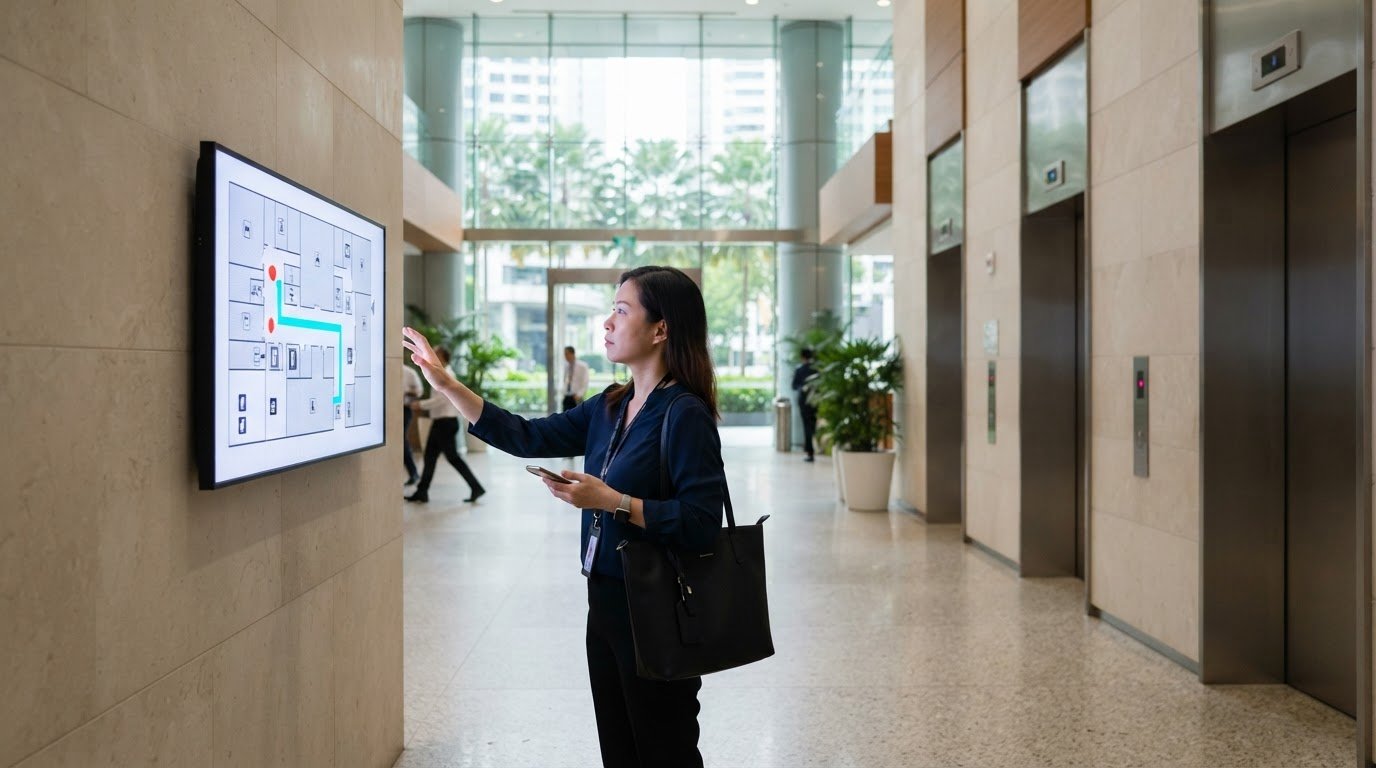
A digital directory gives visitors a clear starting point in a multi-tenant building or large office. Structure entries by organisation, floor and destination, then connect each listing to an easy-to-read visual map. A visitor looking for a training room, for example, can identify the tenant, find the floor and follow the route to the right lift or corridor. A searchable directory is one of the corporate lobby digital signage ideas that can make a large workplace easier to navigate.
Placement matters as much as the directory itself. A screen near a major lobby intersection helps people choose a direction before reaching a corridor. Entry points, lift banks and waiting areas are also suitable because visitors naturally pause there. During site planning, assess walking routes and sightlines to avoid placing the screen behind furniture or in a congested queue.
For a larger site, a touch-screen directory can provide searchable names and maps. Visitors can enter a department or meeting-room name, then follow the destination information on screen. Use consistent room names and floor references. If the booking system calls a room “Orchid Room,” the directory should use the same name, not an informal alternative.
Wayfinding should guide people beyond reception. A new employee may need to find a meeting room, pantry or shared workspace, while a supplier may need a reception desk or delivery point. Organise directions in the order people encounter them, from the lobby to the lift, floor and final corridor. Clear arrows and concise labels make the route easier to follow.
Digital listings are easier to revise when tenants or departments change. In a Singapore multi-tenant office, a tenant relocation can make a printed directory outdated; a managed digital directory lets the listing and map be updated together. The content owner should align changes with building information, so visitors do not follow an old floor reference after an organisation moves.
Viewing conditions affect readability. Check viewing distance, screen angle, surrounding light and how long visitors have to read each listing. A directory beside a waiting area can include more detailed search guidance, while a screen near a busy entrance benefits from a simplified map and prominent destination names. These choices make navigation useful without overloading the display.
During installation planning, coordinate screen position, wall type, power and network access with the building layout. A touch interface also needs enough clear space for visitors to pause and use it without blocking the main route. Connect the digital directory with existing floor names and directional signs to create a consistent navigation system throughout the workplace.
4\. Real-time information and internal communications
Lobby screens can combine operational updates and internal messages, provided each has a clear audience. Visitors may need directions to a meeting, while employees leaving the office may value traffic or train information. The content plan should identify who needs each update, where they will see it and who will keep it accurate.
For multilingual visitor communication, a reception display can show essential directions in more than one language. Keep each version concise, with consistent room names, arrows and visual cues. A visitor arriving for a client meeting, for example, should be able to find reception or the right lift without interpreting a long paragraph. Assign an owner to keep translated messages aligned.
Internal screens can display company announcements, employee recognition, event details and performance metrics. A town-hall announcement might show the location and start time, while a recognition message highlights a team contribution. Place internal content where employees can see it without displacing practical arrival information. This helps visitors find their way while staff receive relevant updates.
Singapore offices can also use lobby displays for cafeteria menus, industry news and scheduled events. A menu shown near the entrance helps employees decide where to eat before reaching the pantry. Traffic and train schedule information can support commute planning at departure points. These examples work best when the screen shows useful, current information rather than repeating promotional messages throughout the day.
In a healthcare setting, lobby displays can provide practical guidance such as clinic hours, department locations, appointment check-in instructions and general health messages. Keep content suitable for public viewing: patient names, appointment details and other identifiable information should not appear on an open screen. A clinic can direct visitors to a service desk for personal enquiries, while the display handles general navigation.
Every update needs a publishing process. Assign an owner for each content category, define who can approve changes and schedule regular reviews. Facilities staff, for example, may maintain building notices, while communications staff manage company announcements. For a time-sensitive closure or event change, the responsible team needs a clear way to replace the message promptly.
Useful reporting starts with a defined purpose. A team promoting an event can track QR code scans or website visits linked to its call to action. These indicators help assess the campaign, while employee feedback can show whether internal notices are easy to find. A practical content review can then remove expired items, check accuracy and adjust the schedule to meet visitor and staff needs.
5\. Keeping lobby information current
Keeping lobby information current takes a defined update process, not just a screen that can display content. Digital signage software can schedule material in advance and update information in real time. Assign responsibility for each content type, such as facilities notices, event changes and company announcements. Clear ownership matters when staff roles change or a display needs an urgent correction.
Different content needs different publishing methods. A planned event announcement can be scheduled for its registration period, while a meeting-room change may need an immediate update. Separating scheduled content from live information also makes the display easier to manage. For example, a building closure notice should take priority over a routine corporate message while the closure is relevant.
Lobby signage can connect with visitor management, meeting-room booking and internal communications by displaying selected information from those systems. A visitor check-in process might direct guests to reception, while a booking feed can show a room’s current availability. Define which information appears on public screens and who controls connected data, so private details remain within their intended systems.
Training and benefits information can be tailored to each audience. A workplace might show a staff training session’s title, location and registration instructions, while a separate internal message explains where employees can find benefits information. Keep personal or confidential details within employee channels rather than displaying them in a public-facing lobby.
A content calendar helps prevent outdated announcements from lingering. If a slide remains unchanged for a month, staff may stop noticing it. The assigned owner can review dates, remove completed notices and refresh recurring information. After a training session ends, for instance, its registration prompt can be replaced with the next relevant staff update.
Real-time integration is useful only if the source information is maintained. A booking display can mislead visitors if room names or availability are inaccurate in the connected system. System planning should account for the signal path and publishing permissions, while the organisation’s process defines who maintains source data and resolves content errors.
Electronic paper displays can show changing event or facility information with lower power use. For other screen types, decide how updates will be scheduled and who can publish urgent changes. A clear handover gives staff a workable process after installation, helping signage remain a dependable information point as office needs change.
ETA Visual
ETA Visual helps businesses turn lobby communication needs into a coordinated display plan. For a Singapore office, that can mean assessing sightlines, ambient light, wall conditions, power and network access before selecting suitable display formats. The aim is to match the system to its role, whether visitors need clear directions or employees need timely updates.
As an LED and AV system integrator, ETA Visual supports solution design, installation and commissioning, with options including indoor LED screens and transparent LED displays. These formats suit different lobby layouts and visual requirements; the content plan and site conditions guide the recommendation.
Contact ETA Visual to discuss your corporate lobby display requirements.
Turn a Clear Lobby Plan into a Working System
The next step is to turn your priorities into a brief that connects visitor needs, staff communication and the lobby’s physical layout. Identify the decisions people need to make, the information that must stay current and who will manage updates. This gives the design process a practical starting point and keeps corporate lobby digital signage ideas connected to how your workplace operates.
ETA Visual can shape a display plan around your site, content requirements and system integration needs, then support installation and commissioning. Bring details such as lobby plans, existing room names and the systems that supply meeting or visitor information. These inputs help define a solution that fits your environment instead of treating the screen as a standalone feature.
A well-planned system can make the lobby easier to navigate and keep useful information visible. Start with the communication need, then build the technical plan around it.
With a clear purpose and considered design, your lobby can welcome people with confidence.
What Should Lobby Digital Signage Accomplish?
A lobby screen should make the visitor’s next step clear when they need it. To assess whether its content is useful, note the questions reception staff answer repeatedly, such as where guests should wait or how to reach an event room. These recurring questions can guide content priorities. Review them once the display is in use, then refine messages that do not address common points of confusion.
How Can a Signage Provider Manage and Update Content on Digital Lobby Signs?
A signage provider can organise content so teams can identify the current approved version of each message. For example, a visitor notice can include its effective date and expiry point, making outdated material easier to spot during review. A preview process also lets the content owner check spelling, layout and destination details before publication. These controls help prevent avoidable errors without changing the message’s intended meaning.
What are effective digital signage ideas for a corporate lobby?
Build the screen sequence around the lobby’s daily rhythm. During a client event, lead with a welcome and directions, then return to evergreen corporate information after the event ends. A company introduction can pair a concise service overview with selected milestones, while a separate slide explains visitor arrival steps. This creates a clear flow instead of presenting unrelated messages in an arbitrary rotation.
How Does a Professional Integrator Determine Screen Sizes, Placements, and Brightness Levels for a Corporate Lobby?
An integrator can assess the proposed design using actual content and the lobby’s changing light conditions. Check whether text is legible from likely standing positions and whether images fit the display without cropping important details. Reviewing the layout in daylight and interior lighting can reveal adjustments needed before commissioning. The assessment should reflect how visitors encounter the screen, not just how it looks in a design file.
How Does a Professional Integrator Plan, Install, and Maintain Digital Signage in a Corporate Lobby?
A professional integrator develops the system plan, coordinates installation requirements, tests the signal path and commissions the display before handover. Planning should also account for future technician access and how building operations affect installation arrangements. After handover, a maintenance plan can define inspection and fault-reporting processes. This helps the organisation understand the installed system and the practical arrangements for ongoing support.
Visual planning reference
| Planning factor | What to define | Why it matters |
|---|---|---|
| Viewing positions | Nearest viewing distance and audience locations | Supports an appropriate pixel-pitch and screen-size decision. |
| Content workflow | Input sources, resolutions and control workflow | Helps ensure information remains readable and simple to operate. |
| Installation conditions | Structure, access, power, ventilation and maintenance access | Aligns the display scope with the physical site before procurement. |
Want an accurate budget for your space?
We'll do a free site survey and prepare a clear, itemised quotation — no obligation.
Frequently asked questions
A lobby screen should make the visitor’s next step clear when they need it. To assess whether its content is useful, note the questions reception staff answer repeatedly, such as where guests should wait or how to reach an event room. These recurring questions can guide content priorities. Review them once the display is in use, then refine messages that do not address common points of confusion.
A signage provider can organise content so teams can identify the current approved version of each message. For example, a visitor notice can include its effective date and expiry point, making outdated material easier to spot during review. A preview process also lets the content owner check spelling, layout and destination details before publication. These controls help prevent avoidable errors without changing the message’s intended meaning.
Build the screen sequence around the lobby’s daily rhythm. During a client event, lead with a welcome and directions, then return to evergreen corporate information after the event ends. A company introduction can pair a concise service overview with selected milestones, while a separate slide explains visitor arrival steps. This creates a clear flow instead of presenting unrelated messages in an arbitrary rotation.
An integrator can assess the proposed design using actual content and the lobby’s changing light conditions. Check whether text is legible from likely standing positions and whether images fit the display without cropping important details. Reviewing the layout in daylight and interior lighting can reveal adjustments needed before commissioning. The assessment should reflect how visitors encounter the screen, not just how it looks in a design file.
A professional integrator develops the system plan, coordinates installation requirements, tests the signal path and commissions the display before handover. Planning should also account for future technician access and how building operations affect installation arrangements. After handover, a maintenance plan can define inspection and fault-reporting processes. This helps the organisation understand the installed system and the practical arrangements for ongoing support.
Confirm the viewing distance, display size, content type, installation conditions and signal-source requirements before selecting a system.
Plan the next step
Continue with a relevant solution and real Singapore project evidence.