AV Equipment Maintenance in Singapore: A Business Guide
Written and reviewed by the ETA Visual Engineering & Project Team. Guidance is updated when project, product or Singapore site-planning practices change.
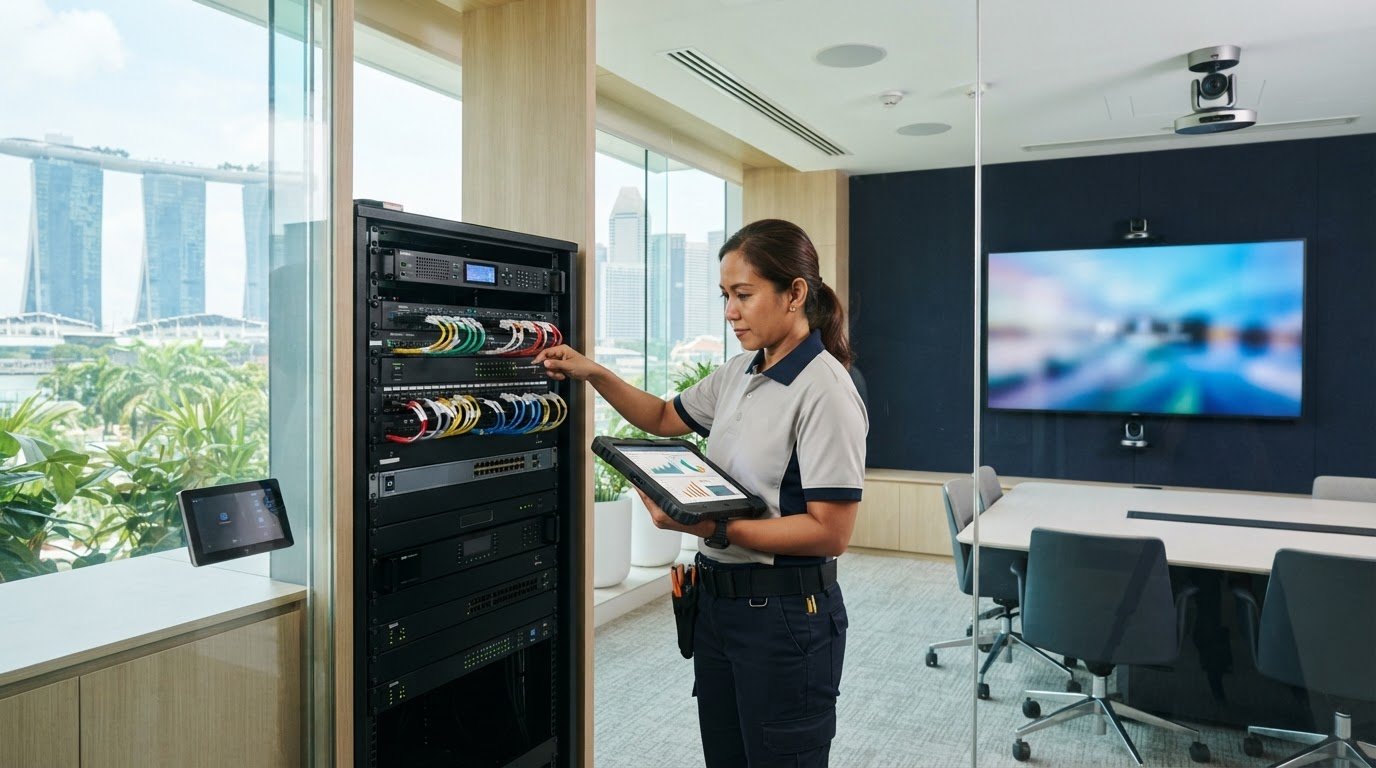
What happens when a meeting-room display is working, but the audio, signal path or control system fails just before a client presentation? AV equipment maintenance needs to cover the connected system, not just its most visible screen. A fault in one device or connection can interrupt a meeting, lobby display or customer-facing operation. Regular checks can help identify issues before they cause disruption, but maintenance scopes vary. Before agreeing to support, clarify what the provider will inspect, how often visits are planned and whether they can fit your operating hours and site access requirements. This guide explains what commercial AV maintenance can cover across displays, audio, control and signal distribution. It also outlines how to plan checks around site operations, compare preventive support with reactive repair, and decide whether an ongoing arrangement suits your systems and business needs.
Key Takeaways
- AV equipment maintenance should consider how displays, audio, signal paths and control equipment work together, not just inspect devices in isolation.
- Set inspection checks according to your system design, manufacturer guidance and site requirements.
- Compare planned inspections and monitoring with fault-led repair by checking scope, response arrangements and likely operational interruption.
- Build a practical maintenance plan around system importance, site access and relevant conditions such as heat, humidity and outdoor exposure.
- Choose a provider who can explain the inspection scope, reporting and escalation process, and support the AV components at your site.
Table of Contents
Why AV Maintenance Matters for Business-Critical Systems
A commercial AV system is a chain of connected components. A display may power on, but a failed source, cable, processor or control device can still interrupt the content reaching it. Audio faults can make a meeting difficult to follow, while an issue with a retail display or background music system can affect the experience of customers and staff. Effective AV equipment maintenance considers how the complete system works together, not only whether individual devices turn on.
Planned checks help teams identify developing faults, confirm that key functions work as intended and arrange support before an issue becomes disruptive. They can reduce avoidable interruptions, but they cannot guarantee uninterrupted operation. The right plan depends on system design, manufacturer guidance, site conditions and how important the AV is to daily operations.
Which business environments depend on maintained AV?
Retail displays support promotions and customer information. Hospitality spaces may use screens and audio for guest-facing content, while offices rely on conference room AV for meetings and presentations. Commercial audio can also contribute to the atmosphere in a retail or hospitality setting. To set priorities, consider who relies on each system, when it is used and what would happen if it failed. Give attention first to systems whose failure would disrupt an essential activity.
Where a business creates or presents its own video content, each stage depends on functioning equipment. This video production process overview provides useful context for why reliable equipment matters from content creation through to presentation.
What does AV equipment maintenance mean?
Preventive maintenance is planned inspection and care intended to identify issues before failure; emergency repair is corrective work requested after a fault occurs. A maintenance arrangement may include scheduled inspections, remote monitoring and firmware updates. Corrective support may involve troubleshooting and on-site repair, depending on the fault and agreed scope. These are distinct activities, so confirm what is included and how issues are escalated.
ETA Visual’s preventive maintenance agreements include scheduled inspections, remote monitoring and firmware updates, with emergency on-site repair available for faults requiring attention. The company designs, supplies, installs and maintains commercial AV systems, including LED displays and commercial audio. This can help connect maintenance decisions to the system’s components and intended use. For details, see its commercial AV maintenance support.
This is commercial systems support, not residential home-theatre servicing. For a business, the practical starting point is to identify which connected systems matter most, then agree checks and response arrangements that fit operational needs.
What commercial AV equipment maintenance should cover
A useful maintenance scope follows the signal and control paths through the system, rather than checking equipment in isolation. The exact checks depend on the installed components, manufacturer guidance, site conditions and how the system is used. For a consistent baseline, teams can refer to AVIXA industry standards alongside equipment documentation and system records.
| Component group | Example checks | Why they matter |
|---|---|---|
| Displays | Inspect visible condition, confirm operating status and check that the intended content appears. | Helps identify visible faults or interruptions in presentation. |
| Signal paths | Trace relevant sources, connections and routing; test the expected source-to-display path. | A working screen can still show no content if a source, connection or processor is at fault. |
| Control equipment | Test control interfaces and confirm that expected functions respond. | Reliable operation helps users select sources and manage the system as intended. |
| Audio | Listen for distortion, dropouts or uneven output; check connectivity and user controls. | Supports clear playback and dependable use in meetings or commercial spaces. |
| Network-connected AV | Where applicable, review connectivity, remote monitoring status and relevant firmware. | Can help identify communication issues and keep connected components manageable. |
Display, signal and control components
For LED systems, checks may include visual condition and operating status, as well as relevant signal-chain components. Include receiving cards, power supplies and media servers only if they are part of the installed system. Firmware updates also need care: confirm compatibility and assess operational impact before deployment, especially where the system supports daily business activity. LED-specific inspection and cost considerations belong in a dedicated LED maintenance guide, rather than being assumed to apply to every AV setup.
Commercial audio and meeting-room equipment
Where installed, inspect speakers, amplifiers, microphones, processors and control interfaces. Listen for audible faults and confirm that connections and routine user controls work as expected. A maintenance check should reflect how staff actually use the room or audio system, not just whether the equipment powers on. Businesses reviewing their audio setup can explore ETA Visual’s commercial audio systems for system-specific support.
Record findings, outstanding issues and changes made. That history helps the next inspection focus on known concerns and makes it easier to distinguish recurring faults from new ones.
Preventive AV maintenance or reactive repair: how to choose
A system that is working today may still benefit from planned checks, particularly if a fault would interrupt a meeting, customer-facing display or daily business activity. The right approach to AV equipment maintenance depends on the system’s role and the disruption a failure could cause. Preventive support can help surface issues and organise checks in advance, but it cannot prevent every fault or guarantee uninterrupted operation.
| Consideration | Preventive maintenance | Reactive repair |
|---|---|---|
| Planning | Visits and agreed checks are scheduled with the provider. | Support is requested after a fault is noticed. |
| Response arrangements | Monitoring or escalation arrangements may be agreed in advance. | Availability and response timing need to be confirmed when arranging support. |
| Scope clarity | Included inspections, updates and reporting can be defined in the agreement. | Confirm how fault reporting, diagnosis, parts and technical labour are handled. |
| Operational interruption | Planned checks can be coordinated around site access and operations. | Repair may take place during an unplanned disruption, depending on support arrangements. |
When a preventive maintenance agreement may fit
Consider a planned agreement if failure of a display, conference room system or commercial audio setup could interrupt an important business activity. Check whether scheduled inspections, remote monitoring and firmware updates suit the equipment and site. Agree the visit schedule, covered components, reporting and escalation process with the provider, including how access restrictions or operating hours will be accommodated.
ETA Visual’s preventive maintenance agreements include scheduled inspections, remote monitoring and firmware updates. The scope should still match your system and operational requirements. Review the AV maintenance support options and confirm what is included before deciding.
When on-demand repair may be more appropriate
For systems with limited operational dependence, on-demand repair may be practical after you assess the consequences of failure. Ask how to report a fault, whether on-site support is available for your situation, and how parts and technical labour are handled. Confirm emergency support availability and response timing directly with the provider. Do not assume these are included or guaranteed.
Some businesses may combine planned checks for critical systems with reactive support for lower-priority equipment. This lets the maintenance approach reflect operational risk without treating every device as equally important. Compare the written scope and response arrangements, not just the service label.
Build an AV maintenance plan around Singapore site conditions
A practical AV equipment maintenance plan starts with the system and the site. Heat, humidity, outdoor exposure, ventilation and physical access can all affect what a technician can inspect and how work needs to be scheduled. Building management procedures, loading arrangements and permitted work windows may also shape a visit. Agree these details early so the maintenance scope is workable, not just comprehensive on paper.
Prepare the site and maintenance information
Before agreeing a schedule, gather equipment lists, system drawings, operating contacts and available service records. Note where equipment is installed, whether it is exposed to outdoor conditions, and whether ventilation or maintenance access is restricted. Confirm access routes, loading arrangements, site coordination requirements and suitable work windows with the relevant building or facilities team.
Use this information to build a plan in five steps:
- Inventory the systems: List displays, audio, signal and control components, including network-connected equipment where applicable.
- Rank operational importance: Identify which systems support customer-facing activity, meetings or other essential business functions.
- Confirm access: Check entry procedures, loading arrangements, work windows and access to equipment locations.
- Agree the checks: Set out which components and inspection tasks are included, based on system design, manufacturer guidance and site conditions.
- Record findings: Keep inspection notes, faults identified, changes made and recommended follow-up actions together for future reference.
Agree inspection scope, records and escalation
Define how findings will be documented and who receives the report. A useful record should identify the equipment checked, issues found and any recommended follow-up. Also agree how staff should report faults, how issues are prioritised and how on-site repair is arranged. Confirm response timing and access conditions with the provider rather than assuming they are part of the maintenance agreement.
System design matters because a fault may involve connections between devices, not just the device showing a symptom. If drawings or handover records are incomplete, review the signal flow and system interfaces before finalising the maintenance scope. ETA Visual designs, supplies, installs and maintains commercial AV systems, which can help inform a joined-up maintenance plan.
Choose an AV Maintenance Provider for Joined-up Support
A suitable provider should understand how your displays, audio and other connected AV components operate as one system. Familiarity with the equipment is useful, but so is understanding its design, signal flow and intended use. That context helps make maintenance checks relevant to the system, rather than a generic list of tasks.
Questions to ask before agreeing a maintenance scope
Ask for a clear written scope before comparing proposals. Use these questions to establish what the provider will inspect, how support is arranged and what your team needs to prepare:
- Which systems and tasks are included? Confirm the displays, audio, control and connected components covered, along with the inspection activities for each.
- How are visits planned? Ask about the proposed schedule and how visits can be coordinated with operating hours, building access and site procedures.
- What remote services are included? Check whether remote monitoring is applicable to your setup and what it covers.
- How are firmware updates assessed? Confirm how compatibility and possible operational impact are considered before updates are deployed.
- How are faults escalated? Ask how to report a problem, how priority support is handled, and whether emergency troubleshooting or on-site repair is available. Confirm arrangements and response timing directly.
- What information and access are needed? Clarify requirements for system drawings, equipment records, operating contacts, access routes and work windows.
- How are findings documented? Ask what inspection reports include and how recommended follow-up work is identified.
Also confirm how replacement parts and technical labour are handled, including whether they fall within the agreed scope or are arranged separately. These details make it easier to compare providers on the support your site actually needs, rather than on broad service descriptions alone.
How ETA Visual supports commercial AV systems
ETA Visual is an AV system integrator providing design, supply, installation, maintenance and repair for commercial AV systems. Its preventive maintenance agreements include scheduled inspections, remote monitoring and firmware updates. For faults requiring attention, emergency support includes on-site repair, hardware troubleshooting, genuine replacement parts and technical labour. Confirm the scope and arrangements that apply to your system before proceeding.
Choose a partner whose support can address the displays, audio and integrated AV components relevant to your site. A provider involved in system design and installation can also bring useful context to ongoing support, though the proposed inspection scope should always be checked against your equipment and operating needs.
To review the available AV maintenance support, discuss your system requirements with ETA Visual.
Make AV Support Part of Your Operations Plan
Effective AV equipment maintenance looks beyond individual devices to the connected system, its role in your business and the conditions at your site. A clear scope should identify which displays, audio and control components need attention, what checks are included, and how visits can fit building access and operating schedules.
For systems that support customer-facing or business-critical activities, planned inspections and agreed support arrangements can help teams address issues methodically. They cannot prevent every fault, so it is also important to understand how corrective support is handled. ETA Visual’s preventive maintenance agreements include scheduled inspections, remote monitoring and firmware updates. For faults requiring attention, the company also provides emergency on-site repair, hardware troubleshooting, genuine replacement parts and technical labour.
Discuss your system, site conditions and operational priorities to identify a practical support approach. Clear expectations make it easier to plan maintenance and know how to respond when issues arise.
With a clear plan and support scope, your team can approach AV maintenance with greater clarity and confidence.
What does AV equipment maintenance include?
AV equipment maintenance can include planned inspections, remote monitoring, firmware updates and corrective repair, depending on the agreed scope. Checks may cover displays, speakers, microphones, signal connections, processors and control interfaces where installed. Planned maintenance aims to identify issues and review system operation before a fault occurs. Repair is different: it involves diagnosing and addressing a problem that has already disrupted or affected the equipment.
How often should commercial AV equipment be maintained?
There is no single schedule that suits every commercial system. Frequency depends on the equipment, how heavily it is used, its operational importance and site conditions, including heat, humidity or outdoor exposure. Follow manufacturer guidance and discuss the system’s requirements with a qualified provider. A conference room used daily may have different priorities from a display used occasionally. Agree inspection frequency based on the actual installation and document the schedule.
Is an AV maintenance contract worth it for a business?
It may suit a business if an AV fault could interrupt customer-facing activity, meetings or another important operation. Assess the contract’s inspection scope, visit arrangements, monitoring, updates and escalation process against your system’s needs. A contract does not guarantee that faults will not occur or that costs will always be lower. Compare its defined support with on-demand repair, and consider which arrangement fits your operational risk and site access.
Can AV equipment be maintained while a business remains open?
Sometimes, but it depends on equipment access and whether checks affect normal system use. Before scheduling work, identify which rooms or displays may be unavailable, confirm access routes and coordinate with building management or facilities teams. Agree a suitable work window with the provider, taking account of operating hours and site procedures. If checks could interrupt an important activity, plan them for a period when that system is not required.
What should an AV maintenance checklist cover?
A checklist should reflect the installed system. It may cover display condition and operating status, audio quality, signal paths, control functions and network connectivity where applicable. Include a check that users can perform routine functions, such as selecting a meeting-room source. Record equipment inspected, observed faults, firmware changes and follow-up actions. Use manufacturer guidance and system documentation to confirm which checks are relevant, rather than applying one generic checklist to every installation.
Does AV equipment maintenance include firmware updates?
It can, if firmware updates are included in the agreed maintenance scope and apply to the installed equipment. Before deployment, the provider should check compatibility with the system configuration and consider operational impact, including whether connected devices could be affected. Confirm how updates are approved, scheduled and recorded. Do not assume every update is necessary or suitable for immediate installation; refer to manufacturer guidance and discuss any dependencies with the provider.
What should I do when commercial AV equipment stops working?
Note what has stopped working, when the issue began and any visible messages or symptoms. Record which sources or functions are affected, and tell colleagues not to change system settings unnecessarily. Contact the equipment provider or qualified AV technical support with those details, along with relevant system records if available. Ask how the fault will be assessed and whether on-site repair is required. Confirm support availability and response arrangements directly.
Visual planning reference
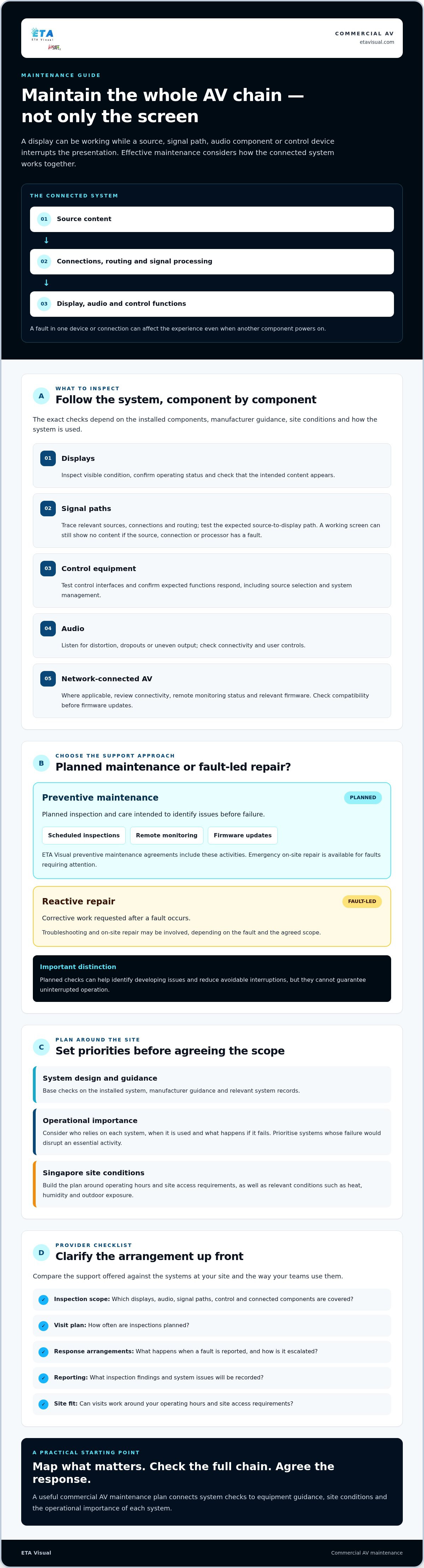
| Component group | Example checks | Why they matter |
|---|---|---|
| Displays | Inspect visible condition, confirm operating status and check that the intended content appears. | Helps identify visible faults or interruptions in presentation. |
| Signal paths | Trace relevant sources, connections and routing; test the expected source-to-display path. | A working screen can still show no content if a source, connection or processor is at fault. |
| Control equipment | Test control interfaces and confirm that expected functions respond. | Reliable operation helps users select sources and manage the system as intended. |
| Audio | Listen for distortion, dropouts or uneven output; check connectivity and user controls. | Supports clear playback and dependable use in meetings or commercial spaces. |
| Network-connected AV | Where applicable, review connectivity, remote monitoring status and relevant firmware. | Can help identify communication issues and keep connected components manageable. |
Want an accurate budget for your space?
We'll do a free site survey and prepare a clear, itemised quotation — no obligation.
Frequently asked questions
Retail displays support promotions and customer information. Hospitality spaces may use screens and audio for guest-facing content, while offices rely on conference room AV for meetings and presentations. Commercial audio can also contribute to the atmosphere in a retail or hospitality setting. To set priorities, consider who relies on each system, when it is used and what would happen if it failed. Give attention first to systems whose failure would disrupt an essential activity. Where a business creates or presents its own video content, each stage depends on functioning equipment. This video production process overview provides useful context for why reliable equipment matters from content creation through to presentation.
Preventive maintenance is planned inspection and care intended to identify issues before failure; emergency repair is corrective work requested after a fault occurs. A maintenance arrangement may include scheduled inspections, remote monitoring and firmware updates. Corrective support may involve troubleshooting and on-site repair, depending on the fault and agreed scope. These are distinct activities, so confirm what is included and how issues are escalated. ETA Visual’s preventive maintenance agreements include scheduled inspections, remote monitoring and firmware updates, with emergency on-site repair available for faults requiring attention. The company designs, supplies, installs and maintains commercial AV systems, including LED displays and commercial audio. This can help connect maintenance decisions to the system’s components and intended use. For details, see its commercial AV maintenance support. This is commercial systems support, not residential home-theatre servicing. For a business, the practical starting point is to identify which connected systems matter most, then agree checks and response arrangements that fit operational needs. A useful maintenance scope follows the signal and control paths through the system, rather than checking equipment in isolation. The exact checks depend on the installed components, manufacturer guidance, site conditions and how the system is used. For a consistent baseline, teams can refer to AVIXA industry standards alongside equipment documentation and system records.
AV equipment maintenance can include planned inspections, remote monitoring, firmware updates and corrective repair, depending on the agreed scope. Checks may cover displays, speakers, microphones, signal connections, processors and control interfaces where installed. Planned maintenance aims to identify issues and review system operation before a fault occurs. Repair is different: it involves diagnosing and addressing a problem that has already disrupted or affected the equipment.
There is no single schedule that suits every commercial system. Frequency depends on the equipment, how heavily it is used, its operational importance and site conditions, including heat, humidity or outdoor exposure. Follow manufacturer guidance and discuss the system’s requirements with a qualified provider. A conference room used daily may have different priorities from a display used occasionally. Agree inspection frequency based on the actual installation and document the schedule.
It may suit a business if an AV fault could interrupt customer-facing activity, meetings or another important operation. Assess the contract’s inspection scope, visit arrangements, monitoring, updates and escalation process against your system’s needs. A contract does not guarantee that faults will not occur or that costs will always be lower. Compare its defined support with on-demand repair, and consider which arrangement fits your operational risk and site access.
Sometimes, but it depends on equipment access and whether checks affect normal system use. Before scheduling work, identify which rooms or displays may be unavailable, confirm access routes and coordinate with building management or facilities teams. Agree a suitable work window with the provider, taking account of operating hours and site procedures. If checks could interrupt an important activity, plan them for a period when that system is not required.
Plan the next step
Continue with a relevant solution and real Singapore project evidence.

