AV Service Contracts: Guide for Singapore Businesses
Written and reviewed by the ETA Visual Engineering & Project Team. Guidance is updated when project, product or Singapore site-planning practices change.
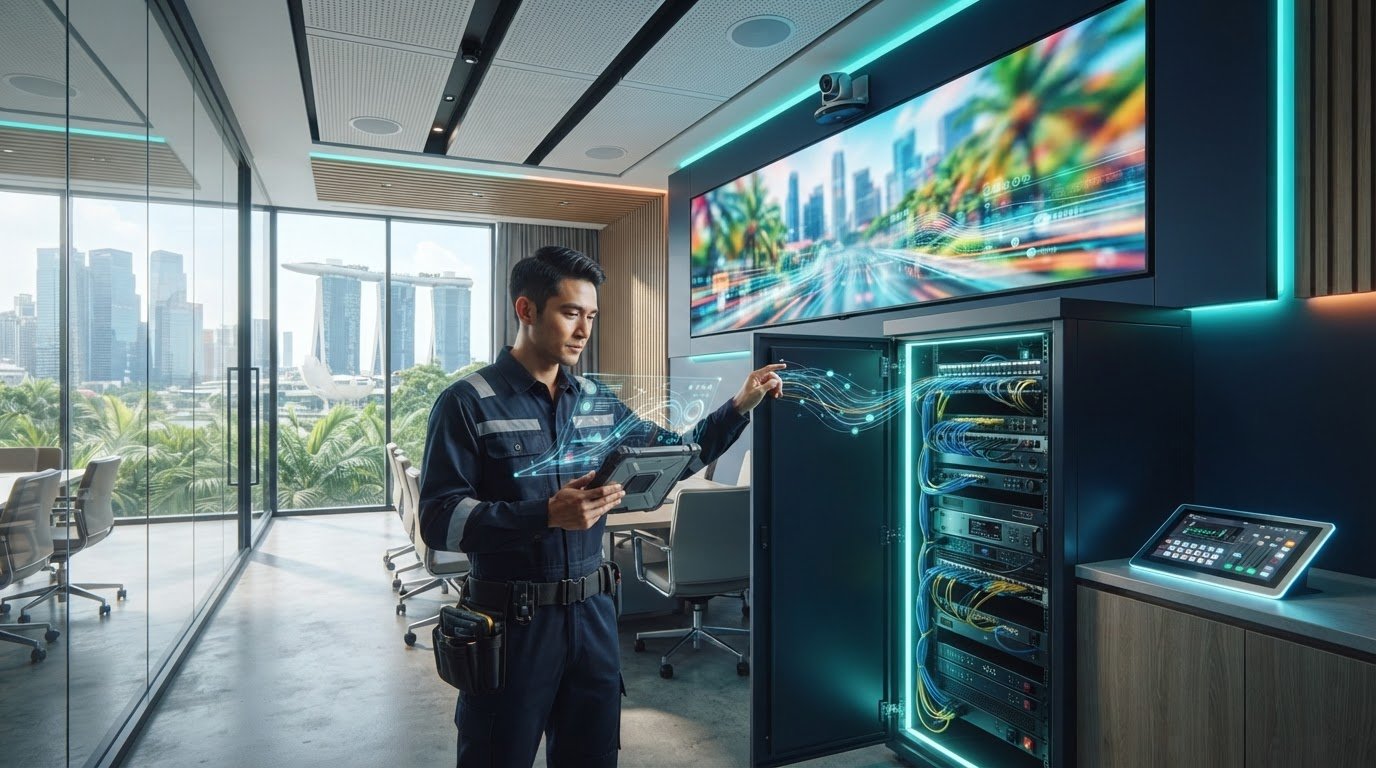
An AV service contract can list every device and still leave the systems your business depends on poorly supported. A display fault can interrupt a retail promotion, while an audio or control issue can disrupt a meeting. Clear coverage matters, but contract terms can obscure what inspections, repairs and support actually include. The right scope depends on system criticality, not a generic checklist. This guide explains what AV service contracts cover and how to match preventive maintenance and fault response to a commercial AV system. It outlines what to define before work begins, from covered equipment and signal paths to maintenance responsibilities and support arrangements. It also considers Singapore site conditions, including heat, humidity and access constraints that can affect maintenance planning. Whether your setup includes LED displays, audio or conference room AV, a system-level approach helps set practical expectations for ongoing support.
Key Takeaways
- Match AV service contracts to the operational importance of each system, rather than relying on a generic checklist.
- Distinguish scheduled preventive maintenance from on-demand fault response, and define what each covers.
- Set clear expectations for covered equipment, inspections, remote monitoring, firmware updates, priority support and exclusions.
- Prepare a system inventory, rank operational priorities and plan maintenance around site access and Singapore’s heat and humidity.
- Plan AV support across the system lifecycle, from integration and commissioning through ongoing maintenance and repair.
Table of Contents
What an AV Service Contract Does for Commercial Systems
A fault in a commercial AV system can affect more than the equipment itself. A blank LED display may interrupt a retail promotion, an audio issue can affect the guest experience in a hotel or restaurant, and a meeting-room fault can delay work. The operational impact depends on what the system does and how much the business relies on it.
An AV service contract sets out agreed arrangements for planned maintenance and support, while a one-off repair addresses a reported fault as a separate job. A general service contract describes an arrangement for services over an agreed period. For AV, the useful detail is which systems and activities are included.
Preventive maintenance versus emergency repair
Preventive maintenance is scheduled in advance. Inspections can identify maintenance needs, such as connection, ventilation or operational issues, before they disrupt normal use. The work should suit the equipment and its operating conditions, rather than follow a generic checklist for every installation.
Reactive repair starts after a fault is reported. It may involve tracing the signal path, checking connected equipment and carrying out on-site work to address the problem. A maintenance agreement and an on-demand repair arrangement are not automatically the same scope, so define where one ends and the other begins. Neither planned inspections nor repair support guarantees that downtime will not occur.
Which commercial AV systems may need ongoing support?
Ongoing support can matter wherever a business depends on AV for customer communication or daily operations. Examples include LED displays in retail settings, commercial audio in hospitality venues and digital signage used to present information or promotions. A system’s importance matters as much as its equipment list: an intermittent fault in a secondary display may have a different effect from a failure affecting a venue’s main screen or shared audio.
Complexity also shapes support priorities. A system may combine displays, audio, control equipment and connected signal paths, so a fault in one component can affect the overall setup. Understanding how the components interact helps define sensible maintenance coverage. ETA Visual’s AV maintenance services support commercial systems through planned care and maintenance arrangements.
Before agreeing a scope, identify the assets the business depends on and the operational consequences if each becomes unavailable. Use this to decide which systems need scheduled attention, what support should cover and which faults require a separate repair arrangement. A clearly defined scope makes support easier to assess without implying that every failure can be prevented.
What an AV service contract can cover, and what to define clearly
A useful maintenance agreement spells out the work behind the promise of support. ETA Visual’s preventive maintenance contracts include scheduled inspections, remote monitoring, firmware updates and priority support. The agreement should explain how these services apply to your system, so your team understands what is planned and how a reported issue will be handled. Priority support does not, by itself, specify a response time or guarantee an outcome.
Keep preventive tasks distinct from fault response. A scheduled inspection or firmware update is planned work; troubleshooting a failed display or replacing a faulty component may be handled under separate agreed terms. Clear boundaries reduce uncertainty when a fault occurs, especially if the equipment is important to daily operations.
Document assets, tasks and service boundaries
Start with an accurate asset list. Record the covered equipment, its location and the system components it depends on, such as control equipment or signal connections. Then specify inspection activities, reporting expectations and how identified issues are escalated. This is more useful than a broad reference to “AV equipment”, particularly across multiple rooms or sites.
Define how repairs, replacement parts and additional work are handled in the written agreement. Separate planned maintenance from work outside that scope, and explain how extra work is assessed and authorised. This avoids assuming every fault, part or site visit is automatically included.
Remote monitoring, firmware and priority support
Remote monitoring is part of ETA Visual’s preventive maintenance support, but it does not replace every physical inspection or repair. Firmware updates are also included. Documenting how these activities apply to the system helps align maintenance with its operating requirements. ETA Visual’s AV maintenance services help businesses plan this ongoing care.
For priority support, define the channel for reporting a fault, the information needed to assess it and how the issue is escalated. Do not treat “priority” as a specific response-time commitment unless the agreement states one. Clear wording sets practical expectations without implying guaranteed availability or uninterrupted operation.
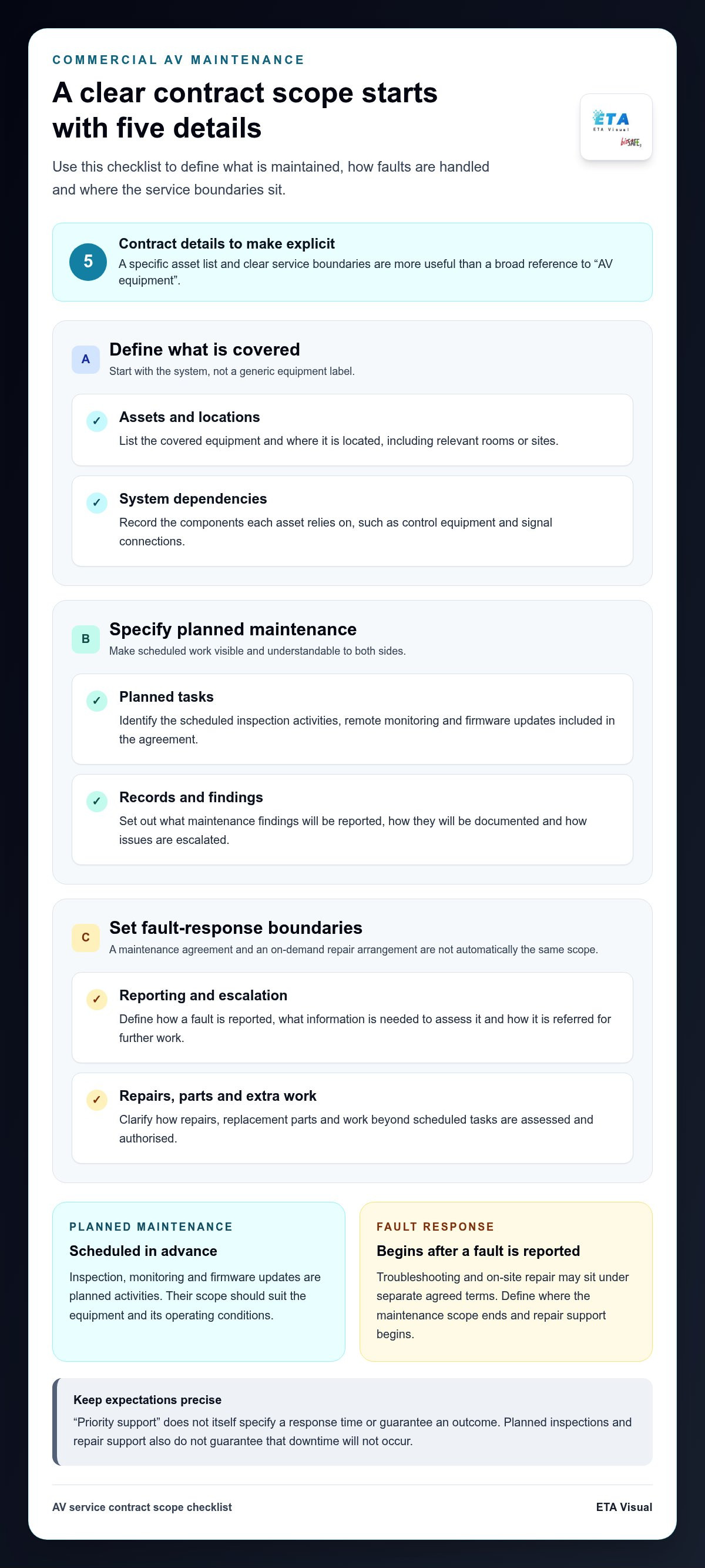
Use this checklist when reviewing the scope:
- Assets: List covered equipment, locations and key system dependencies.
- Planned tasks: Identify inspection, monitoring and firmware update activities.
- Records: Specify what maintenance findings are reported and how they are documented.
- Escalation: Set out how faults are reported, assessed and referred for further work.
- Exclusions: Clarify how repairs, replacement parts and work beyond scheduled tasks are handled.
These details give both sides a shared reference point before maintenance begins. A scope tailored to the system’s equipment and operating needs makes it easier to understand what support is intended to deliver.
Comparing AV Service Contracts for Business Needs
Compare the scope against how each system is used, not simply the number of items listed. A single display with few dependencies may need a different support arrangement from a connected setup where displays, audio and control equipment work together. In either case, consider what an interruption would affect and whether the agreement addresses that risk in practical terms.
Compare documented scope and operational fit, not headline promises. The table below provides a framework for comparing AV service contracts without assuming fixed tiers or a universal maintenance schedule.
| Compare | What to look for | Why it matters |
|---|---|---|
| Covered assets | Equipment and locations named in the agreement, including relevant system dependencies. | Broad labels can leave uncertainty about which parts of an installation are included. |
| Scheduled work | Inspections and other preventive tasks described clearly, with their scope stated. | You can distinguish planned maintenance from work triggered by a fault. |
| Monitoring | Whether remote monitoring is included and what it is intended to support. | Monitoring can inform support, but does not replace all physical maintenance. |
| Support | How to report an issue, how priority support is handled and what escalation involves. | Terms such as “priority” need to be understood in the context of the written agreement. |
| Exclusions | How repairs, parts and additional work are treated outside scheduled tasks. | Clear boundaries help avoid assumptions about what the arrangement covers. |
Match support depth to system criticality
Start with business impact. A display used for a time-sensitive customer message, an audio system that supports service delivery or AV that enables essential internal communication may warrant closer attention than equipment with a limited operational role. Consider both the consequences of failure and how easily staff can work around it.
Then assess complexity. A standalone display has fewer system dependencies than a connected installation involving multiple displays, control equipment and signal paths. The appropriate scope depends on the design, use and site conditions. There is no single maintenance frequency for every commercial AV system.
Compare scheduled support and call-out arrangements
Review planned inspection coverage separately from on-demand or emergency repair. Check how priority support, reporting and escalation are described, and how additional work is authorised. If a response commitment matters to operations, it should appear in the specific agreement rather than be inferred from general wording. This makes comparisons more useful than relying on a broad assurance of support.
Finally, compare like with like. Check that each proposal covers the same equipment and distinguishes preventive tasks from fault response. A lower headline price or broader promise is difficult to assess without that detail. A well-matched scope reflects the system’s operational importance and complexity, while making clear what happens when planned support is not enough.
Planning AV maintenance around Singapore sites and operations
Maintenance planning needs to reflect the site as well as the equipment. In Singapore, heat and humidity can affect where AV components are installed and how their surroundings are managed. Access arrangements matter too: a display above a shopfront or equipment in a secured room may need different preparation from a system in an open office. A practical site record helps shape AV service contracts around actual operating conditions.
Prepare the information in sequence before maintenance begins:
- Inventory the system. Record equipment, locations and key dependencies, including signal paths where known. Note which components are accessible and whether access equipment or assistance is needed.
- Set operational priorities. Identify systems whose interruption could affect customer-facing activity, communications or essential operations. Note when planned work would be least disruptive.
- Plan site access. Document entry processes, security arrangements, maintenance access and relevant site contacts. For malls or managed buildings, coordinate with building management on loading arrangements, work permits or approvals where applicable, and permitted working hours.
- Record site conditions and constraints. Note equipment locations exposed to heat or humidity, ventilation considerations, restricted access and project-specific electrical or structural requirements. These details inform planning but do not replace a site assessment.
- Set escalation contacts. Identify who reports faults, who can provide site access and who should receive updates. Keep the escalation route current when staff or building contacts change.
Prepare an accurate asset and access record
Include enough detail for a maintenance team to locate the relevant equipment and understand its connections. Record access limitations, operating windows and site procedures alongside the asset list. For projects still being assessed, an AV site survey guide explains why it is useful to gather site information before planning work.
Electrical, structural and access needs depend on the installation and site. Do not assume one building’s process applies elsewhere. Document the arrangements for each location and coordinate work with the relevant site parties.
Plan for faults without promising uninterrupted operation
Agree who submits a fault report and what details help describe it: the equipment affected, its location, visible symptoms and when the issue began. Factual information supports clearer escalation and troubleshooting, but does not guarantee a particular repair outcome or uninterrupted operation. For fault-response context, see emergency LED and AV repair support.
A well-prepared site record makes maintenance easier to plan and connects the written scope to actual operating conditions.
Use your equipment inventory, access details and fault priorities to plan AV maintenance for your site.
How ETA Visual supports AV systems beyond installation
AV support is most useful when it reflects how a system was designed, installed and commissioned, not just the equipment name on an inventory. As a Singapore-based AV system integrator, ETA Visual supports commercial systems across these stages and into ongoing maintenance. This lifecycle perspective connects planned care to the system setup, site conditions and the work it performs.
Connecting maintenance to the AV project lifecycle
System integration establishes how equipment works together. For a commercial LED display, that includes understanding its signal and control components. For an audio or conference AV setup, it means considering how connected equipment contributes to its intended use. This system knowledge informs maintenance planning, from identifying relevant inspection points to considering practical access to equipment.
ETA Visual’s preventive maintenance contracts include scheduled inspections, remote monitoring, firmware updates and priority support. The written scope should identify the assets and locations covered, since installations differ in equipment and operating conditions. A retail display, hospitality audio system and multi-component meeting space may each need a different support emphasis.
Planned maintenance and on-demand repair serve distinct roles. Scheduled care is agreed in advance, while a reported fault may require separate troubleshooting or on-site repair, depending on the written arrangement. ETA Visual provides on-site emergency repair and genuine replacement parts. Defining how repair work and parts are handled keeps preventive tasks distinct from additional fault response.
Choosing a practical next step with ETA Visual
To begin a support discussion, outline the system type, equipment and locations involved, and the operational impact if part of the system becomes unavailable. Include relevant site constraints, such as access arrangements or operating windows. If a fault is already occurring, describe the affected equipment and visible symptoms so the issue can be understood in context.
This information gives the discussion a clear basis. It helps align AV service contracts with operational priorities and the actual system configuration, rather than assuming a standard package will suit every site. The scope can then set out the intended preventive work and clarify how reported faults or additional work are addressed.
Keep Your AV Support Aligned as Needs Change
An AV system rarely stays exactly the same throughout its working life. A new display, room reconfiguration or change in how staff use the system can alter which equipment matters most and how support should be organised. Treat AV service contracts as working documents, and revisit the scope when the system or its role in your business changes.
Identify the change you need support for and the outcome the system must deliver. This gives the discussion a practical focus, whether you are planning ongoing maintenance for an existing installation or support for a new commercial AV system. The agreement can then reflect the equipment and operating priorities involved, rather than assumptions about a standard arrangement.
A clear scope helps you make a considered maintenance decision and plan support around the way your business operates.
Are AV service contracts worth it for a business?
They can be useful when the time and effort involved in coordinating faults internally are also a concern. Review how staff currently log issues, arrange access and track follow-up, then compare that workload with the proposed support process. Previous fault records can reveal recurring equipment problems and help you assess the proposed scope. This gives the decision a practical basis beyond the contract fee, without assuming the arrangement will prevent every interruption.
What should an AV maintenance contract include?
Alongside maintenance activities, look for a clear record of work completed and findings that need attention. For example, a service report could identify the equipment checked, any issue observed and whether further action is recommended. This helps your team maintain a traceable service history and plan follow-up. Establish who can approve additional work so a recommendation does not become an unplanned instruction to proceed.
How often should commercial AV equipment be serviced?
Set the inspection schedule with reference to the equipment documentation and the installation’s actual use, then review it if operating patterns change. A system used more intensively than originally intended may need its maintenance plan reconsidered. Record the agreed timing and tasks in the service documents, along with the reason for any later adjustment. This creates a site-specific schedule rather than treating an informal interval as a universal requirement.
Does an AV service contract guarantee that equipment will never fail?
No. Equipment can fail between service visits, and a maintenance arrangement cannot remove every technical or environmental risk. Your business can still plan how staff should keep essential functions operating during a fault, where practical. For example, identify a manual alternative for a process that relies on an AV display. Treat this as business continuity planning, separate from the maintenance provider’s stated responsibilities.
Can an AV service contract cover equipment from different manufacturers?
It can if the written scope identifies the relevant equipment and responsibilities. To make the asset record more precise, include the manufacturer, model and serial number where available, and note any equipment covered by a separate manufacturer warranty. This helps distinguish maintenance coordination from warranty claims and reduces ambiguity about who handles a particular issue. The agreement should explain how those boundaries apply to the installation.
Are firmware updates included in AV maintenance contracts?
They can be, but coverage depends on the agreement. If updates are part of the agreed work, useful records include the device updated, firmware version and date. Your business can also identify a suitable maintenance window and the person responsible for confirming that the system operates as expected afterwards. These details create a change history without assuming every AV maintenance agreement follows the same update procedure.
What information should I prepare before discussing an AV service contract?
Prepare a short brief stating which support outcome matters most, which teams use the system and what internal approval process applies to additional work. If you have records of previous faults or repair expenditure, bring them as context. You can also note planned changes, such as a room refurbishment or system expansion, so the proposed scope can account for likely changes as well as the current setup.
Visual planning reference
| Compare | What to look for | Why it matters |
|---|---|---|
| Covered assets | Equipment and locations named in the agreement, including relevant system dependencies. | Broad labels can leave uncertainty about which parts of an installation are included. |
| Scheduled work | Inspections and other preventive tasks described clearly, with their scope stated. | You can distinguish planned maintenance from work triggered by a fault. |
| Monitoring | Whether remote monitoring is included and what it is intended to support. | Monitoring can inform support, but does not replace all physical maintenance. |
| Support | How to report an issue, how priority support is handled and what escalation involves. | Terms such as “priority” need to be understood in the context of the written agreement. |
| Exclusions | How repairs, parts and additional work are treated outside scheduled tasks. | Clear boundaries help avoid assumptions about what the arrangement covers. |
Want an accurate budget for your space?
We'll do a free site survey and prepare a clear, itemised quotation — no obligation.
Frequently asked questions
Ongoing support can matter wherever a business depends on AV for customer communication or daily operations. Examples include LED displays in retail settings, commercial audio in hospitality venues and digital signage used to present information or promotions. A system’s importance matters as much as its equipment list: an intermittent fault in a secondary display may have a different effect from a failure affecting a venue’s main screen or shared audio. Complexity also shapes support priorities. A system may combine displays, audio, control equipment and connected signal paths, so a fault in one component can affect the overall setup. Understanding how the components interact helps define sensible maintenance coverage. ETA Visual’s AV maintenance services support commercial systems through planned care and maintenance arrangements. Before agreeing a scope, identify the assets the business depends on and the operational consequences if each becomes unavailable. Use this to decide which systems need scheduled attention, what support should cover and which faults require a separate repair arrangement. A clearly defined scope makes support easier to assess without implying that every failure can be prevented. A useful maintenance agreement spells out the work behind the promise of support. ETA Visual’s preventive maintenance contracts include scheduled inspections, remote monitoring, firmware updates and priority support. The agreement should explain how these services apply to your system, so your team understands what is planned and how a reported issue will be handled. Priority support does not, by itself, specify a response time or guarantee an outcome. Keep preventive tasks distinct from fault response. A scheduled inspection or firmware update is planned work; troubleshooting a failed display or replacing a faulty component may be handled under separate agreed terms. Clear boundaries reduce uncertainty when a fault occurs, especially if the equipment is important to daily operations.
They can be useful when the time and effort involved in coordinating faults internally are also a concern. Review how staff currently log issues, arrange access and track follow-up, then compare that workload with the proposed support process. Previous fault records can reveal recurring equipment problems and help you assess the proposed scope. This gives the decision a practical basis beyond the contract fee, without assuming the arrangement will prevent every interruption.
Alongside maintenance activities, look for a clear record of work completed and findings that need attention. For example, a service report could identify the equipment checked, any issue observed and whether further action is recommended. This helps your team maintain a traceable service history and plan follow-up. Establish who can approve additional work so a recommendation does not become an unplanned instruction to proceed.
Set the inspection schedule with reference to the equipment documentation and the installation’s actual use, then review it if operating patterns change. A system used more intensively than originally intended may need its maintenance plan reconsidered. Record the agreed timing and tasks in the service documents, along with the reason for any later adjustment. This creates a site-specific schedule rather than treating an informal interval as a universal requirement.
No. Equipment can fail between service visits, and a maintenance arrangement cannot remove every technical or environmental risk. Your business can still plan how staff should keep essential functions operating during a fault, where practical. For example, identify a manual alternative for a process that relies on an AV display. Treat this as business continuity planning, separate from the maintenance provider’s stated responsibilities.
It can if the written scope identifies the relevant equipment and responsibilities. To make the asset record more precise, include the manufacturer, model and serial number where available, and note any equipment covered by a separate manufacturer warranty. This helps distinguish maintenance coordination from warranty claims and reduces ambiguity about who handles a particular issue. The agreement should explain how those boundaries apply to the installation.
Plan the next step
Continue with a relevant solution and real Singapore project evidence.

